YouTube links open YouTube app instead of default app
-
HommeCrabe last edited by
Version of Android: 10
Phone model and manufacturer: Huawei P20
Version of Opera for Android: 91
Ad-blocker enabled or disabled: no impact
Data savings: disabledOn a webpage with a YouTube url, if I click on it, the video opens in the official YouTube app. It would be fine if YouTube was my default app for YouTube links. But it's not, since I use NewPipe for this purpose.
Every other app (WhatsApp, other browsers) opens YouTube links in NewPipe, as I have set it as the default app in my Android settings.
Opera used to open correctly YT links in NewPipe, until version 86. Since this version (with the revamped ad blocker), Opera has been overriding my default app by opening the YouTube app.
It seems that Opera is aware that my default app is NewPipe, as if I disable the "open in app" setting and I open a YT video link, menu offers me to open the link in NewPipe, not YouTube app.
If I disable the YouTube app in my settings, any YT link will open in Opera, not NewPipe, despite the "open in app" setting enabled.
Issue can be observed in the following video: https://i.imgur.com/FHiC4Vw.mp4
-
 leocg Moderator Volunteer last edited by
@HommeCrabe Maybe Opera for Android only allows to use official apps?
-
SafdarZaman last edited by
Hey!
I ran into the same thing recently and after testing a bit, it doesn’t seem to be an Android “default apps” issue, it looks like Opera itself is prioritizing the official YouTube app when it detects it’s installed.
Even if you’ve set another app (like NewPipe or a different YouTube client) as the default handler in Android, Opera may still push the link directly to the official YouTube app instead of respecting the system preference.
Here are a few things you can try:
Check Android’s link handling settings
Go to:
Settings → Apps → (Your preferred app) → Open by default → Open supported links
Make sure YouTube links are enabled there.
Then also check the official YouTube app and disable “Open supported links” if you want to prevent it from hijacking links.Clear YouTube’s defaults
In the YouTube app settings, tap “Clear defaults” (if available). Sometimes Android still associates links with it even after changing preferences.Disable the YouTube app (temporary test)
If you disable the YouTube app entirely, Opera will usually stop launching it. If links then open in Opera instead of your preferred app, that confirms Opera is bypassing Android’s handler priority.Try Opera’s site settings
On some versions, long-pressing a YouTube link or checking Opera’s site permissions may give you more control, though this varies by version.Unfortunately, this behavior seems tied to how Opera handles certain well-known apps internally. If enough users report it, there’s a better chance the developers will add an option to respect Android’s default link handler fully.
Would be great if Opera added a toggle like “Respect system default app for supported links.” That would solve this cleanly.
Hope this helps
-
tolgahantunc last edited by
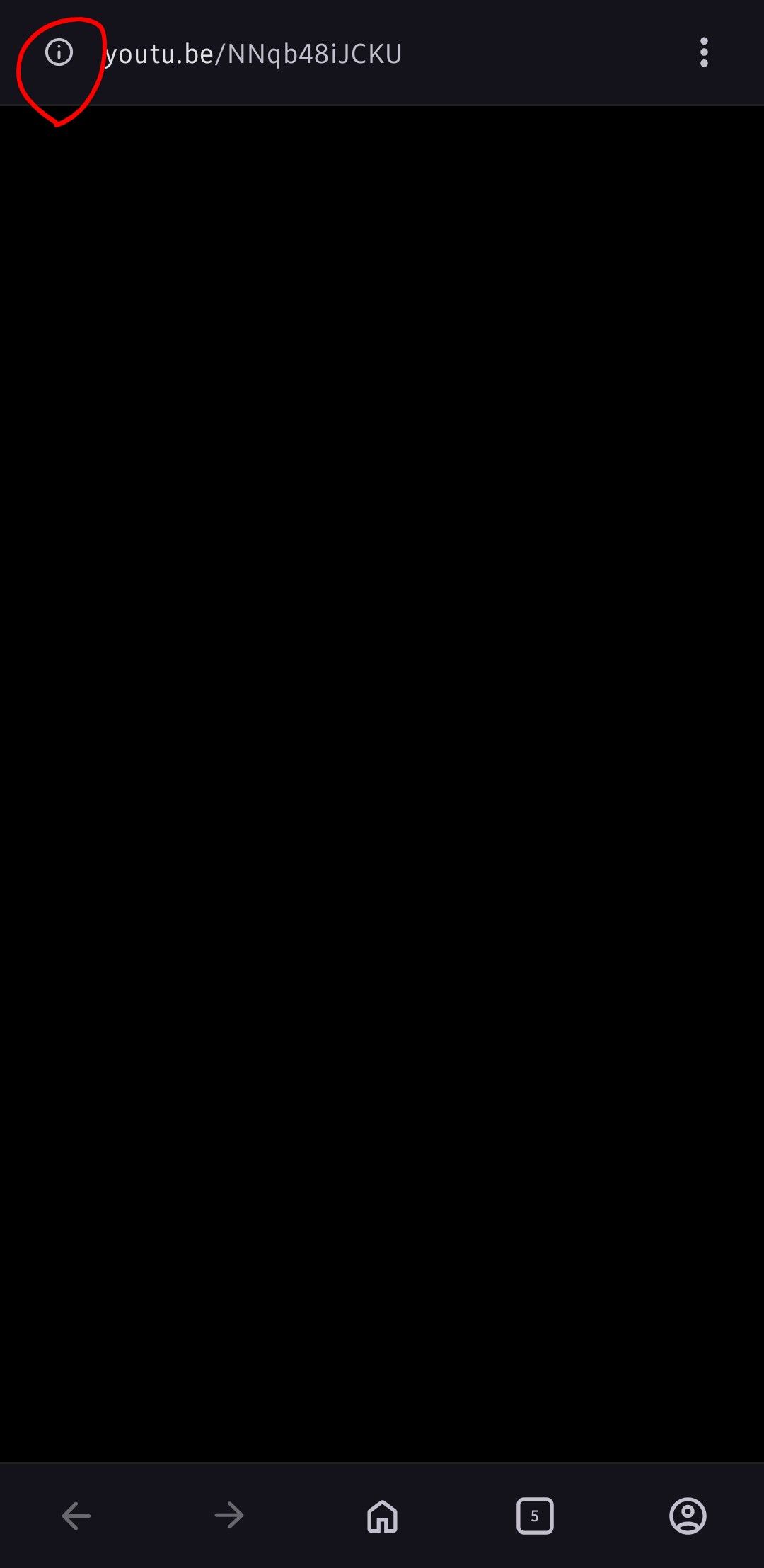
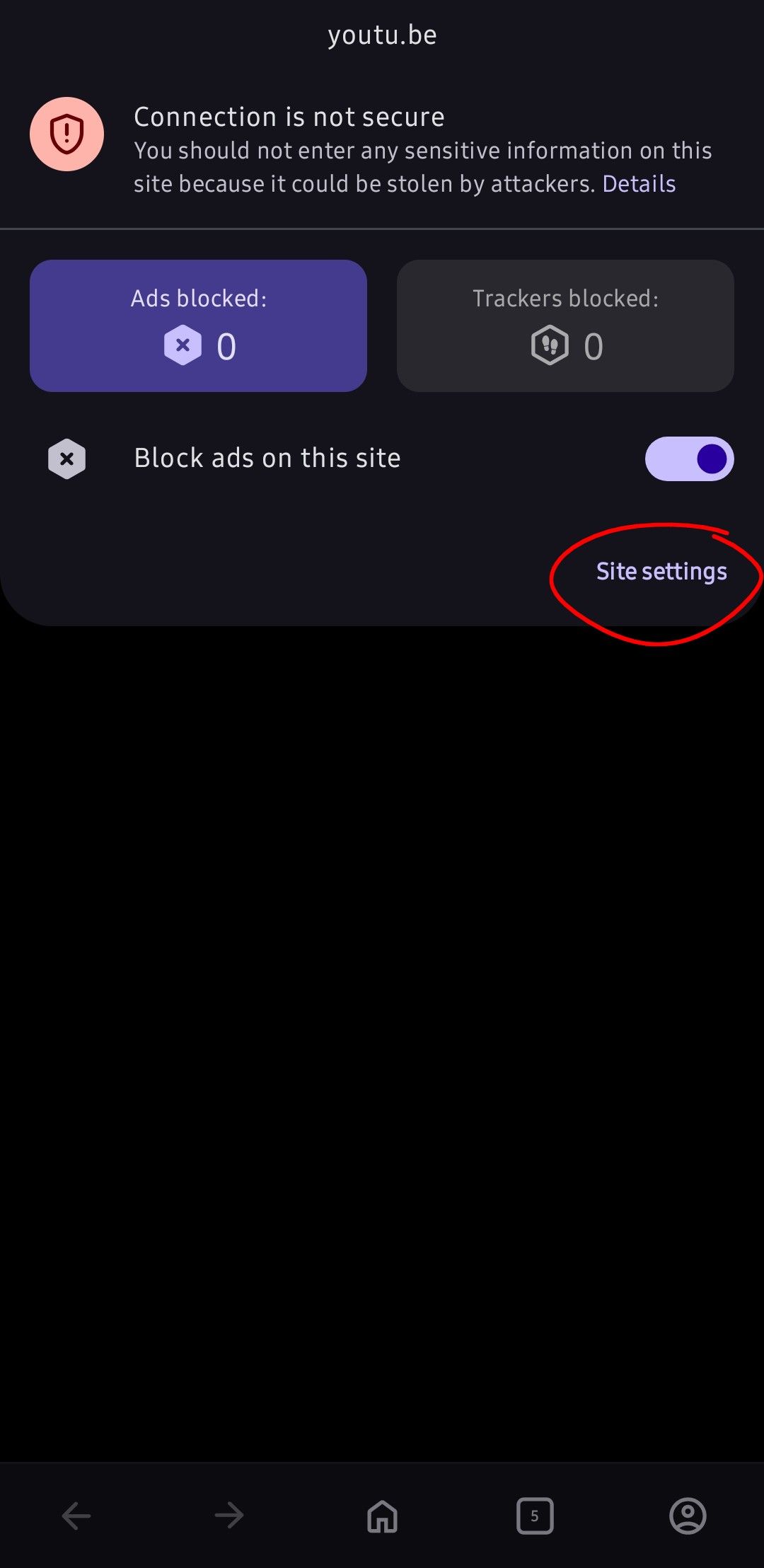
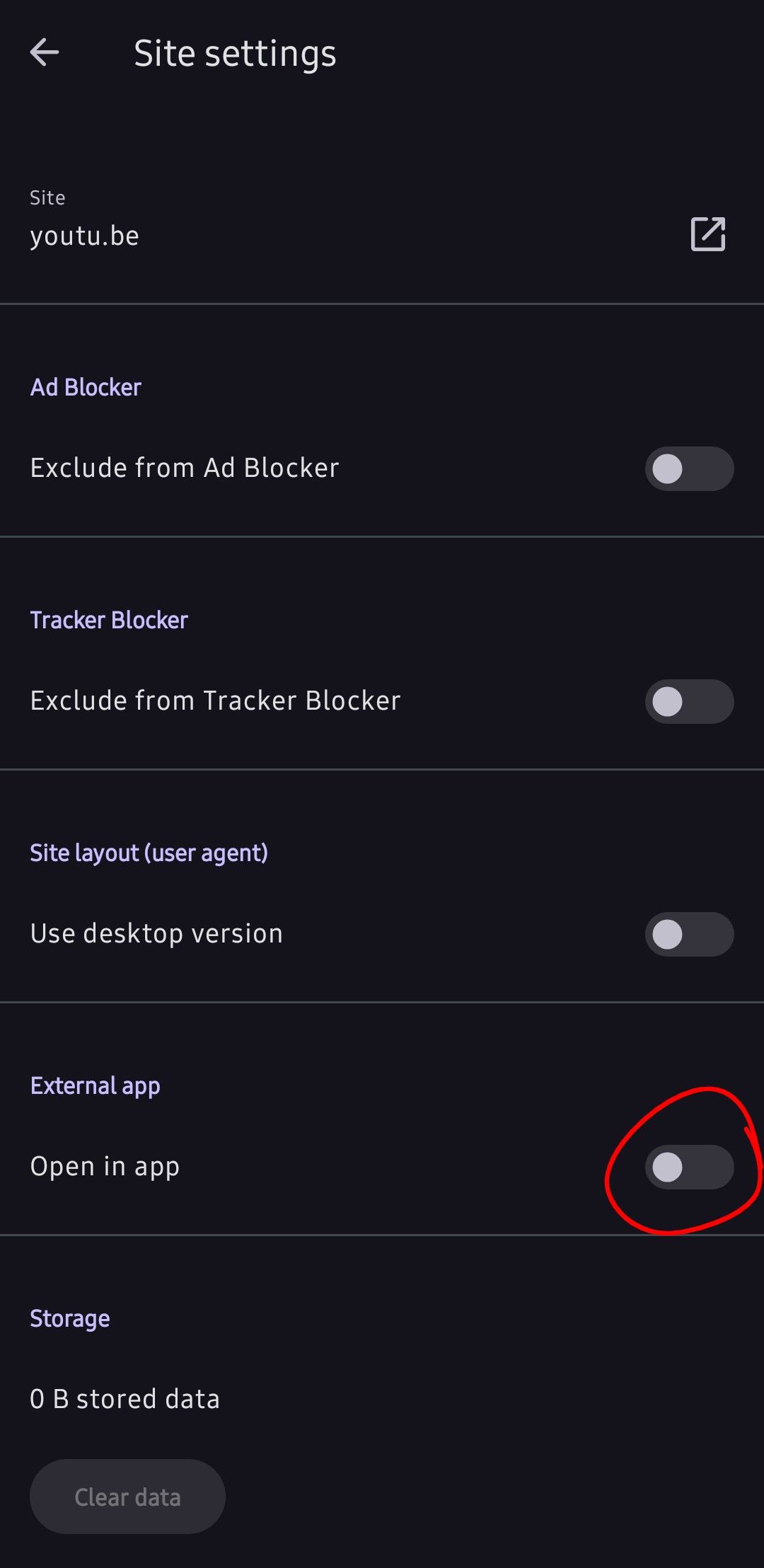
Hi, please follow the highlighted buttons in the below pictures. Enable the button in the last screenshot. It should solve your problem. Of course, double check your YouTube app settings as others suggested above.
-
HommeCrabe last edited by
@SafdarZaman Thank you very much for your reply. I agree, it seems that Opera overrides any personal preference with the official YouTube app. I would understand that if we were talking about Chrome, but Opera... why?
Settings → Apps → (Your preferred app) → Open by default → Open supported links
Links are disabled for YouTube and enabled for NewPipe.Clear YouTube’s defaults
No impact.Disable the YouTube app (temporary test)
When I disable YouTube, links open in Opera instead of NewPipe. I can only open them in NewPipe by opening the menu and select "Open in app". As showed in the video, Opera is aware of NewPipe being my default app, it just ignores it.Try Opera’s site settings
By long-pressing a link, I can share it to NewPipe. It is the workaround I'm using right now, though it is a bit awkward.As I said, I had no issues until version 86, so there is clearly a regression here that could be fixed.
-
HommeCrabe last edited by
@tolgahantunc Thank you for the screenshots. It is exactly what I'm doing in my video. Unfortunately, enabling "Open in app" opens links in YouTube instead of default app.