• Login
    • Search
    • Categories
    • Recent
    • Tags
    • Users
    • Groups
    • Rules
    • Help

    Do more on the web, with a fast and secure browser!

    Download Opera browser with:

    • built-in ad blocker
    • battery saver
    • free VPN
    Download Opera

    No Opera Sync Option on iOS

    Opera Browser
    66
    101
    143608
    Loading More Posts
    • Oldest to Newest
    • Newest to Oldest
    • Most Votes
    Reply
    • Reply as topic
    Log in to reply
    This topic has been deleted. Only users with topic management privileges can see it.
    • K
      kenmissouri @simmersimmer last edited by

      @simmersimmer I agree. I downloaded Opera on pc and imported my bookmarks but when I downloaded it to IOS it won't sync anything.

      definitely a deal breaker for me...

      Reply Quote 1
        K 1 Reply Last reply
      • K
        kervin152 @kenmissouri last edited by

        @kenmissouri Same here. I am using Opera for desktop but still safari for iOS.

        It's a shame because it's actually a great product.

        Reply Quote 0
          1 Reply Last reply
        • Stadtmusikant
          Stadtmusikant @kervin152 last edited by

          @kervin152 If you need sync on iPhone, you could consider Vivaldi. It’s non US and syncs with its desktop sibling.
          Otherwise connecting Opera on desktop with Opera on iOS with Flow gives you a rudimentary experience of synchronization at least. (Showing you recently opened tabs on desktop e.g.).

          Reply Quote 0
            V 1 Reply Last reply
          • V
            vyrgozunqk @Stadtmusikant last edited by

            @Stadtmusikant the Flow based sync doesn't work realiably... I'm not sure it is even flow based, because when I send message to Flow it almost immediately appears on my phone, while the tabs from the computer do not.
            For example I am still looking on my phone at the tabs that have been opened on my PC 5 minutes ago, no new tabs are pushed, the closed ones are not removed.
            So it's not working reliably at all.
            On the PC/ Mac you also can't see your mobile tabs. However, let's say that this is not that big of a deal... But being able to see the PC/ Mac tabs on the phone is. And it has to be reliable.
            For me Opera has the best UI at the moment and feels super smooth, but still can't make it default browser.
            After the previous sync issues that they had, i can only try it from time to time and that's it. 😞 Sad story.

            Reply Quote 0
              1 Reply Last reply
            • ?
              A Former User last edited by

              Maybe I'm a different kind of breed. I really like the minimalist design of Opera on iPhone. I wouldn't want to have a fully flavored Speed Dial like Vivaldi has that syncs with your desktop PC, or similarly Safari (which I don't use because it's not available on Windows or Android, which I also work with).

              I understand that people think different and would like to have better sync capabilities, but at least in my case, I don't really miss them.

              Reply Quote 0
                1 Reply Last reply
              • S
                smiley-dale @jpcraig last edited by

                @jpcraig same story, 2025 edition

                Reply Quote 0
                  1 Reply Last reply
                • C
                  chadalau last edited by

                  I cant understand why we dont have a sync, i was loving using open on pc, and was about to use on my ios, and them this

                  moving away from chrome, and now from opera, what a vital functionality they are not enabling

                  Reply Quote 0
                    1 Reply Last reply
                  • T
                    TerryDennis last edited by

                    I need everything sync'd between my computer and phone. Passwords, etc. Until the Opera mobile browser allows a sign in and sync option I'm sticking with chrome. Shame, I really like Opera otherwise

                    Reply Quote 0
                      1 Reply Last reply
                    • ?
                      A Former User last edited by

                      You could create a shortcut to sync.opera.com on your speed dial, so that you can reach your bookmarks from other devices:
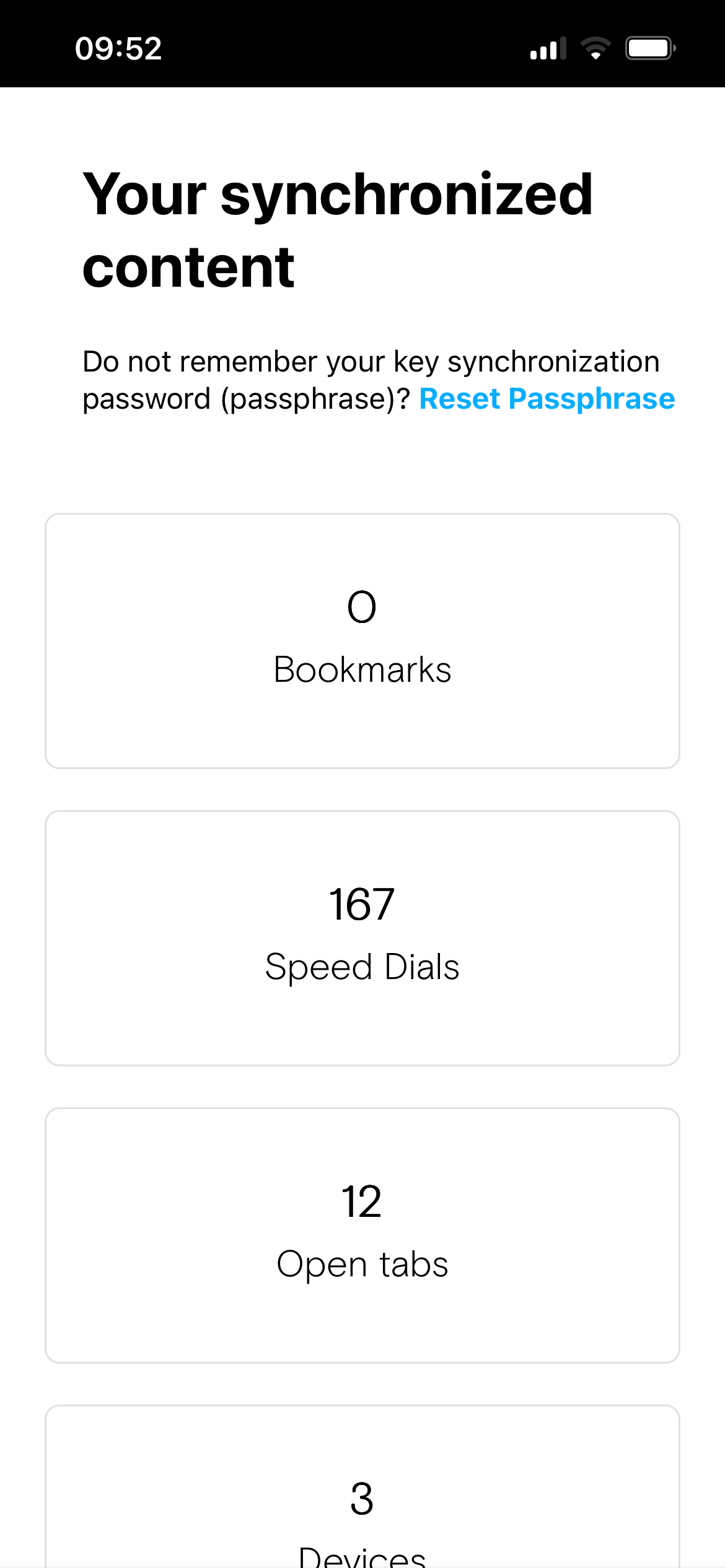
                      IMG_6689.png

                      Reply Quote 0
                        1 Reply Last reply
                      • K
                        kenmissouri last edited by

                        I was just gonna stick with the Desktop version and use something else on my phone until the other day. I spent 2 hours getting my bookmarks updated, sorted, and categorized into folders and when I went into opera a couple hours later all the bookmarks were back to a jumbled mess, not sorted, when I started to adjust them back they automatically undid everything I just did so I'm done with Opera

                        Reply Quote 0
                          1 Reply Last reply
                        • jonaballen
                          jonaballen last edited by

                          Sync is now fully available in latest releases from 6.6.0 and forward.

                          https://blogs.opera.com/mobile/2026/07/opera-one-for-ios-tab-media-controls-full-synchronization/

                          The reason why Sync took some time was due to the fact that Opera on other platforms rely on Chromium sync. The Opera Browser for iOS app is not built on the Chromium code base. So the entire sync feature had to be written from scratch and integrate with the very complex chromium sync logic and mechanisms.

                          Note: The ability to sign in to Opera and sync one-way (i.e. import data from your Opera account and continuously be up to date with your other browsers) has been available since last year.

                          Reply Quote 0
                            Y V david27 3 Replies Last reply
                          • Y
                            yenersonmez @jonaballen last edited by

                            @jonaballen thnxπŸ‘Œ

                            Reply Quote 1
                              1 Reply Last reply
                            • V
                              vyrgozunqk @jonaballen last edited by

                              @jonaballen oh wow, thanks.
                              Will definitely give a chance to Opera again, although i've fully migrated to another one.

                              Reply Quote 0
                                1 Reply Last reply
                              • david27
                                david27 @jonaballen last edited by

                                @jonaballen I've noticed Sync being present in Opera One weeks ago. The question is, is it also present in Opera GX?

                                Reply Quote 0
                                  jonaballen 1 Reply Last reply
                                • jonaballen
                                  jonaballen @david27 last edited by

                                  Hi @david27

                                  Only in GX for computers, not in the mobile versions of GX, unfortunately.

                                  Reply Quote 0
                                    1 Reply Last reply
                                  • First post
                                    Last post

                                  Computer browsers

                                  • Opera for Windows
                                  • Opera for Mac
                                  • Opera for Linux
                                  • Opera beta version
                                  • Opera USB

                                  Mobile browsers

                                  • Opera for Android
                                  • Opera Mini
                                  • Opera Touch
                                  • Opera for basic phones

                                  • Add-ons
                                  • Opera account
                                  • Wallpapers
                                  • Opera Ads

                                  • Help & support
                                  • Opera blogs
                                  • Opera forums
                                  • Dev.Opera

                                  • Security
                                  • Privacy
                                  • Cookies Policy
                                  • EULA
                                  • Terms of Service

                                  • About Opera
                                  • Press info
                                  • Jobs
                                  • Investors
                                  • Become a partner
                                  • Contact us

                                  Follow Opera

                                  • Opera - Facebook
                                  • Opera - Twitter
                                  • Opera - YouTube
                                  • Opera - LinkedIn
                                  • Opera - Instagram

                                  © Opera Software 1995-