How to delete device on account sync
-
segis last edited by
@zokoner Thanks. But it doesn't work for me. I think because all these data are stored in the cloud on https://www.sync.opera.com/. And there I am not able to delete anything.
-
 opera39x last edited by
@zokoner
Hi,
how do i delete, it cannot be deleted.
I click on it and something opens up• I am using a Google translator in the forum.
• I do not speaking English.
Slovakia 🇸🇰- Android 10, MIUI Global 12.0.2, Xiaomi Redmi Note 7, Opera Beta latest
-

-
A Former User last edited by
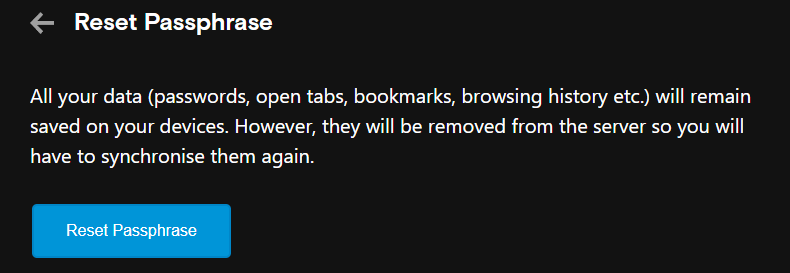
@leocg yeah, that's correct, but resync everything shouldn't be a problem, for each open tab just reload them and the rest should resync on its own eventually.
-
nestabmw last edited by
Apparently the answer is here: https://forums.opera.com/topic/57466/cleaning-list-of-synced-opened-tabs/7
-
A Former User last edited by
@pinkylagrada8 said in How to delete device on account sync:
@opera39x have you figured? only way is to reset passphase
yeah
-
mrslana last edited by
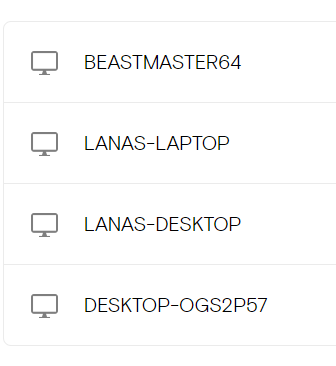
Would that I could remove these.
There are TWO (2) unique devices here. My laptop (which has one entry) and my desktop (3 entries). There is no possible way for me to navigate to the folders of the "old" desktop versions to delete them, as it's the same tower I have now that's been wiped for repairs.
-
Locked by leocg