how can i set my own pictures as my desktop background?
-
-
-
A Former User last edited by leocg
@leocg
Yes I just loaded Milkyway and Twist that works (but not my own pics!!!) -
A Former User last edited by
In settings (not the sidebar) go to Enable Wallpapers.
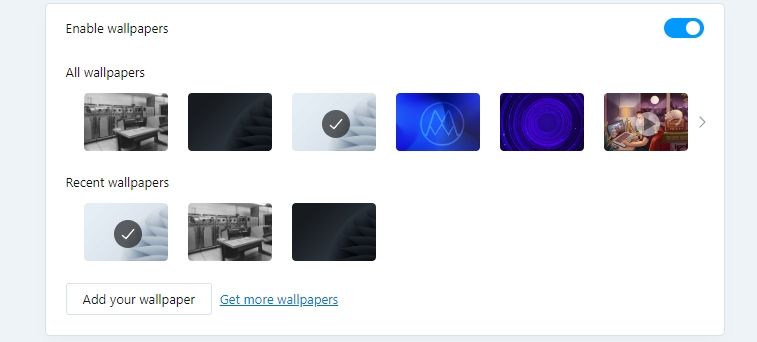
You will notice the one on the top left is not from Opera.
Click the button "Add your wallpaper" and upload an image. Then select it. -
A Former User last edited by
@wolfgangw
File types? The one in the example is .jpg
See if it that's the issue.
-
-
A Former User last edited by leocg
@leocg
No! I have Opera version 98.0.4759.39 from May 10, 2023! Not Opera GX !!! -
-
A Former User last edited by
@leocg
Yes!! I updated to the new version 99.0.4788.31. Nothing new (thumbnails are there but won't open as background) -
A Former User last edited by
@wolfgangw
Can't you solve my problem that some pictures (about 10%) are suitable as a background and others (about 90%!) not??
However, all downloaded images are available as thumbnails!! -
A Former User last edited by
Hello!!
4 days ago I asked you a question regarding my problem, why don't you answer?
-
-
-
A Former User last edited by
@leocg
What a pity that you cannot help me!
It's very strange:
All images are formatted in JPEG, various sizes!
And yet some (about 10%) are accepted as background, others are not (although the same size)!!
Maybe it's OPERA? -
burnout426 Volunteer last edited by
@wolfgangw If you upload the problem images somewhere, we can test to see if we have the same issue in our Operas or not.
