@Mlipka Thanks for reply. I notice that this extension gets triggered each time any tab is opened AND closed (even ones which are not loaded & closed by right click) and it appears anytime the tab one is on does some background activity. I haven't looked at the details of the 'special extension' (code) but it appears to be very intrusive. Frankly, i think the reason & nature of this extension & why it can't be disabled should be clearly stated....after all Opera has a better reputation than say Yandex or Edge (or even Chrome).
M
Posts made by muthukumaranl
-
RE: Hidden opera authored extension 'enegjkbbakeegngfapepobipndnebkdk' for capitaloneshopping that can't be disabledOpera for Windows
-
RE: Hidden opera authored extension 'enegjkbbakeegngfapepobipndnebkdk' for capitaloneshopping that can't be disabledOpera for Windows
Just to add more context, i know this is not isolated as i see the same extension on different laptops. Also this extension is not visible in Extensions. Only when one launches the task manager can this extension be observed.
-
RE: Hidden opera authored extension 'enegjkbbakeegngfapepobipndnebkdk' for capitaloneshopping that can't be disabledOpera for Windows
@muthukumaranl Even if i kill it from task manager it relaunches the next time i open a website...i have switched away from using opera for senstiive financial transactions, purchases, etc.
-
Hidden opera authored extension 'enegjkbbakeegngfapepobipndnebkdk' for capitaloneshopping that can't be disabledOpera for Windows
Hi Folks,
I have been noticing for a while that there is a hidden opera authored extension 'enegjkbbakeegngfapepobipndnebkdk' for capitaloneshopping that can't be disabled.
This 'rougue' extension seems to get launched discreetly & then closed every time for every interaction made on opera. This despite the fact that i had disabled cash back setting in the settings a while back (in the current version the setting is not there only the one related to 'Show cashback badge in all workspaces' is present which is off)
My question is why is this extension getting triggered to do something on every interaction, what is the justification for this?
Why isn't this privacy intrusion stated clearly anywhere?
Is there a way to disable this in any way?
Thanks
Lmk -
RE: [Solved]"Block third-party cookies" option under "Third-party cookies" is no longer selectableOpera for Windows
Yeah! At last! We can finally start using opera again.

-
RE: [Solved]"Block third-party cookies" option under "Third-party cookies" is no longer selectableOpera for Windows
@burnout426 Thank you for your response...Lets hope it was not an intentional change...in direction..
-
RE: [Solved]"Block third-party cookies" option under "Third-party cookies" is no longer selectableOpera for Windows
@burnout426 said in "Block third-party cookies" option under "Third-party cookies" is no longer selectable:
@muthukumaranl I asked internally to see if this is know (as I didn't see a bug report for it internally). Waiting on an answer. Will let you know if a bug report it is needed or not when I find out.
Do you have any info that you can share on the team's plan for this issue? It seemed like a blocker issue to me but i already saw two updates hence & this is not picked up...
-
RE: [Solved]"Block third-party cookies" option under "Third-party cookies" is no longer selectableOpera for Windows
@elec-tonic Thank you! That code though "BS-"...sorry I can't not poke fun on that..:-)
-
RE: [Solved]"Block third-party cookies" option under "Third-party cookies" is no longer selectableOpera for Windows
@elec-tonic Looks like the issue tracker (https://bugs.opera.com/secure/Dashboard.jspa) is not accessible to the public. Since you were able to access & open a bug, it would be nice if you could share what the status of it is or what if any comments have been logged..
-
RE: [Solved]"Block third-party cookies" option under "Third-party cookies" is no longer selectableOpera for Windows
@elec-tonic Do you mind sharing the bug ID or link please. I did a quick search & couldn't find any...
-
RE: [Solved]"Block third-party cookies" option under "Third-party cookies" is no longer selectableOpera for Windows
@elec-tonic Thank you for filing a bug ticket for us.
-
RE: [Solved]"Block third-party cookies" option under "Third-party cookies" is no longer selectableOpera for Windows
@burnout426 Thank you once again!
-
RE: [Solved]"Block third-party cookies" option under "Third-party cookies" is no longer selectableOpera for Windows
@burnout426 Thank you. Yes i see the same behavior aswell.
Also i verified by looking at the cookies that its not just a cosmetic settings page issue, third-party cookies are indeed not getting blocked!
Personally this is a critical bug & a show stopper. I love opera & would love to get this fixed so i don't need to stop using opera.
Team, please lemme know if you would like me to help file a bug ticket.
Thanks
-
[Solved]"Block third-party cookies" option under "Third-party cookies" is no longer selectableOpera for Windows
Hello Team,
I see that the latest version of Opera does not allow selecting "Block third-party cookies" option under "Third-party cookies" section of "Privacy and security" category of Settings.
First i see that the option itself appears sunken as if to indicate it can't be selected, but if I select it & change from the default option of "Block third-party cookies in Incognito mode" to "Block third-party cookies" it does not take effect & when i click back to "Privacy and security" it still shows "Third-party cookies are blocked in Incognito mode". I restarted the browser & see the same result.
Have we disabled blocking of Third-party cookies in opera?
Version of Windows : Windows 11 Home 23H2
Version of Opera : 107.0.5045.21
Screen-shots of the problem:
Before changing:
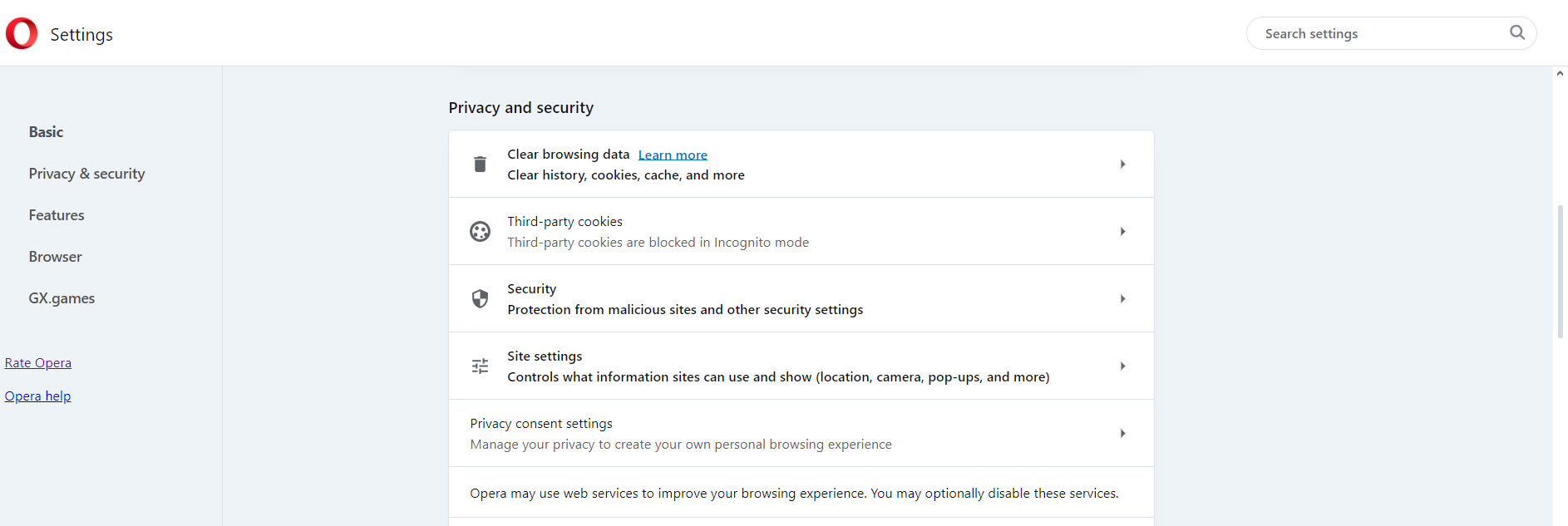
Trying to change:
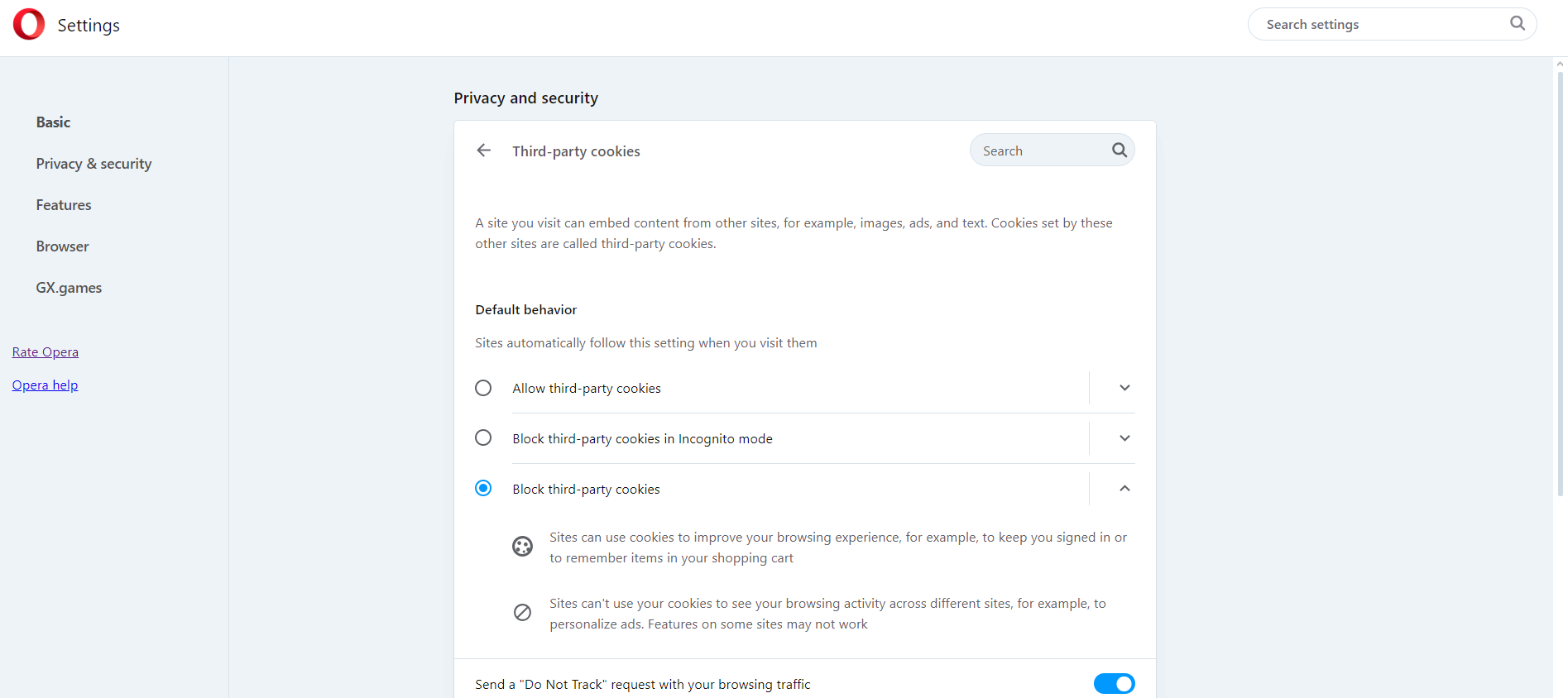
Change taking no effect:
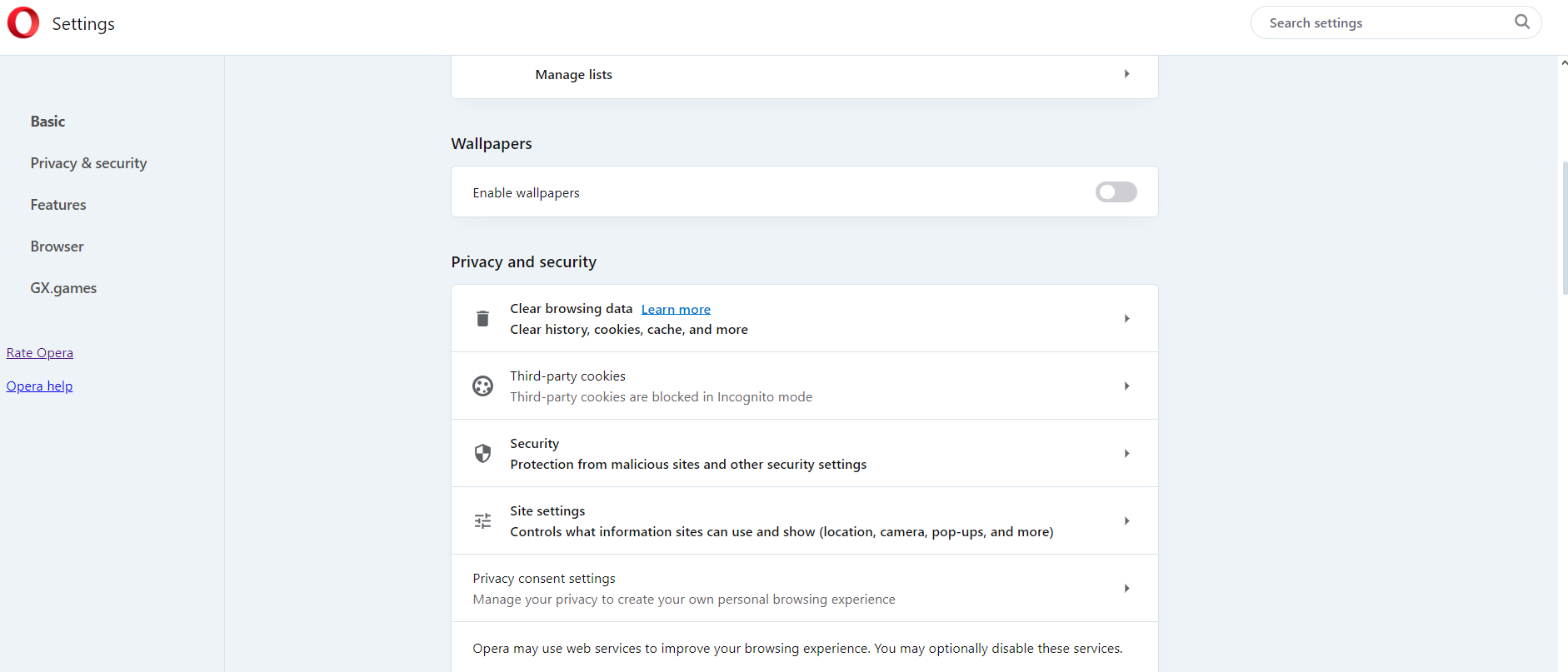
-
RE: Warn before closing all tabsSuggestions and feature requests
+1. This is an extremely important & basic feature. Without a confirmation there is no workaround to get the closed windows with its tabs back as the history will not even show the tabs if delayed loading is turned on as set by almost everybody...
- Opera for Windows