Updating the Opera One browser to last version doesn't work with ffmpeg library
-
LeviaKirin last edited by
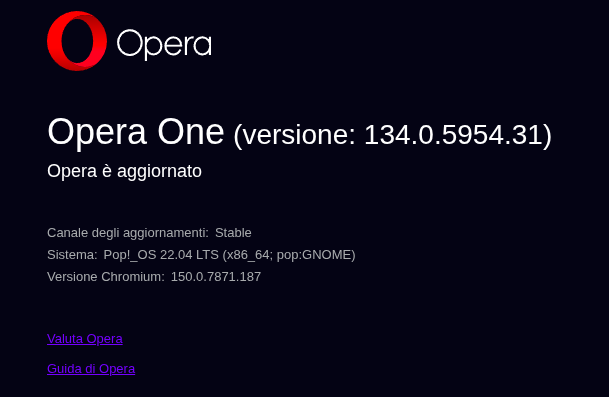
After updating to the last version the browser would not open and terminal will return the error:
opera: symbol lookup error: opera: undefined symbol: av_dynamic_hdr_smpte2094_app5_to_t35I noticed that the problem resolves if I remove the libffmpeg.so file from the lib_extra folder but then I cannot watch any video on the browser.
I tried newer libffmpeg.so but they gave error:opera: /lib/x86_64-linux-gnu/libc.so.6: version `GLIBC_ABI_DT_RELR' not found (required by /usr/lib/x86_64-linux-gnu/opera-stable/lib_extra/libffmpeg.so)Does anyone have any idea about this?
-
tephyr last edited by
@LeviaKirin Also hit this problem; the only site in my limited testing that works is Youtube.
-
alexs last edited by alexs
Here’s how it looks on my system (Debian/unstable):
In/usr/lib/x86_64-linux-gnu/opera-stable/, I have a folder namedlib_extra:
/usr/lib/x86_64-linux-gnu/opera-stable/lib_extra/
In$HOME/.local/, I have a folder namedopera:
$HOME/.local/lib/opera/I always place the appropriate
libffmpeg.sofile in$HOME/.local/lib/opera/(without root privileges).
Then I create a symlink from$HOME/.local/lib/opera/libffmpeg.soto/usr/lib/x86_64-linux-gnu/opera-stable/lib_extra/libffmpeg.so:
As root:
ln -s /home/[username]/.local/lib/opera/libffmpeg.so /usr/lib/x86_64-linux-gnu/opera-stable/lib_extra/libffmpeg.soCurrently, the libffmpeg.so file from the Vivaldi browser is included there.
As a user (without root privileges):
cp /var/opt/vivaldi/media-codecs-8.1/libffmpeg.so $HOME/.local/lib/opera/libffmpeg.soIt works for me without any problems.
Of course, you can copy the
libffmpeg.sofile directly—without the symlink—into thelib_extrafolder:
cp /var/opt/vivaldi/media-codecs-8.1/libffmpeg.so /usr/lib/x86_64-linux-gnu/opera-stable/lib_extra/ -
alexs last edited by
@LeviaKirin
A good alternative to the Vivaldi browser is to use the following prebuilt version oflibffmpeg.so:
Go to https://github.com/nwjs-ffmpeg-prebuilt/nwjs-ffmpeg-prebuilt/releases/latest and download the *-linux-x64.zip file. Extract thelibffmpeg.sofile from it and copy it to/usr/lib/x86_64-linux-gnu/opera-stable/lib_extra/Warning! There is also a file named
libffmpeg.soin the Opera program directory; this file is installed along with Opera and should remain unchanged. -
LeviaKirin last edited by
@alexs I know about this, I already done it till now, my problem presents only now that the latest release came out
-
burnout426 Volunteer last edited by
If the one from https://github.com/nwjs-ffmpeg-prebuilt/nwjs-ffmpeg-prebuilt/releases/latest doesn't work, try the one from https://github.com/nwjs-ffmpeg-prebuilt/nwjs-ffmpeg-prebuilt/releases/tag/0.113.0.
-
LeviaKirin last edited by
@burnout426 unfortunately that one counts in the ones that gave me the glibc error that I pointed in the post
-
burnout426 Volunteer last edited by
@LeviaKirin Under assets at https://github.com/electron/electron/releases/tag/v43.3.0, download "electron-v43.3.0-linux-x64.zip" and get the libffmpeg.so out if it.
From https://social.vivaldi.net/@ruario@ruario.vivaldi.net/116810957378851380, that one should be compatible with Chromium 150 that Opera 134 is based on and also only require glibc 2.17. Worth a try.
-
PStona last edited by
Why don't you just rollback to the working version?
if You have flatpack version it looks like this:# I am using opera-gx, but the process should be the same for or com.opera.Opera flatpak remote-info --log flathub com.opera.opera-gx # checking version history sudo flatpak update --commit=80c19d26639c4fda2f4bb93a2a16a9a87d428e15bd387cad7d16034f4b8b5095 com.opera.opera-gx # commit differs for non-gx version, just pick parent of stable version it should be enough # pull request #40 for gx pull request #270 for non-gx sudo flatpak mask com.opera.opera-gx # blocking auto-update ... # after some time I recommand turning back auto-updates. Opera should resolve the problem in some upcoming commit sudo flatpak mask --remove com.opera.opera-gx -
LeviaKirin last edited by
@PStona well I rolled back in the time being but I didn't want to being stuck with an older version forever
-
zibi1981 last edited by
I was able to solve this issue on my CachyOS by replacing chromium-ffmpeg-8.1.2-1 with vivaldi-ffmpeg-codecs-150.0.7871.120-1.1
-
stephen4 last edited by
Glad to see the Electron 43.3.0 workaround finally solved the issue for you. The GLIBC compatibility problem makes this update especially frustrating on Linux, so having a working FFmpeg build is definitely useful. Hopefully Opera fixes the underlying compatibility issue in a future release.
-
jim0205 last edited by
It works perfectly for me on Fedora KDE Plasma with the latest Opera RPM.
I fixed the FFmpeg issue by replacing Opera's bundled libffmpeg with a working version compatible with the latest Opera build. After the replacement, video playback works normally again.
So for me, the latest Opera RPM works perfectly on Fedora KDE Plasma — the problem was only the bundled FFmpeg library.
I can upload the working libffmpeg and provide the link if needed.
