• Login
    • Search
    • Categories
    • Recent
    • Tags
    • Users
    • Groups
    • Rules
    • Help

    Do more on the web, with a fast and secure browser!

    Download Opera browser with:

    • built-in ad blocker
    • battery saver
    • free VPN
    Download Opera

    Site Settings not saving permanently

    General
    4
    9
    609
    Loading More Posts
    • Oldest to Newest
    • Newest to Oldest
    • Most Votes
    Reply
    • Reply as topic
    Log in to reply
    This topic has been deleted. Only users with topic management privileges can see it.
    • modene1
      modene1 last edited by

      Hi folks,
      Despite manually going into site settings and saying 'yes' to camera, mic, etc, Opera asks me to reconfirm every single time I enter websites.

      What can I do?
      Thanks 🌸

      Reply Quote 0
        leocg Nearmelab 2 Replies Last reply
      • leocg
        leocg Moderator Volunteer @modene1 last edited by

        @modene1 Opera One, Opera GX or Opera Air?

        Reply Quote 0
          modene1 1 Reply Last reply
        • modene1
          modene1 @leocg last edited by

          @leocg Opera One
          I couldn't see anywhere to edit my post. Otherwise, I woud have added it there.
          Thx!

          Reply Quote 0
            1 Reply Last reply
          • Moved from Opera for Mac by  leocg leocg 
          • Nearmelab
            Nearmelab @modene1 last edited by

            Welcome @modene1 ,

            Do you have site listed as below? which site you tested?

            9ea83720-b219-458c-b9b7-052b3b46145f-image.png

            Reply Quote 0
              modene1 1 Reply Last reply
            • modene1
              modene1 @Nearmelab last edited by

              @Nearmelab Thanks for answering.
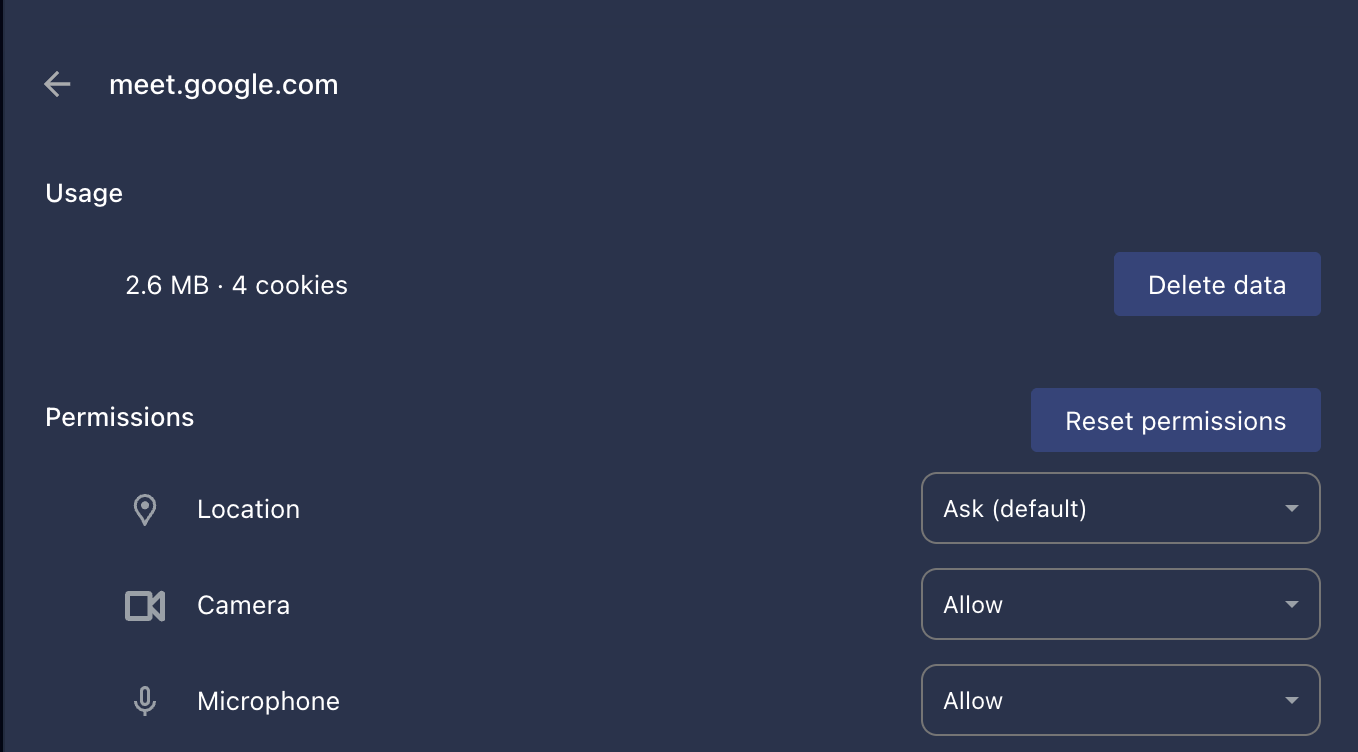
              Yes and it's the same.
              Yet for some reason Meet resets and asks me every time to allow use of the camera and mic.Screenshot 2026-01-29 at 11.50.40.png
              Reply Quote 0
                Nearmelab 1 Reply Last reply
              • Nearmelab
                Nearmelab @modene1 last edited by

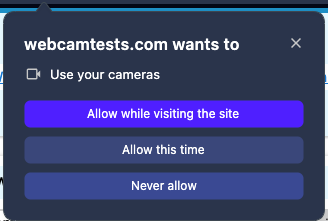
                @modene1 , did you select the first answer?

                39739f1f-9a08-4896-b54c-6b57db9cd98a-image.png

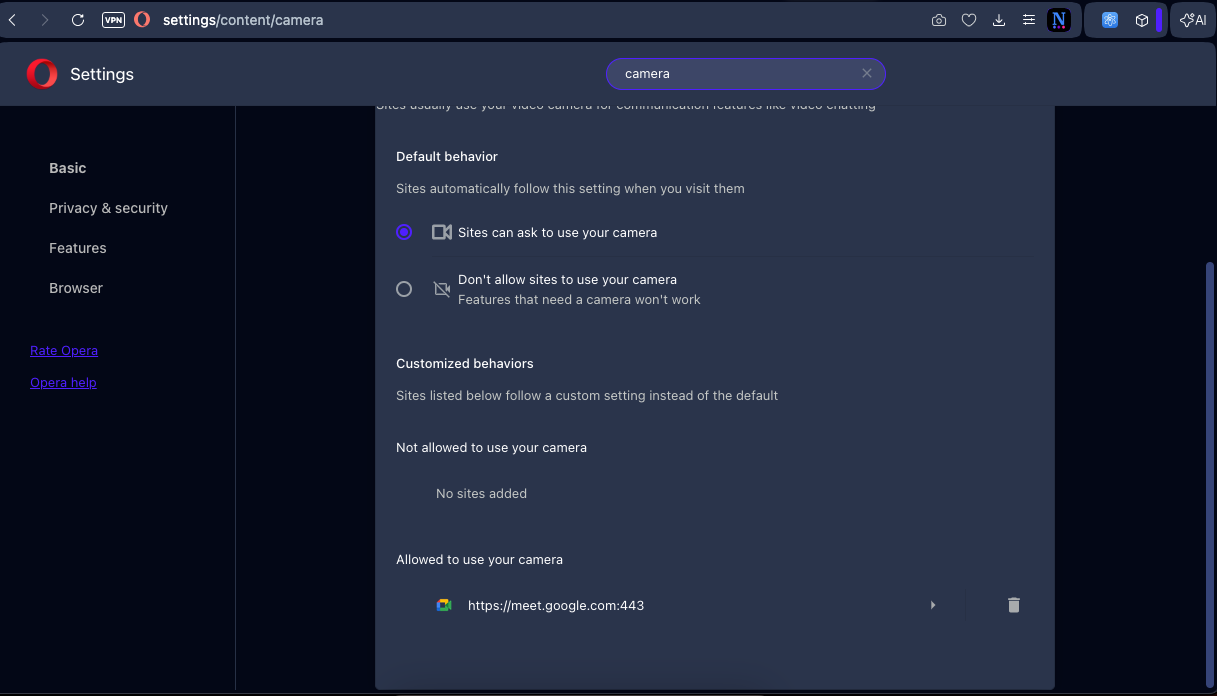
                In case you selected other options, try to delete Google Meet site from Allowed to use your camera in the settings and choose the option 1 when the browser asks you for permission.

                Reply Quote 0
                  modene1 1 Reply Last reply
                • modene1
                  modene1 @Nearmelab last edited by

                  @Nearmelab Always 🙂

                  Reply Quote 0
                    1 Reply Last reply
                  • burnout426
                    burnout426 Volunteer last edited by

                    If you have more than one camera and or more than one mic, as a test, disconnect the extras, restart Opera and test again.

                    Reply Quote 0
                      modene1 1 Reply Last reply
                    • modene1
                      modene1 @burnout426 last edited by

                      @burnout426 Thks. Occassionally put in headphones to teach. That's all. Everything else is standard.
                      Reply Quote 1
                        1 Reply Last reply
                      • First post
                        Last post

                      Computer browsers

                      • Opera for Windows
                      • Opera for Mac
                      • Opera for Linux
                      • Opera beta version
                      • Opera USB

                      Mobile browsers

                      • Opera for Android
                      • Opera Mini
                      • Opera Touch
                      • Opera for basic phones

                      • Add-ons
                      • Opera account
                      • Wallpapers
                      • Opera Ads

                      • Help & support
                      • Opera blogs
                      • Opera forums
                      • Dev.Opera

                      • Security
                      • Privacy
                      • Cookies Policy
                      • EULA
                      • Terms of Service

                      • About Opera
                      • Press info
                      • Jobs
                      • Investors
                      • Become a partner
                      • Contact us

                      Follow Opera

                      • Opera - Facebook
                      • Opera - Twitter
                      • Opera - YouTube
                      • Opera - LinkedIn
                      • Opera - Instagram

                      © Opera Software 1995-