Need GEMINI by Google on sidebar
-
Anuluj last edited by
@burnout426 unfortunately "create" button under Custom Site Panels is still disabled

-
burnout426 Volunteer last edited by
@Anuluj I assume the create button is enabled in a test standalone installation though?
-
mvbaslios last edited by
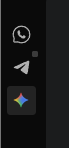
@burnout426 first of all, ty so much, it works for me. Btw, you know how to change de color of Gemini icon?
-
-
-
tarik55 last edited by
@mvbaslios I see you have moved Gemini to the centre of the sidebar, together with messengers. How did you do this? My Gemini at the bottom next to three points and I can't move it
-
-
tarik55 last edited by
@mvbaslios I guess you have Opera GX, because I don't have this option in classic Opera
-
payard last edited by
@burnout426 Thanks for the tips. I managed to get the custom site panel working, but I was just wondering if there's any way that I can toggle open/close with custom shortcut keys like ChatGPT sidebar.
-
burnout426 Volunteer last edited by
@payard You can't set a specific shortcut for a custom site panel. However, at the URL
opera://settings/keyboardShortcuts, you can set a shortcut for the "Show sidebar" command to toggle the showing of the sidebar. I like to set it to F4 as that's what old, Presto-based Opera used to use. But, you might want to use a different shortcut.


