• Login
    • Search
    • Categories
    • Recent
    • Tags
    • Users
    • Groups
    • Rules
    • Help

    Do more on the web, with a fast and secure browser!

    Download Opera browser with:

    • built-in ad blocker
    • battery saver
    • free VPN
    Download Opera

    Need GEMINI by Google on sidebar

    Suggestions and feature requests
    16
    26
    17048
    Loading More Posts
    • Oldest to Newest
    • Newest to Oldest
    • Most Votes
    Reply
    • Reply as topic
    Log in to reply
    This topic has been deleted. Only users with topic management privileges can see it.
    • burnout426
      burnout426 Volunteer @ericssen last edited by

      @ericssen No.

      Reply Quote 0
        ericssen mvbaslios 2 Replies Last reply
      • ericssen
        ericssen @burnout426 last edited by

        @burnout426

        Thanks for the info...

        Reply Quote 0
          1 Reply Last reply
        • ghporras
          ghporras last edited by

          Amazing!!! Thanks! it worked in my Opera Air!

          Reply Quote 0
            1 Reply Last reply
          • Anuluj
            Anuluj @burnout426 last edited by

            @burnout426 unfortunately "create" button under Custom Site Panels is still disabled 😕

            Reply Quote 0
              burnout426 1 Reply Last reply
            • burnout426
              burnout426 Volunteer @Anuluj last edited by

              @Anuluj I assume the create button is enabled in a test standalone installation though?

              Reply Quote 0
                1 Reply Last reply
              • mvbaslios
                mvbaslios @burnout426 last edited by

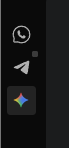
                @burnout426 first of all, ty so much, it works for me. Btw, you know how to change de color of Gemini icon?
                71961e9d-018f-4fbe-9747-ed7a2205f3a8-image.png

                Reply Quote 0
                  leocg burnout426 tarik55 3 Replies Last reply
                • leocg
                  leocg Moderator Volunteer @mvbaslios last edited by

                  @mvbaslios Not possible as far as I know

                  Reply Quote 1
                    1 Reply Last reply
                  • burnout426
                    burnout426 Volunteer @mvbaslios last edited by

                    @mvbaslios There are no customization options for that.

                    Reply Quote 0
                      payard 1 Reply Last reply
                    • tarik55
                      tarik55 @mvbaslios last edited by

                      @mvbaslios I see you have moved Gemini to the centre of the sidebar, together with messengers. How did you do this? My Gemini at the bottom next to three points and I can't move it

                      Reply Quote 0
                        mvbaslios 1 Reply Last reply
                      • mvbaslios
                        mvbaslios @tarik55 last edited by

                        @tarik55 there is a option in configs called "centralized icons", uncheck that box

                        Reply Quote 0
                          tarik55 1 Reply Last reply
                        • tarik55
                          tarik55 @mvbaslios last edited by

                          @mvbaslios I guess you have Opera GX, because I don't have this option in classic Opera

                          Reply Quote 0
                            1 Reply Last reply
                          • payard
                            payard @burnout426 last edited by

                            @burnout426 Thanks for the tips. I managed to get the custom site panel working, but I was just wondering if there's any way that I can toggle open/close with custom shortcut keys like ChatGPT sidebar.

                            Reply Quote 0
                              burnout426 1 Reply Last reply
                            • burnout426
                              burnout426 Volunteer @payard last edited by

                              @payard You can't set a specific shortcut for a custom site panel. However, at the URL opera://settings/keyboardShortcuts, you can set a shortcut for the "Show sidebar" command to toggle the showing of the sidebar. I like to set it to F4 as that's what old, Presto-based Opera used to use. But, you might want to use a different shortcut.

                              Reply Quote 0
                                1 Reply Last reply
                              • First post
                                Last post

                              Computer browsers

                              • Opera for Windows
                              • Opera for Mac
                              • Opera for Linux
                              • Opera beta version
                              • Opera USB

                              Mobile browsers

                              • Opera for Android
                              • Opera Mini
                              • Opera Touch
                              • Opera for basic phones

                              • Add-ons
                              • Opera account
                              • Wallpapers
                              • Opera Ads

                              • Help & support
                              • Opera blogs
                              • Opera forums
                              • Dev.Opera

                              • Security
                              • Privacy
                              • Cookies Policy
                              • EULA
                              • Terms of Service

                              • About Opera
                              • Press info
                              • Jobs
                              • Investors
                              • Become a partner
                              • Contact us

                              Follow Opera

                              • Opera - Facebook
                              • Opera - Twitter
                              • Opera - YouTube
                              • Opera - LinkedIn
                              • Opera - Instagram

                              © Opera Software 1995-
