opera sync not working for me.
-
iTechWytch last edited by
hello there.. i had some issues trying to get opera working today... i tried to have it sync because i was moving opera to opera gx... it had me log in which i thought i was already logged in... so then it tells me it cant verify me so i had to scan a code on my phone which had me download opera private browser on my phone... ok so i did that... now then... i signed in on that.. scanned the code and i get an error.. i get this.. !
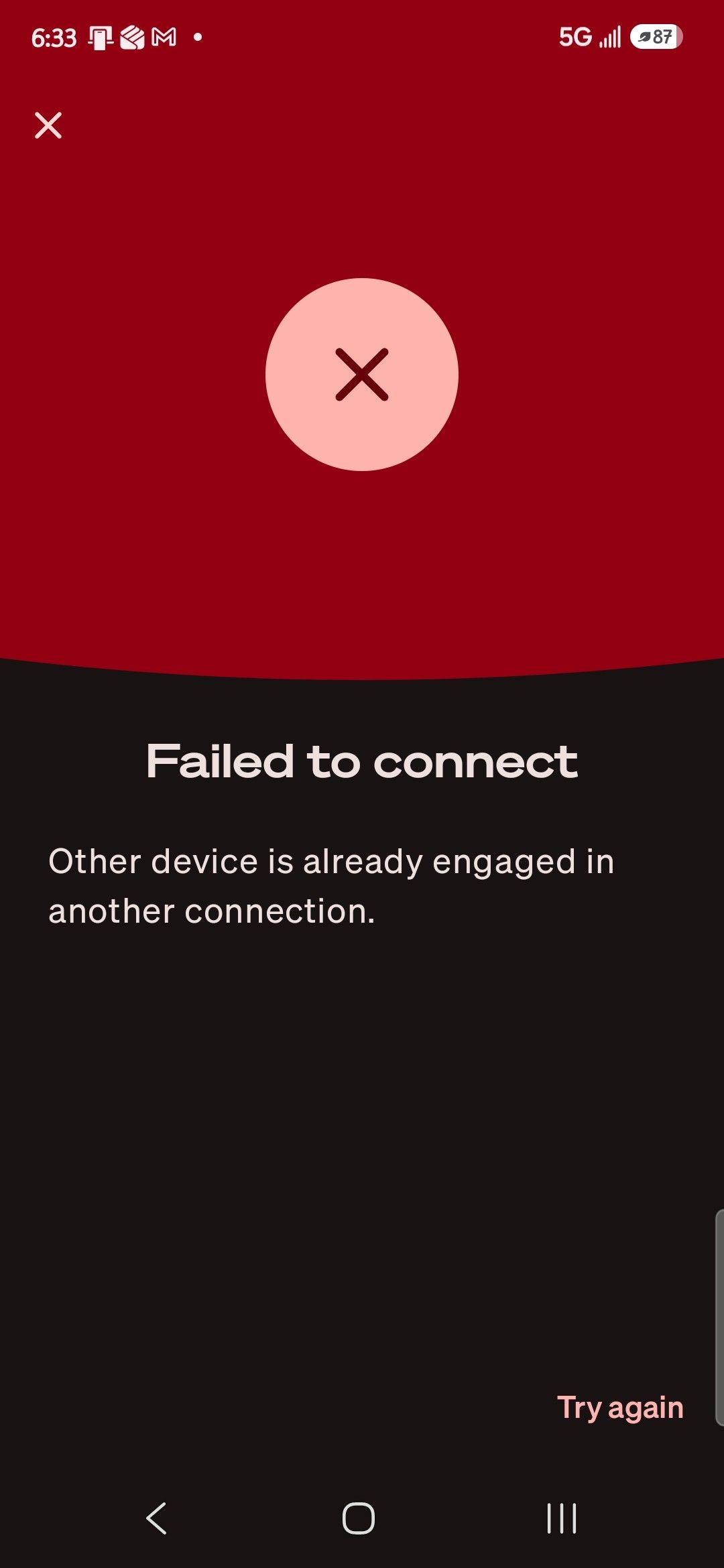 Please help me.. i want to get this fixed. ps... im sorry for such a big picture.. i dont know how to make it smaller
-
stephen4 last edited by
Sorry you're having trouble with Opera Sync. Since you're moving from Opera to Opera GX, try signing out of Opera on both devices and signing back in using the same Opera account.
Also, make sure both browsers are updated and that you're using the official Opera app on your phone.
If verification still fails, try resetting your account password and attempting the sync again.
Hopefully, this will work for you! -
martintain last edited by
It sounds like the issue might be related to Opera's account verification or the sync authentication process rather than Opera GX itself. I would suggest trying a few things:
- Make sure you're using the same Opera account on both devices.
- Update Opera and Opera GX to their latest versions.
- Clear the browser cache and cookies, then try signing in again.
- Try logging in directly through Opera's official website before attempting to sync.
- If two-step verification is enabled, check whether your verification method is working correctly.
One important thing: Opera GX and regular Opera use the same Opera account, so you shouldn't need to create a separate account or install Opera's private browser just to transfer your synced data.
I'd also recommend avoiding repeated login attempts until the verification issue is resolved. Hopefully, Opera support can clarify the error shown in your screenshot.[link text](link url)