uBlock Origin
-
fitzydj last edited by fitzydj
uBlock Origin Version 1.72.2 updated July 8 has been working fine for me in Opera One Windows 11.
Check your Opera Settings /Privacy & security /Privacy protection Block ads and surf the web up to three times faster is Off as per the image, highlighted in the red frame. My understanding is the setting is part of the Opera AdBlocker and You Tube detects it.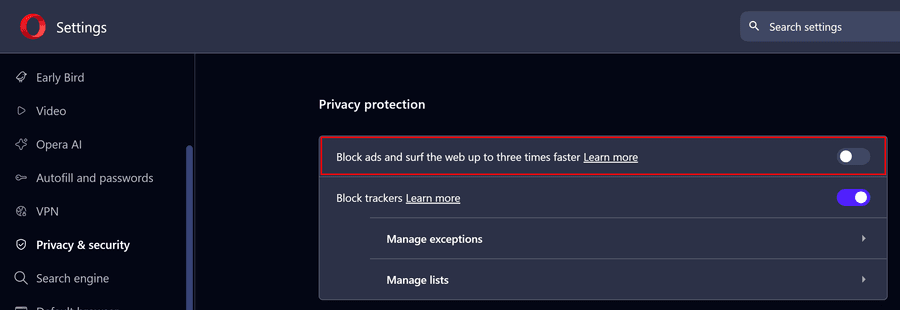
-

-
BoomBoxBudy last edited by
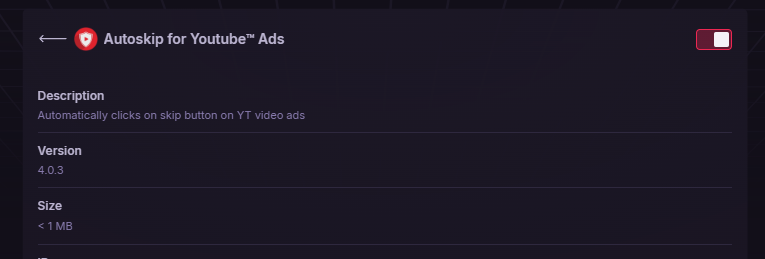
@bovenbaas just wanted to share with you that this extension has been the only one to reliably reduce ads it takes a different approach can pretty much clicks the skip button for you but it also skips the video to the part when the skip button comes up so it's able to skip through the video so it's almost instantaneous it's able to skip through the ads. The name is "Autoskip for Youtube
 Ads". Not much creativity in the name but it works good. I will go ahead and attach a screenshot of what it looks like in my Opera GX see what the icon and stuff looks like.
-
randomcatmom last edited by
Hi Greeting. I also get that annoying notification with Opera Developer version 135.0.5960.0, Every time it relaunches. I ended up every time delete uBlock Origin and reinstall, by bookmarking this page. Still worth the trouble! Thank you for the amazing app. I also use ublock DNS.
-
randomcatmom last edited by
As well, I didn't get other errors with this way though I tried the way @nefastseven and @mantapp are tought us here, and as for today, the version of ublock is 1.72.3.103 through github, 1.72.2 here. (Many thanks for you guys)
-
Alexsc123 last edited by
Не удалось выполнить фильтрацию при запуске браузера. Перезагрузите страницу, чтобы обеспечить фильтрацию.
-
vasyag19 last edited by
У кого остался uBlock Origin 1.75.4, поделитесь упакованным вариантом, это версия вроде последняя что все блокирует, 1.76.0 стала пропускать рекламу.