• Login
    • Search
    • Categories
    • Recent
    • Tags
    • Users
    • Groups
    • Rules
    • Help

    Do more on the web, with a fast and secure browser!

    Download Opera browser with:

    • built-in ad blocker
    • battery saver
    • free VPN
    Download Opera

    Persistent "Page crashed" error on Google Sheets (macOS)

    General
    3
    3
    83
    Loading More Posts
    • Oldest to Newest
    • Newest to Oldest
    • Most Votes
    Reply
    • Reply as topic
    Log in to reply
    This topic has been deleted. Only users with topic management privileges can see it.
    • Aashok-FC-Advisory
      Aashok-FC-Advisory last edited by

      image.png To: Opera Support Team

      Dear Opera Support Team,

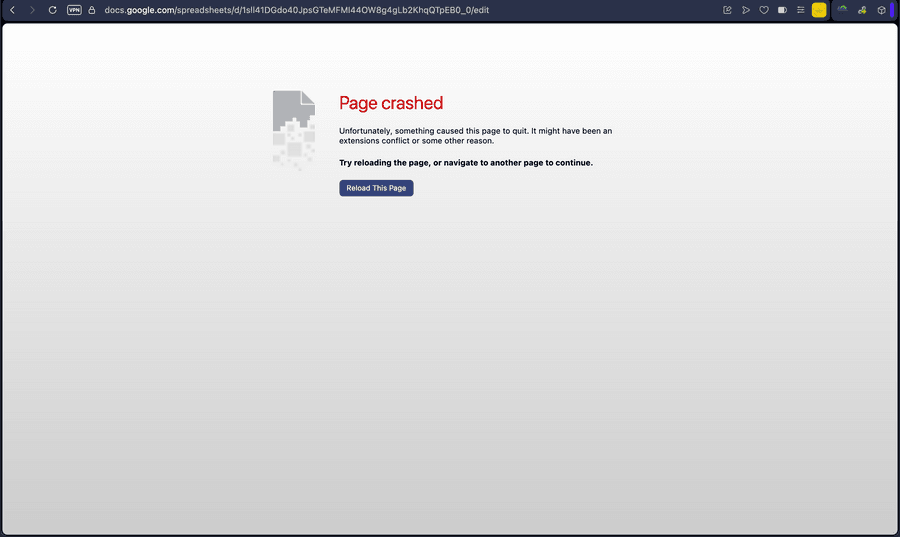
      I am writing to report a recurring "Page crashed" error in Opera while trying to access Google Sheets on macOS.

      Issue Details:

      Error Message: "Page crashed - Unfortunately, something caused this page to quit. It might have been an extensions conflict or some other reason."

      URL Affected: Google Sheets (docs.google.com/spreadsheets/...)

      Operating System: macOS

      image.png
      Troubleshooting Steps Already Attempted:

      Cleared all browser history, cache, and cookies.

      Restarted the browser and system multiple times.

      Despite taking these basic troubleshooting steps, the crash persists as soon as the page loads. I have attached a screenshot of the error for your reference.

      Please let me know how I can resolve this issue or if you require any crash log files to help investigate.

      Best,
      Aashok Kumar Sharma

      Reply Quote 0
        leocg 1 Reply Last reply
      • leocg
        leocg Moderator Volunteer @Aashok-FC-Advisory last edited by

        @Aashok-FC-Advisory Known issue.

        Reply Quote 0
          1 Reply Last reply
        • burnout426
          burnout426 Volunteer last edited by

          Make sure to update to 135.0.5973.133. Then, if that alone doesn't work, goto the URL opera://settings/clearBrowserData and clear "Cached images and files" for all time and restart Opera.

          If that still doesn't do the trick, goto the URL opera://about and take note of the "profile" and "cache" paths and then fully exit Opera. Then, delete everything in the cache folder. Then, in the profile folder, delete any folders that have "cache" somewhere in their names. Then, go up one level from the profile folder (the parent of the "Default" folder) and delete any Opera folders there with "cache" somewhere in their names.

          Reply Quote 0
            1 Reply Last reply
          • First post
            Last post

          Computer browsers

          • Opera for Windows
          • Opera for Mac
          • Opera for Linux
          • Opera beta version
          • Opera USB

          Mobile browsers

          • Opera for Android
          • Opera Mini
          • Opera Touch
          • Opera for basic phones

          • Add-ons
          • Opera account
          • Wallpapers
          • Opera Ads

          • Help & support
          • Opera blogs
          • Opera forums
          • Dev.Opera

          • Security
          • Privacy
          • Cookies Policy
          • EULA
          • Terms of Service

          • About Opera
          • Press info
          • Jobs
          • Investors
          • Become a partner
          • Contact us

          Follow Opera

          • Opera - Facebook
          • Opera - Twitter
          • Opera - YouTube
          • Opera - LinkedIn
          • Opera - Instagram

          © Opera Software 1995-