• Login
    • Search
    • Categories
    • Recent
    • Tags
    • Users
    • Groups
    • Rules
    • Help

    Do more on the web, with a fast and secure browser!

    Download Opera browser with:

    • built-in ad blocker
    • battery saver
    • free VPN
    Download Opera

    Random Captchas keep appearing

    Opera GX
    3
    5
    359
    Loading More Posts
    • Oldest to Newest
    • Newest to Oldest
    • Most Votes
    Reply
    • Reply as topic
    Log in to reply
    This topic has been deleted. Only users with topic management privileges can see it.
    • C
      ColossalBlackman last edited by

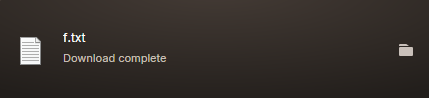
      I've used the Opera GX browser for years without any issue until very recently. Every 10 minutes or so, when I search anything into the search bar, a CAPTCHA that suddenly appears, forcing me to check a box that I'm not a robot. After checking the box, not only does the CATPCHA stay on the screen, but it then proceeds to download a .txt file called "F" with the contents ")]}' [""]" and nothing more. The only way to exit the page is by refreshing, and the problem just repeats again later.

      I never use VPN or Opera browser extensions. I've also tried disabling my adblocker, cookie blocker, etc., yet none of these fix the problem. I know it's not my computer or some sort of virus because I've already scanned multiple times and every other search engine seems to work normally except Opera GX. I've tried reinstalling, including without sync incase there's some other application I accidently installed linked to my account, to no avail.

      Please help.F file.png

      Reply Quote 0
        leocg 1 Reply Last reply
      • leocg
        leocg Moderator Volunteer @ColossalBlackman last edited by

        @ColossalBlackman Try disabling all extensions. Check your system for malware

        Reply Quote 0
          C 1 Reply Last reply
        • C
          ColossalBlackman @leocg last edited by

          @leocg Disabled the one extension I have "Opera Ad Blocker" and that didn't fix the problem. I've also scanned for malware as I stated previously.

          Reply Quote 0
            leocg 1 Reply Last reply
          • leocg
            leocg Moderator Volunteer @ColossalBlackman last edited by

            @ColossalBlackman Does it happen on a different profile?

            Reply Quote 0
              1 Reply Last reply
            • M
              mudasirmunawar last edited by

              I'll test it on a different profile and let you know if the issue persists.

              Reply Quote 0
                1 Reply Last reply
              • First post
                Last post

              Computer browsers

              • Opera for Windows
              • Opera for Mac
              • Opera for Linux
              • Opera beta version
              • Opera USB

              Mobile browsers

              • Opera for Android
              • Opera Mini
              • Opera Touch
              • Opera for basic phones

              • Add-ons
              • Opera account
              • Wallpapers
              • Opera Ads

              • Help & support
              • Opera blogs
              • Opera forums
              • Dev.Opera

              • Security
              • Privacy
              • Cookies Policy
              • EULA
              • Terms of Service

              • About Opera
              • Press info
              • Jobs
              • Investors
              • Become a partner
              • Contact us

              Follow Opera

              • Opera - Facebook
              • Opera - Twitter
              • Opera - YouTube
              • Opera - LinkedIn
              • Opera - Instagram

              © Opera Software 1995-