"Something went wrong" error when accessing GX Rewards page
-

-
Karako-kara last edited by
@leocg But it´s supposed to be ready already, so why can´t we claim the rewards?
-
leocg Moderator Volunteer last edited by
@Karako-kara Page was put online before it should. Just checked and it should be working now
-
-

-
leocg Moderator Volunteer last edited by leocg
@Mrdoge311 Try this:
If You Got The
Something went wrongError, try the following before making a post about it :Check your browser version at
opera://aboutoropera://update
Version should be :131.0.5877.57Go to your windows settings (WIN + I), then "Date & Time" tab
Check that both- Set time zone automatically
- Set time automatically
Are set to On.
Click on "Sync now" in additional settings
Close OperaGX
Reopen it
Go to https://www.opera.com/gx/forsaken
Click Activate then the Claim -
-
leocg Moderator Volunteer last edited by
@Flynnlovescats On Windows Settings, search for "time", it will give you a list of options.
-
-
dddfgh last edited by
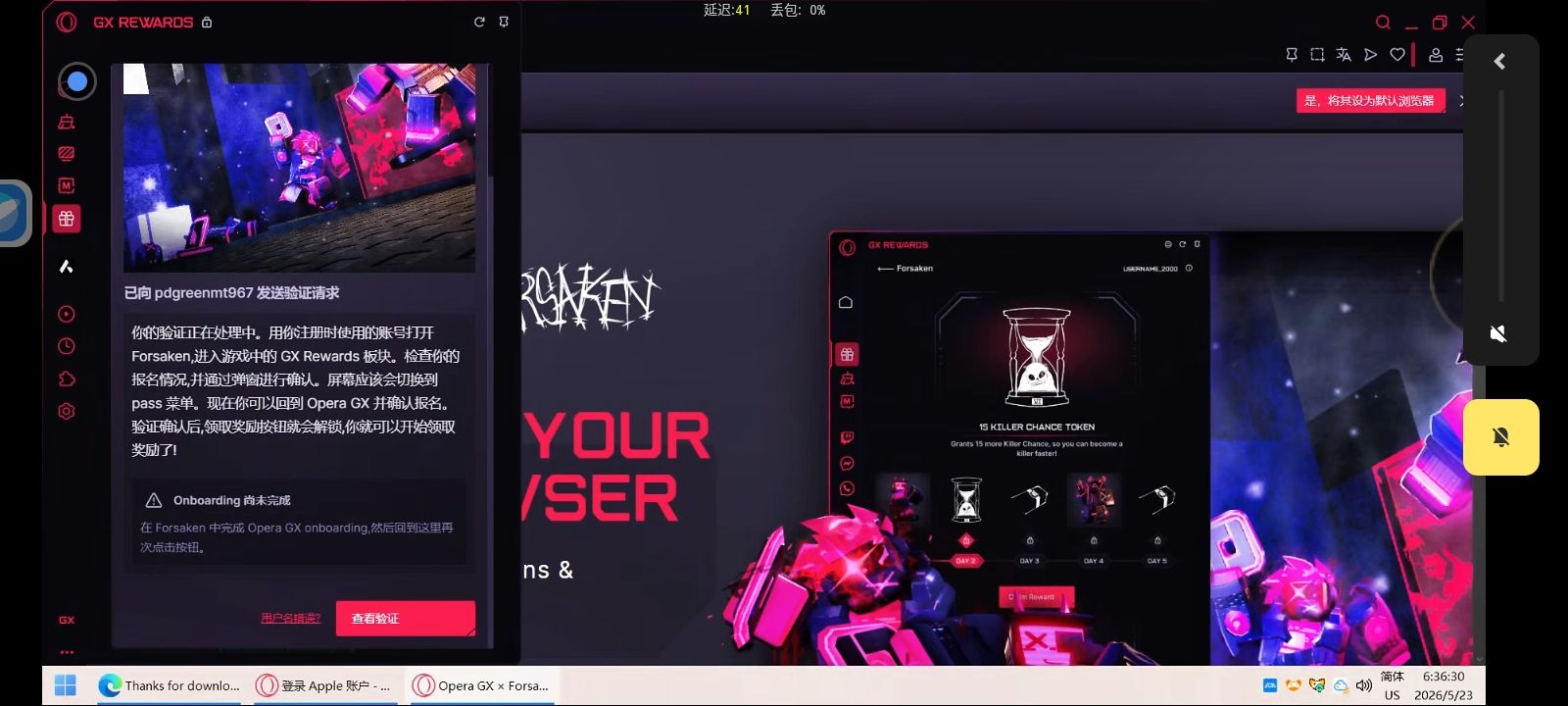
into my Opera GX account on the official website, but when I open the Forsaken game in Roblox and click the verification button, it still shows that I'm not logged in. I also keep getting the "removeChild" error when trying to verify on mobile. Could you help me reset my verification status?
Could you help me reset my verification status? My Roblox username is:pdgreenmt967
-
qpalzmxncbvv last edited by
into my Opera GX account on the official website, but when I open the Forsaken game in Roblox and click the verification button, it still shows that I'm not logged in. I also keep getting the "removeChild" error when trying to verify on mobile. Could you help me reset my verification status?
Could you help me reset my verification status? My Roblox username is:Acake520
I hope you can see this post as soon as possible. I like this linkage very much and I really hope you can help me.
-
TheJamz last edited by
@leocg I've tried following these, instructions, it still doesn't work. Opera says that I am on version 131.0.5877.84 and that it is up to date. My Windows will not let me turn on set time zone automatically. I also do not know where the additional settings that you are talking about are.