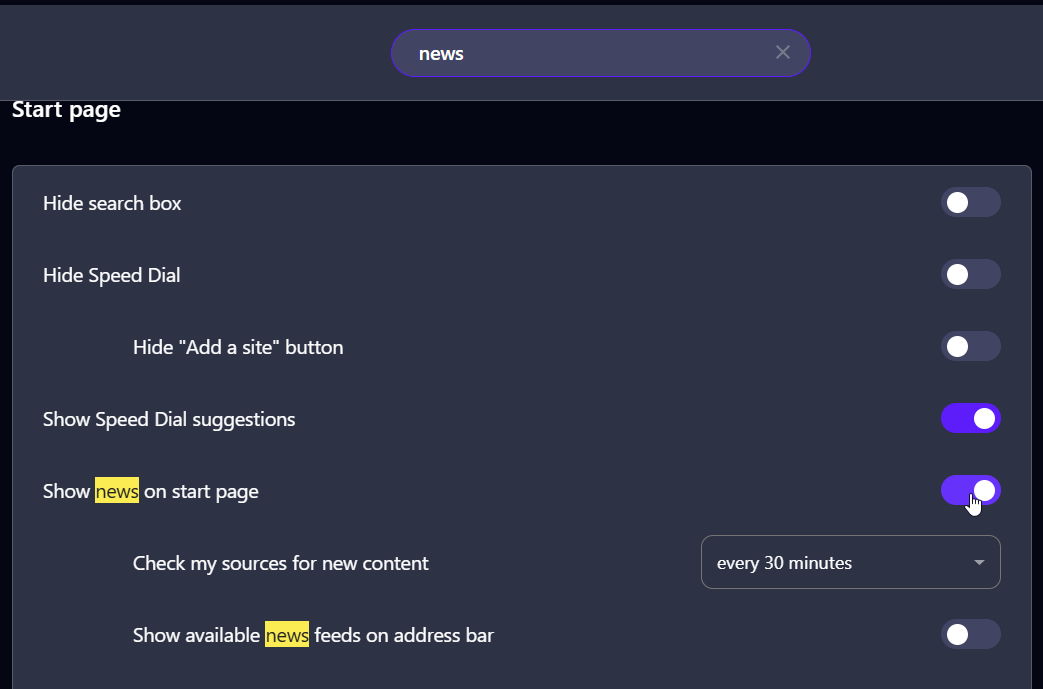
Unable to locate personal news setting
-
vfel46 last edited by vfel46
G'day,
I am having trouble locating the personal news settings in opera settings. I believe this is due to a redesign of the settings page.
Previously you could scroll through all the settings at once, but now with the updated design where you select the settings section on the left of the settings page, I cannot find it.
Here is a screenshot of the settings I am looking for:
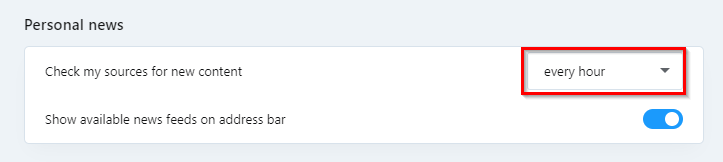
I am using version 128.0.5807.66 on Windows 11.
Thanks in advance for any help you can provide.
-
Moved from Opera for Windows by
 leocg
leocg
-

-
vfel46 last edited by
@Mlipka
Thanks for the help.
I was able to find the setting, however I believe there can be some improvement in their placement.It is a bit strange that the personal news settings are grouped under start page news as they are a feature that can be used independently. If you could only access personal news on the start page, it would make sense to have the settings where they are now. But that is not the case.
Since I do not wish to have news on my start page, preferring only to use the personal news tab as required, I find the setting location a bit unintuitive. To change personal news settings you have to select and then unselect the start page news settings.
I feel like the personal news settings would fit much better under the 'features' tab with the other opera features.
I hope you will give my feedback some consideration - I have been very pleased with opera so far.
Thanks again.
-