• Login
    • Search
    • Categories
    • Recent
    • Tags
    • Users
    • Groups
    • Rules
    • Help

    Do more on the web, with a fast and secure browser!

    Download Opera browser with:

    • built-in ad blocker
    • battery saver
    • free VPN
    Download Opera

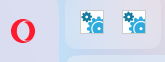
    settings-like image appears in the left-hand corner

    General
    2
    7
    115
    Loading More Posts
    • Oldest to Newest
    • Newest to Oldest
    • Most Votes
    Reply
    • Reply as topic
    Log in to reply
    This topic has been deleted. Only users with topic management privileges can see it.
    • billzantbz
      billzantbz last edited by

      5e0c609c-8fcf-4cf1-9c7f-4e7fbd0fe261-image.png

      The settings-like image appears in the left-hand corner. their numbers increase - have seen six end up closing tabs.

      there is a refreshing that takes place that moves all the tabs

      What is it called and how do I remove it?

      Reply Quote 0
        leocg 2 Replies Last reply
      • leocg
        leocg Moderator Volunteer @billzantbz last edited by

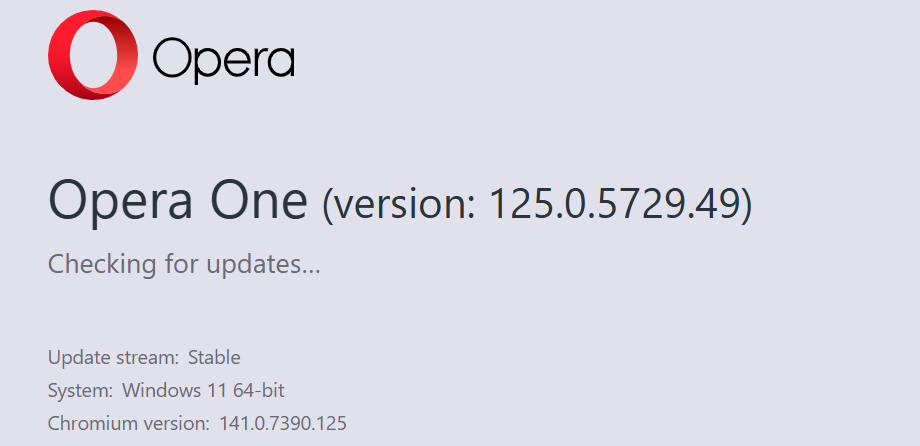
        @billzantbz Opera One, Opera GX or Opera Air?

        Reply Quote 0
          billzantbz 1 Reply Last reply
        • leocg
          leocg Moderator Volunteer @billzantbz last edited by

          @billzantbz What happens when you click on them?

          Maybe those are pinned tabs?

          Reply Quote 0
            billzantbz 1 Reply Last reply
          • billzantbz
            billzantbz @leocg last edited by

            @leocg Thanks

            When I right-click there is an option to unpin tab. I click that the tab opens and the tab appears briefly then disappears. The settings-like icon refreshes and appears again. then more settings-like icons come.

            Reply Quote 0
              leocg 1 Reply Last reply
            • billzantbz
              billzantbz @leocg last edited by

              @leocg d3dd9e40-62b7-4aa0-922a-c8e9585de35d-image.png

              Reply Quote 0
                1 Reply Last reply
              • Moved from Opera for Windows by  leocg leocg 
              • leocg
                leocg Moderator Volunteer @billzantbz last edited by

                @billzantbz Maybe it's from an extension?

                Reply Quote 0
                  billzantbz 1 Reply Last reply
                • billzantbz
                  billzantbz @leocg last edited by

                  @leocg

                  Good one, well done!

                  Distill web monitor - checks changes in a website. The settings-like icon opened to the website when clicked. Removed extension - removed problem.

                  Thank you
                  Reply Quote 0
                    1 Reply Last reply
                  • First post
                    Last post

                  Computer browsers

                  • Opera for Windows
                  • Opera for Mac
                  • Opera for Linux
                  • Opera beta version
                  • Opera USB

                  Mobile browsers

                  • Opera for Android
                  • Opera Mini
                  • Opera Touch
                  • Opera for basic phones

                  • Add-ons
                  • Opera account
                  • Wallpapers
                  • Opera Ads

                  • Help & support
                  • Opera blogs
                  • Opera forums
                  • Dev.Opera

                  • Security
                  • Privacy
                  • Cookies Policy
                  • EULA
                  • Terms of Service

                  • About Opera
                  • Press info
                  • Jobs
                  • Investors
                  • Become a partner
                  • Contact us

                  Follow Opera

                  • Opera - Facebook
                  • Opera - Twitter
                  • Opera - YouTube
                  • Opera - LinkedIn
                  • Opera - Instagram

                  © Opera Software 1995-