
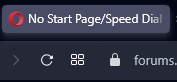
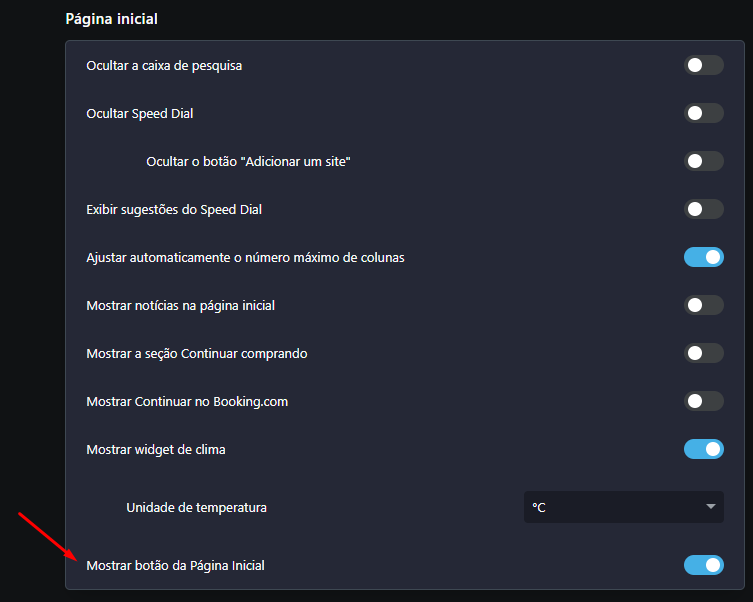
I just upgraded my Opera to 102.0.4880.56 version and they added back the Speed Dial button next to the URL box.
I'm posting this cause some users mentioned that Opera One update removed it, but I don't know how it's going GX.
Do more on the web, with a fast and secure browser!
Download Opera browser with:
I just upgraded my Opera to 102.0.4880.56 version and they added back the Speed Dial button next to the URL box.
I'm posting this cause some users mentioned that Opera One update removed it, but I don't know how it's going GX.
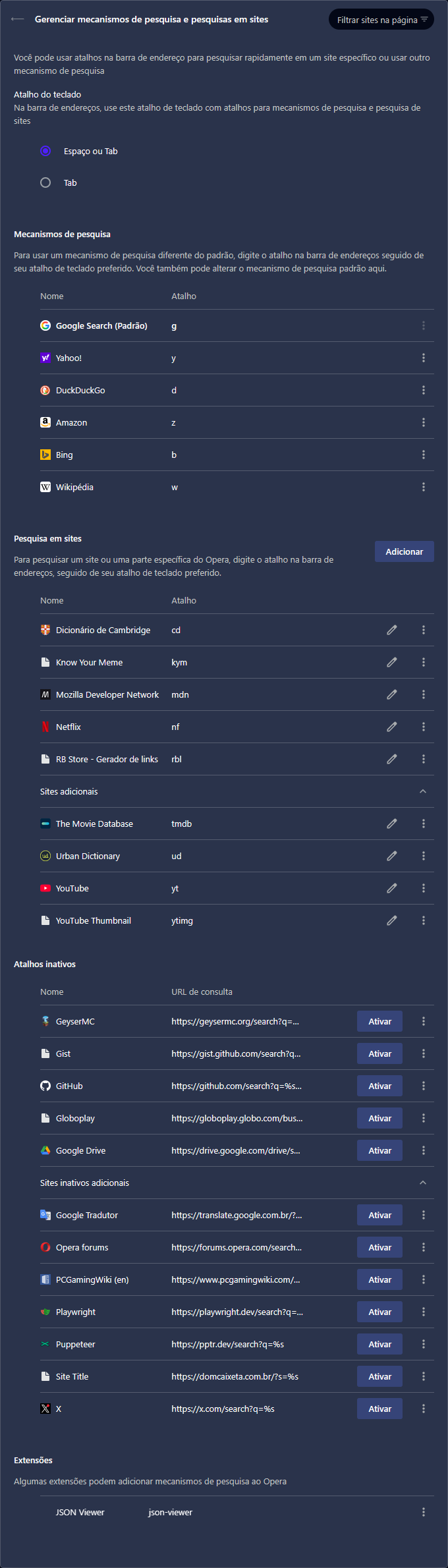
It has been annoying to use custom search engines in Opera because every time I visit a website, it looks like Opera finds some common search URLs and adds them to Inactive shortcuts (Atalhos inativos).
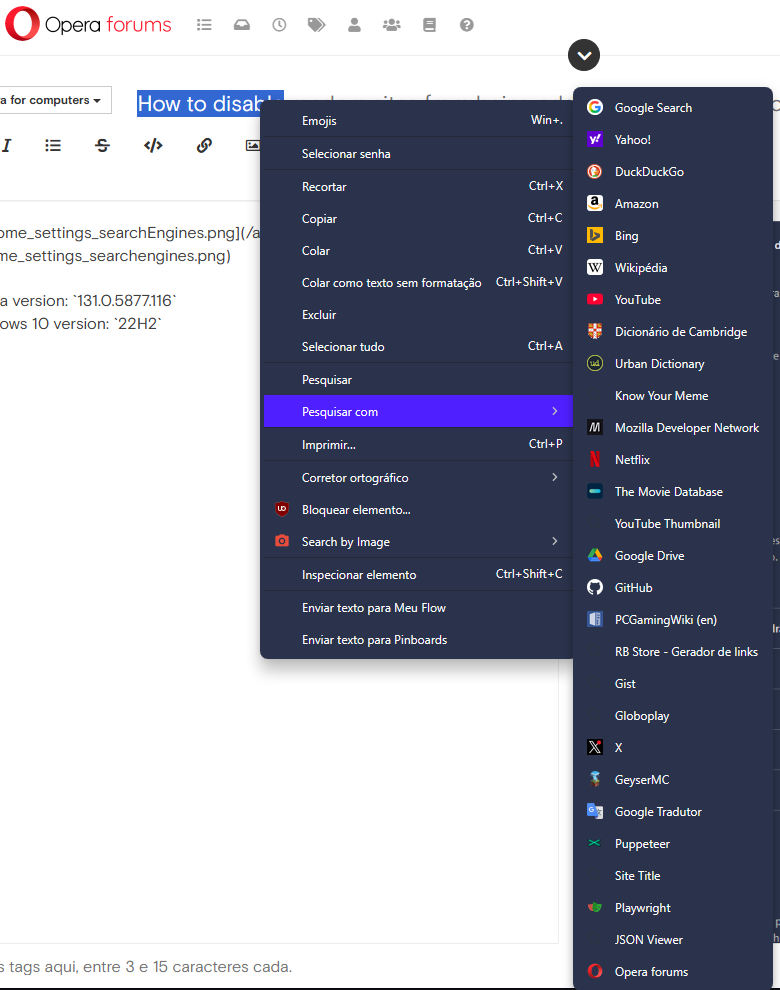
The worst part is that inactive shortcuts are visible in "Search with" (Pesquisar com) context menu feature, making it impossible to quickly find and select the desired engine after selecting text.
Two screenshots are available at the end of this description.
The only search engines I actually added are the ones in Site search (Pesquisa em sites) section, I've never added nor deactivated those search engines listed under Inactive shortcuts section.
Taking Playwright as example. I searched about it last friday and I visited only its homepage and .NET installation page, but after that, without using its website search feature, the search URL was listed there.
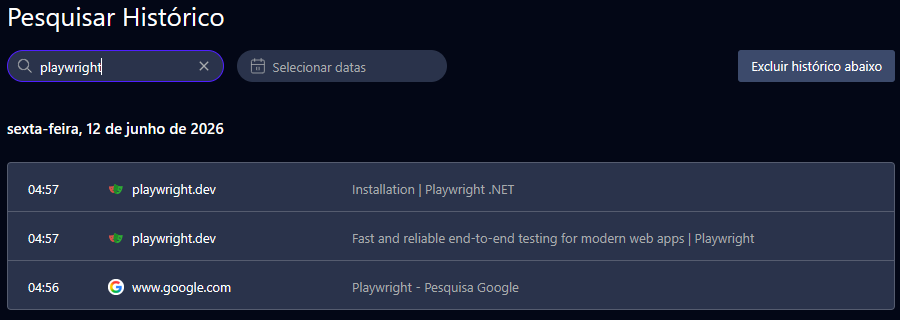
The same goes for GeyserMC, Globoplay, Google Translate, PCGamingWiki, Puppeteer, Dom Caixeta (a restaurant wordpress website that is not even working). I access other websites often, but it does not mean I want their search engines added to my browser.
I don't visit Opera forums often and when I started writing this topic, its search engine was added to inactive section and visible in the last position of the search with context menu.
Then I have some questions:
Opera version: 131.0.5877.116
Windows 10 version: 22H2
My Opera search engines settings:
"Search with" context menu:
An update for anyone reading this. First, I wanna thank @andrew84 for mentioning my topic along with others in a comment on an Opera blog post. After that, I was able to find useful information about the issues I pointed out here.
@burnout426 said in I'm missing the "Create search engine" entry:
However, when you visit supported sites like Youtube that tell browsers how to search the site, you will see that a search engine for it is now automatically added to the
opera://settings/searchEnginespage where all you have to do is click "Activate" for it, and then edit its keyword if you want.
@burnout426 said in I'm missing the "Create search engine" entry:
The whole autodetect + activate thing just comes from Chromium that Opera turned on. Opera's context menu search engine enumeration just isn't set up to skip inactive engines yet. I consider that a bug.
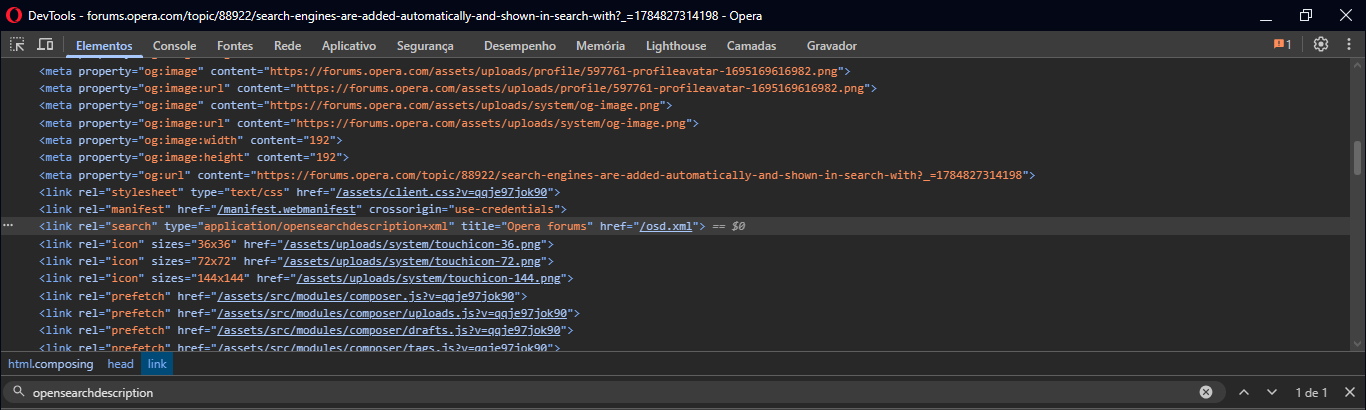
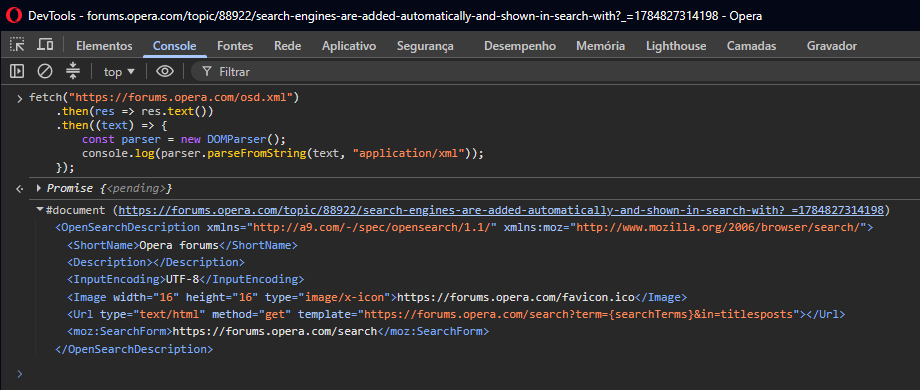
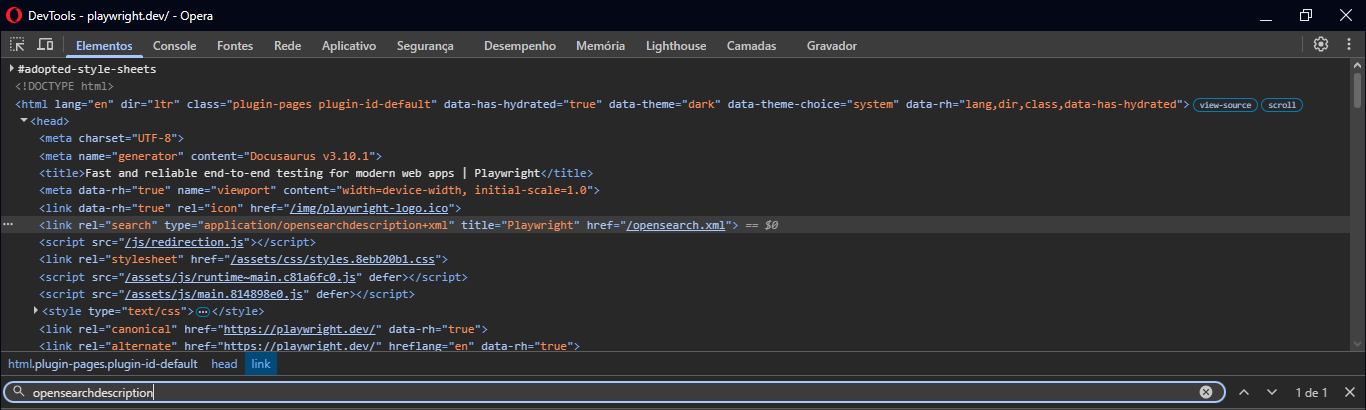
So, as burnout426 said there, Chromium added the feature "Tab to search", basically, the website provides the URL used in its searches, and the browser might automatically add it as a search engine. For these websites, DevTools shows the OpenSearch document they expose.
Opera Forums:
Playwright:

The Chromium article also explains why visiting homepage (commonly origin without a path) adds the search engine:
For 1 and 2 Chromium only adds sites that the user navigated to without a path. For example
http://mysite.com, but nothttp://mysite.com/foo.
That being said, I can answer my own questions.
My Opera version is now 133.0.5932.60, and the bug still persists.