@Opera-QA-Team Yes, I've successfully updated to version 133.0.5932.60. Thank you very much for your work. Best regards.
A
Posts made by albano23
-
RE: Opera 133.0.5932.60 Stable updateBlogs
-
RE: Opera 133.0.5932.60 Stable updateBlogs
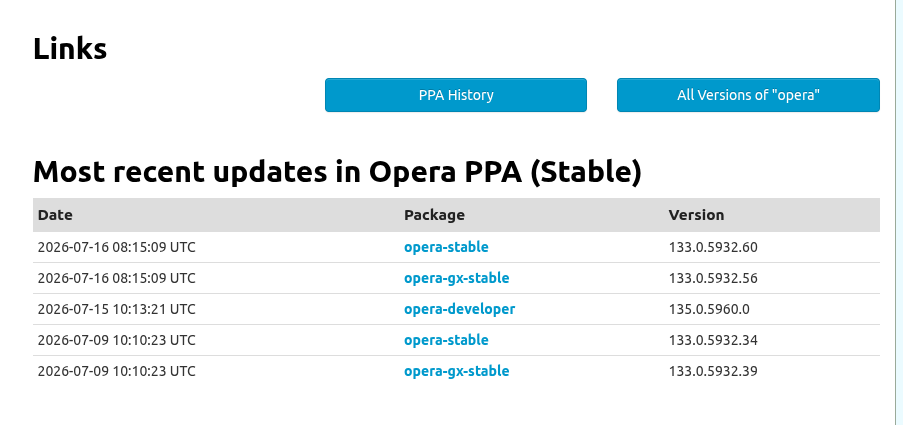
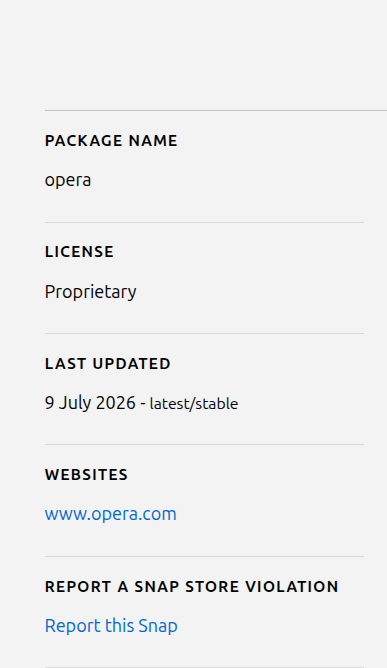
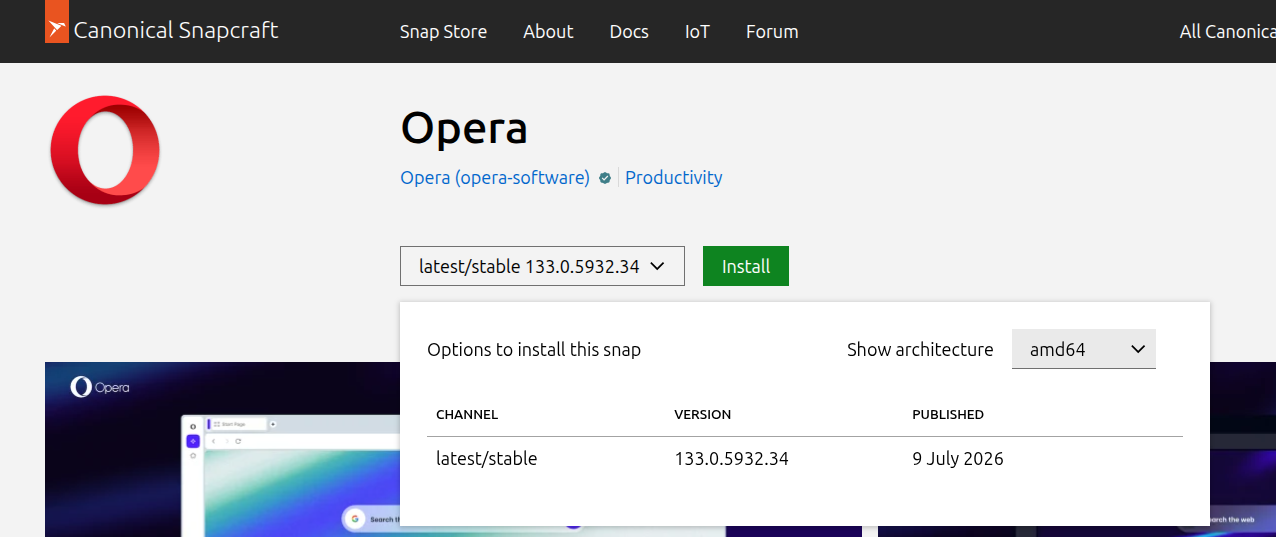
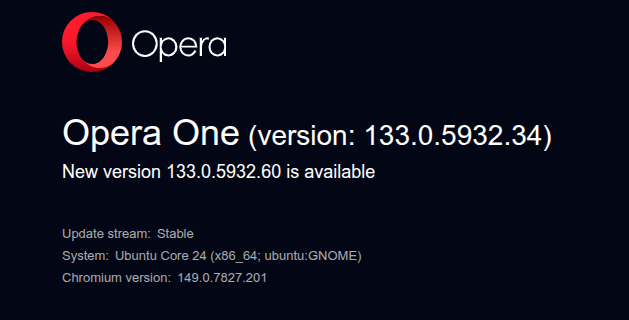
In Ubuntu Snap, update 133.0.5932.60 hasn't arrived, although it did arrive in the .deb format. Could you please fix this? I'm using the Snap version on Ubuntu 22.04.05 LTS. I've attached screenshots for reference.
-
RE: Opera 133.0.5932.20 Stable updateBlogs
I wrote this before, in previous messages, and we're still having the same issue with Snap Opera on Ubuntu IN THIS CASE TODAY IN THIS VERSION 133.0.5932.20. Please correct these errors. To avoid repeating myself, here's the message I left in the previous post (133):I already posted it in the stable version of Opera 131.0.5877.74 (I use Ubuntu 22.04.5 LTS) and it's still not fixed; in fact, it's gotten worse: The messages "INVALID RE2: INVALID REPETITION SIZE (200, 1300)" and "INVALID RE2: INVALID PEARL OPERATOR : (?!, //)" keep appearing, filling the GNOME system with junk files that consume a lot of megabytes daily. And now in this version 133, it's still there, and if you right-click and select "Recover Tab," my PC freezes completely (four times today). With all due respect, it's a disgrace. The only version without this problem, among all the recent stable releases, that didn't have the "invalid RE2 SIZE" and "PEARL OPERATOR" errors was Opera 132.0.5905.37. I'm adding my previous message, which I posted in the Opera stable version. 131.0.5877.74. I'M using the snap format. Please, even if it's an automated script, do things right. I know you put a lot of effort into it, but the Linux user in Snap seems abandoned. It's unacceptable that these errors occur throughout the entire 131 range, part of 132, and now in 133. And on top of that, version 133 doesn't recognize h.265, and Netflix says that even though I have DRM enabled to watch Netflix, it gives me error 077701-1003. In other words, it says I can't watch it because DRM isn't enabled in the Opera 133 configuration, When It Is Activated.
I'm adding my previous message, which I posted in the Opera stable version. 131.0.5877.74. "The stable versions of Opera 131, from version 54 to the current one ending in 97, have several serious bugs in their snap (Ubuntu 22.04.05 LTS in my case) that should be fixed: 1) They fill the GNOME logs with thousands of messages with the error "Invalid RE2 repetition size, invalid perl operator"; 2) This causes a large amount of disk space to be consumed in a single session, as can be seen with the commands sudo journalctl --disk-usage and sudo ls -lh /var/log/journal//.journal; and 3) In version 74, a very serious error occurred when updating the chromium-ffmpeg snap: "at least file with resources (.pak) is corrupted, please reinstall opera". Luckily, shutting down and restarting my PC fixed it for me. // In version 131 ending in 24, none of these bugs were present. I don't recommend using sudo journalctl --vacuum-time=1d to fix the issue of thousands of messages mentioned in point 1, because it could break your current session. I would like these problems to be reviewed by both you and the Snap Opera packagers. I hope all these issues will be resolved in version 132, which will use Chrome's 148 engine."
-
RE: Opera 133 StableBlogs
I already posted it in the stable version of Opera 131.0.5877.74 (I use Ubuntu 22.04.5 LTS) and it's still not fixed; in fact, it's gotten worse: The messages "INVALID RE2: INVALID REPETITION SIZE (200, 1300)" and "INVALID RE2: INVALID PEARL OPERATOR : (?!, //)" keep appearing, filling the GNOME system with junk files that consume a lot of megabytes daily. And now in this version 133, it's still there, and if you right-click and select "Recover Tab," my PC freezes completely (four times today). With all due respect, it's a disgrace. The only version without this problem, among all the recent stable releases, that didn't have the "invalid RE2 SIZE" and "PEARL OPERATOR" errors was Opera 132.0.5905.37. I'm adding my previous message, which I posted in the Opera stable version. 131.0.5877.74. I'M USING THE SNAP FORMAT. Please, even if it's an automated script, do things right. I know you put a lot of effort into it, but the Linux user in Snap seems abandoned. It's unacceptable that these errors occur throughout the entire 131 range, part of 132, and now in 133. And on top of that, version 133 doesn't recognize h.265, and Netflix says that even though I have DRM enabled to watch Netflix, it gives me error 077701-1003. In other words, it says I can't watch it because DRM isn't enabled in the Opera 133 configuration, When It Is Activated.
I'm adding my previous message, which I posted in the Opera stable version. 131.0.5877.74. "The stable versions of Opera 131, from version 54 to the current one ending in 97, have several serious bugs in their snap (Ubuntu 22.04.05 LTS in my case) that should be fixed: 1) They fill the GNOME logs with thousands of messages with the error "Invalid RE2 repetition size, invalid perl operator"; 2) This causes a large amount of disk space to be consumed in a single session, as can be seen with the commands sudo journalctl --disk-usage and sudo ls -lh /var/log/journal//.journal; and 3) In version 74, a very serious error occurred when updating the chromium-ffmpeg snap: "at least file with resources (.pak) is corrupted, please reinstall opera". Luckily, shutting down and restarting my PC fixed it for me. // In version 131 ending in 24, none of these bugs were present. I don't recommend using sudo journalctl --vacuum-time=1d to fix the issue of thousands of messages mentioned in point 1, because it could break your current session. I would like these problems to be reviewed by both you and the Snap Opera packagers. I hope all these issues will be resolved in version 132, which will use Chrome's 148 engine."


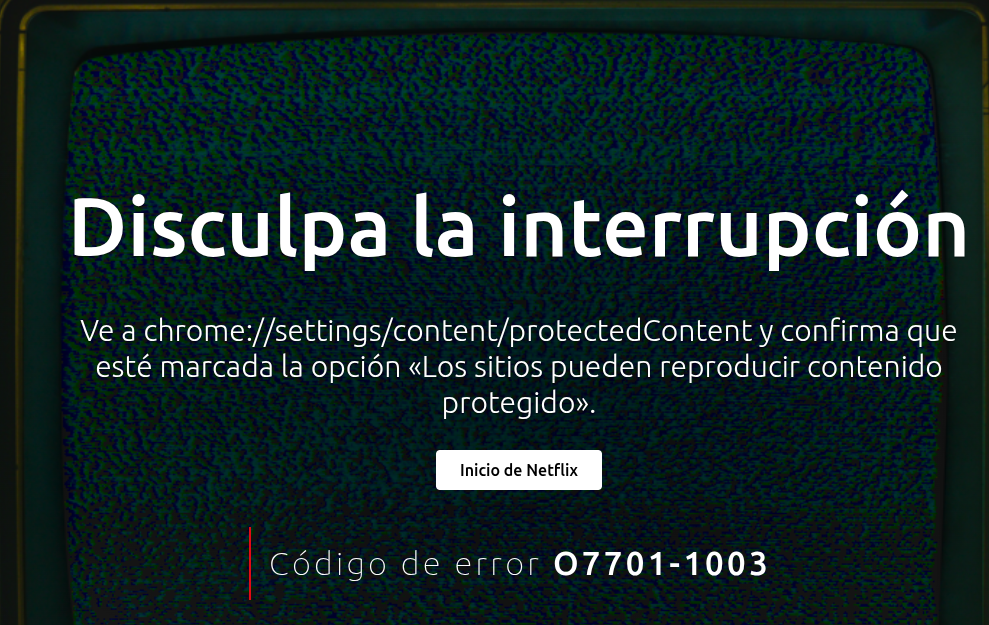
Regards, I hope you can fix this. Thanks, and I hope a moderator or technical manager can respond.
-
RE: Opera 132 StableBlogs
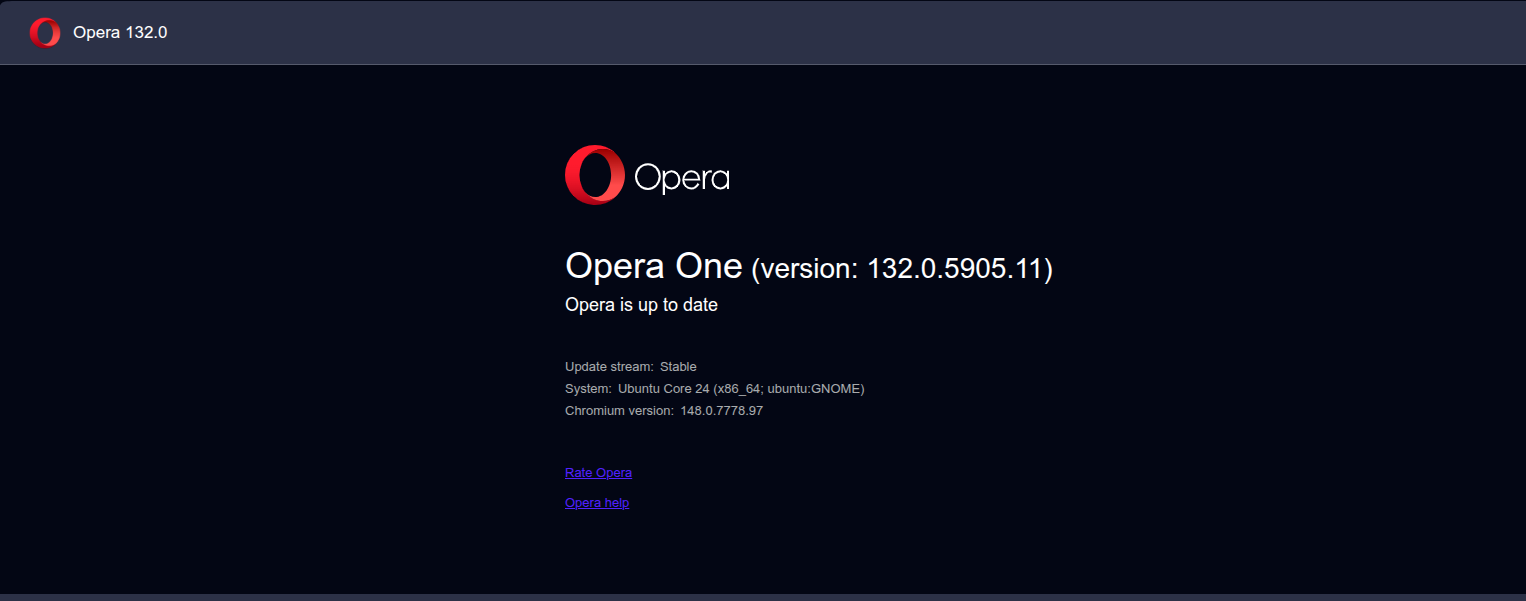
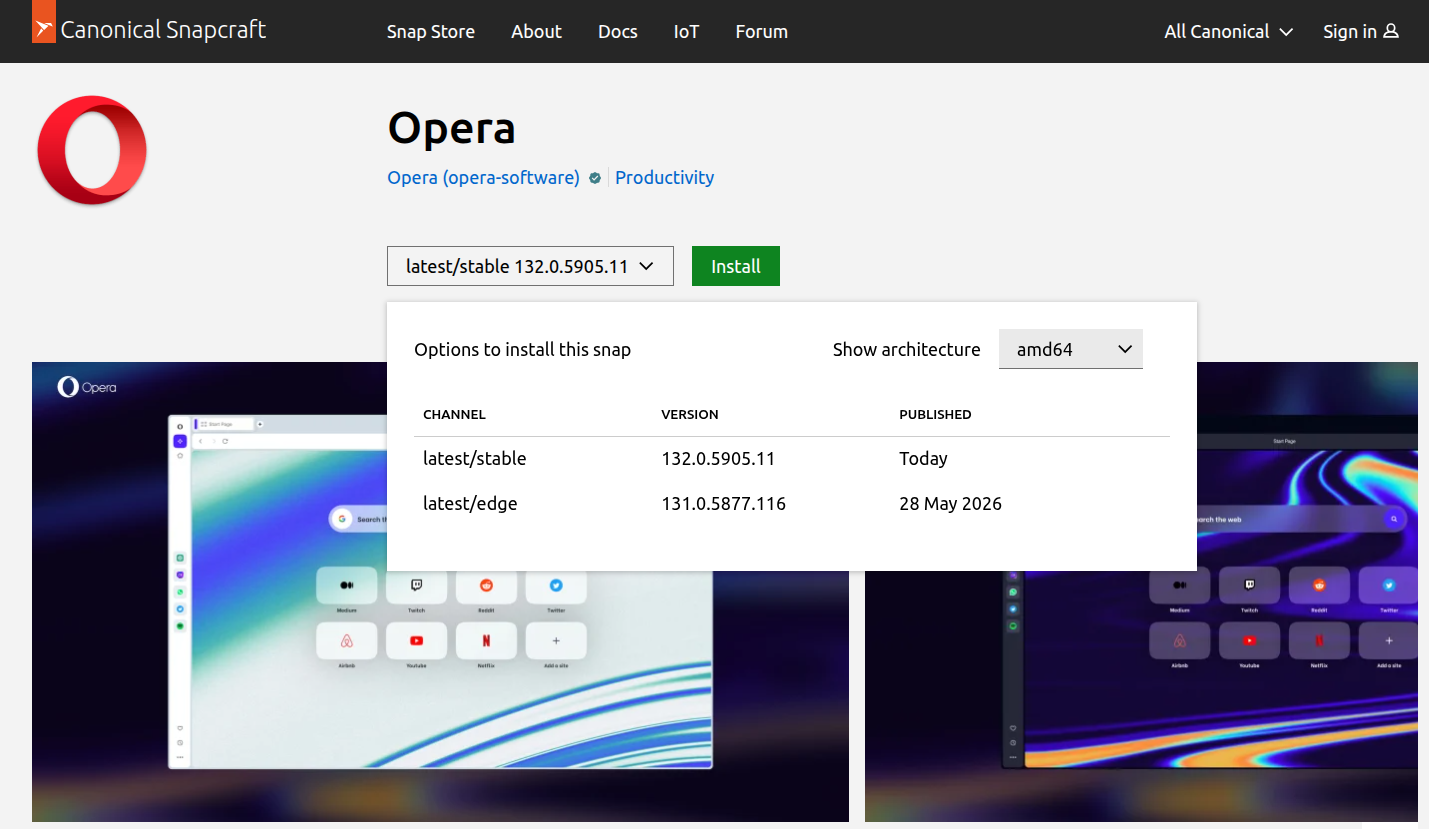
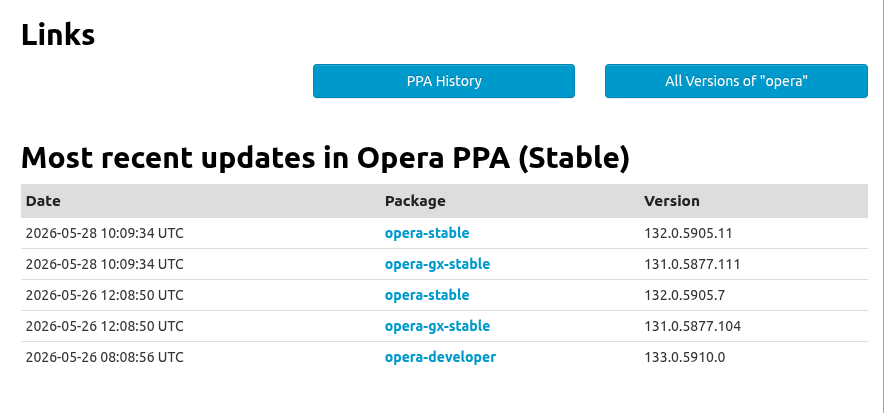
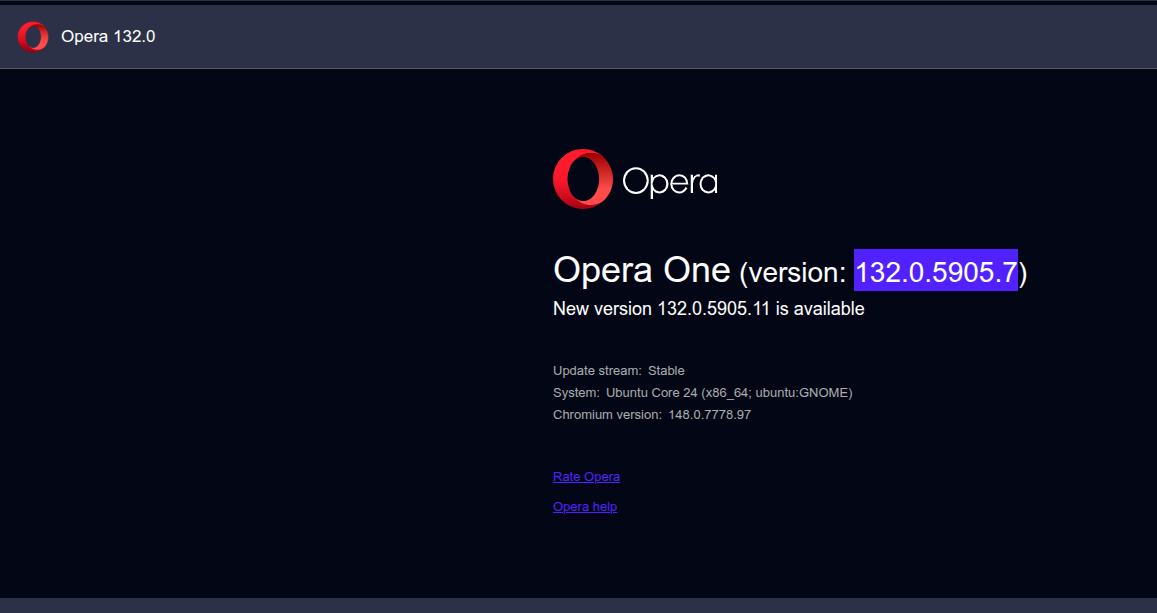
@Opera-QA-Team Sorry for the late reply. Version 132.0.5905.11—the current stable release—is already available on Snap. I can confirm this because I’m using it right now. I’ve included some screenshots so you can see it more clearly. Thanks for your reply. I really appreciate it. I’m browsing without any issues.
-
RE: Opera 132 StableBlogs
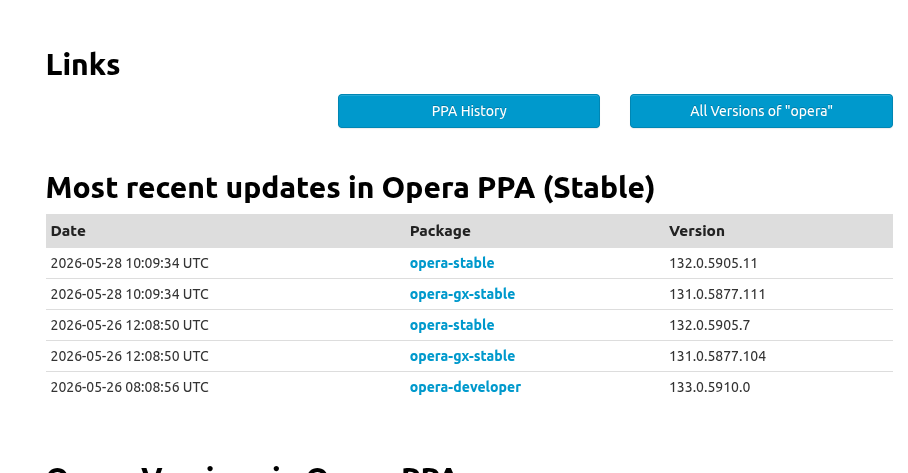
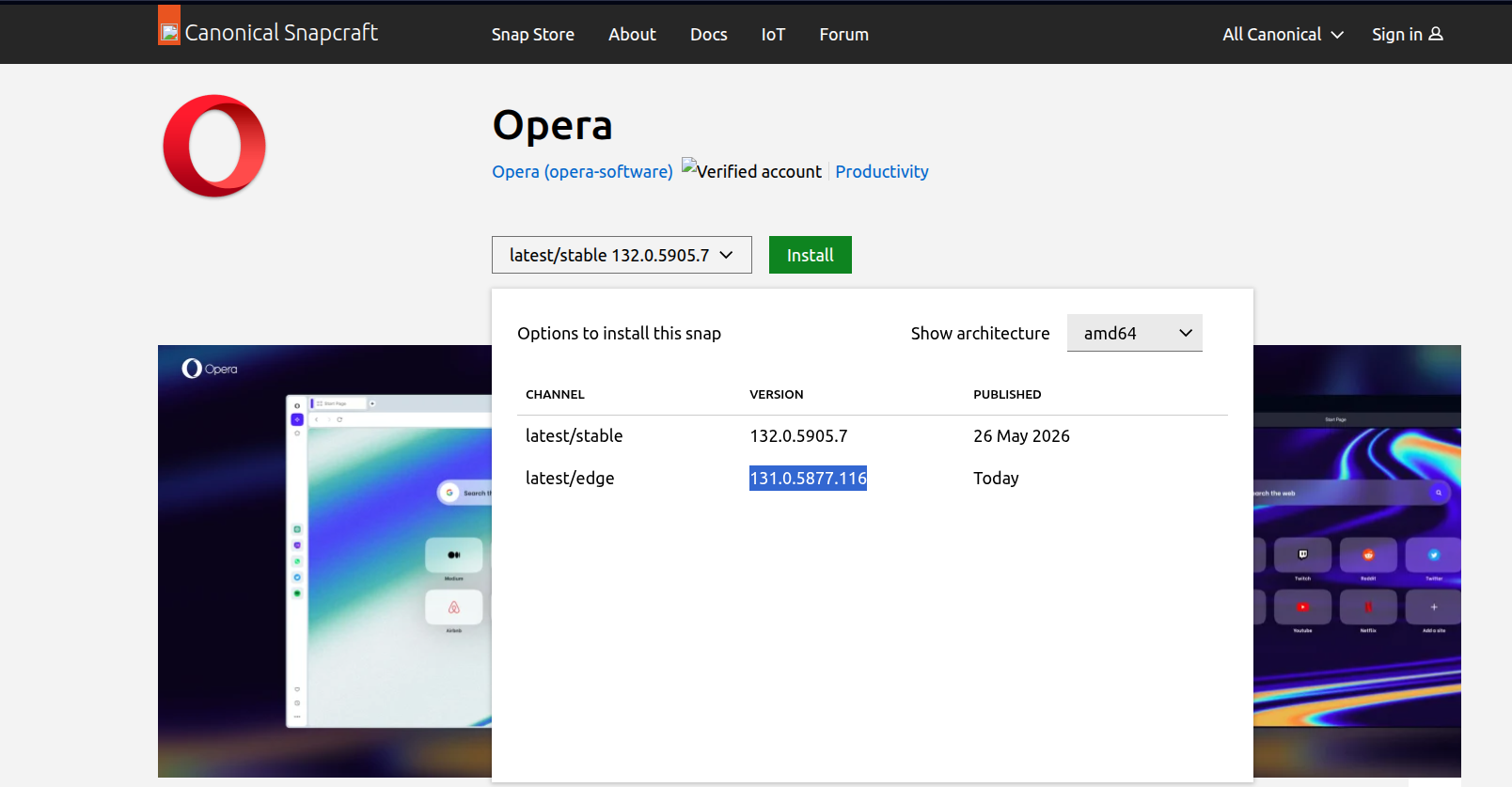
Please clarify this for Linux. Currently, Snap release 132.0.5905.7, released on May 26th, is stable. Edge Snap release 131.0.5877.116, released today, is also available within the stable branch. Yesterday, 132.0.5905.10 was available in its place, but it was removed. Therefore, Snap users are stuck in limbo, unable to update to the 132 version you just released, which is actually 132.0.5905.11. This 131.0.5877.116 version uses Chromium 147. Show some respect to Linux users, especially those of us who use Ubuntu in my case 22.04.05 LTS. Snap packages also exist; you've only released the deb package 132.0.5905.11 correctly for Ubuntu, but the snap package, which uses 131.05877.116 as its edge version, is also missing. Could a moderator or Opera administrator explain this chaos with Snap Opera for Ubuntu? I say this with kindness, but I don't want to break my system. I've added screenshots to make it clearer.
-
RE: Opera 131.0.5877.74 Stable updateBlogs
The stable versions of Opera 131, from version 54 to the current one ending in 97, have several serious bugs in their snap (Ubuntu 22.04.05 LTS in my case) that should be fixed: 1) They fill the GNOME logs with thousands of messages with the error "Invalid RE2 repetition size, invalid perl operator"; 2) This causes a large amount of disk space to be consumed in a single session, as can be seen with the commands
sudo journalctl --disk-usageandsudo ls -lh /var/log/journal/*/*.journal; and 3) In version 74, a very serious error occurred when updating the chromium-ffmpeg snap: "at least file with resources (.pak) is corrupted, please reinstall opera". Luckily, shutting down and restarting my PC fixed it for me. // In version 131 ending in 24, none of these bugs were present. I don't recommend usingsudo journalctl --vacuum-time=1dto fix the issue of thousands of messages mentioned in point 1, because it could break your current session. I would like these problems to be reviewed by both you and the Snap Opera packagers. I hope all these issues will be resolved in version 132, which will use Chrome's 148 engine. -
RE: Opera 115Blogs
For people who use the Opera ppa (. deb), I have a mini pc, I have that ppa, and if you see the thread of my answers in OPERA 115 stable, yesterday I put, that in Ubuntuupdates, came out that the latest stable was the 114 ended in 235, well, as I have that PPA on the mini pc (Not on my main tower pc), yesterday when I clicked on the software and updates button, it threw a result that there was a new version of Opera, and what was the surprise, that instead of putting me the 115, it put the 114 ending in 235 (The one in snapcraft. io/opera says that is an edge/lastest stable, and that came out on 28 when the 27 in the stable branch, is the 115) and was updated to 114, but I was even more surprised and angry, when I opened opera updated to that 114 ending in 235, and go help -- and then About Opera, when checking the updates, tells me that there is a version that is 115, but then I go back to software and updates to see if the ppa gives me back an update for Opera, and it turns out that it does not. That is the deb version, how wrong, and I will have to remove that ppa, download the official Opera deb from your page, and install it all again ppa and opera. deb, but it may not work, because it will surely jump a new update that will be again the 114, because the last stable deb is the 114 ends in 235, so it is a mess, which should be corrected.
At the moment in snapcraft.io at this time that I am writing there have been no changes and continues to put the following:
Channel Version Published
latest/stable 115.0.5322.68 27 November 2024
latest/edge 114.0.5282.235 28 November 2024Let's hope it stays that way and there is no update. Anyway, in order not to keep you in anguish, I will be checking throughout the day, to see whether or not snapcraft.io jumps a new version and hopefully not the 114. The only thing that occurs to me if you use snap, and Ubuntu in my case 22.04.5lts and / or higher versions, is that in the terminal do not write snap refresh and then give enter, because that will update all packages, but that you use the following command
snap refresh --list , that will give you a list of all the pending to update, (if there is nothing it will tell you something like this that all the packages or snaps are updated), if by chance it gives you a list and opera appears, ignore it and update the rest. You will have to go one by one, that is to say using this command for each snap, the command issnap refresh and then the name of the program
There is also another option now that I think about it, but it is a bit more risky which is to do a revert. That is to say by mistake you will be updated, you only have to do this in the terminal write this command
sudo snap revert and the program name
or if you want to go to the specific version
sudo snap revert program name --revision and then revision number
How to get the revision number by typing in the terminal
snap list --all
It is a number that goes in brackets ()
By doing that the update will be reverted and will be stopped and if you don't want to keep it because it takes up space you can delete it for example
sudo snap remove opera --revision 347
That way you keep the version you want.
As for what @neewuser said in my case with the 115 I have not had the problem and I have had several tabs open being several of them Youtube, and I have a team with a processor and motherboard 2018, which is my main pc.
-
RE: Opera 115Blogs
@BestCodes Thanks for the clarification, but I just looked at Ubuntuupdates (The deb package part), for opera-stable and see what they have put:
Most recent updates in Opera PPA (Stable)
Date Package Version
2024-11-28 12:08:17 UTC opera-stable 114.0.5282.235
2024-11-27 13:08:29 UTC opera-stable 115.0.5322.68
2024-11-25 11:08:24 UTC opera-developer 116.0.5362.0
2024-11-21 13:08:19 UTC opera-stable 114.0.5282.222
2024-11-19 13:08:18 UTC opera-developer 116.0.5356.0do you see any sense in them?
I can understand snapcraft, it goes a bit over your head, but to .deb. A few hours ago .deb, just said there was a stable for Opera, now it's the same as Snap.... Anyway. At the moment I did not jump, I had Opera snap-stable update, but seeing the .deb, I would not be surprised that jumped soon and went from 115 to 114 for this update.
And if I use the stable version of opera in snap:
opera 115.0.5322.68 346 latest/stable opera-software✓ -
There you have it taken from the command terminal when you put snap list --all
Who understands it I don't.
-
RE: Opera 115Blogs
@daria19: Thanks for your answer, it's the same thing I was saying to @bestcodes, I don't understand this mess of versions in the snap packaging for Opera.
-
RE: Opera 115Blogs
@bestcodes: Thank you for your response. What I was referring to, I should have said, is that I always use the stable branch in snap for opera, (I don't have edge, developer or beta) and that's why I find it strange, in how they move in snapcraft.io to say when you hit the drop down for opera snap and underneath is the green install box and you get :
Show architecture
amd64
Channel Version Published
latest/stable 115.0.5322.68 Yesterday
latest/edge 114.0.5282.235 TodayI put you that the edge is lower than the stable one.
If I in the terminal (command console) of ubuntu 22.04.5 lts I put
snap info operaI get this:
latest/stable: 115.0.5322.68 2024-11-27 (346) 180MB -
latest/candidate: ↑
latest/beta: ↑
latest/edge: 114.0.5282.235 2024-11-28 (347) 177MB -
installed: 115.0.5322.68 (346) 180MB -what is in brackets is the version or revision as it can be that the edge has the 347 and is a lower version than the stable one. The worst thing will be, that a few hours, will tell me that I have a new version of opera snap, to update and I will skip the 114.0.5282.235 ie the edge, that if you see the arrows, for snapcraft and snap is already beta and is a candidate. I do not understand it should have been the other way around, that the edge that they say came out today, should have come out yesterday and the 115, today .... That's why I asked, if anyone knows what is going on if they compiled 115 wrong and that's why they are pulling it back, for to get this edge
-
RE: Opera 115Blogs
I am a Linux user, specifically Ubuntu 22.04.5 Lts, and in particular I use the snap package.
Yesterday the Opera snap package was updated to 115, but today I wake up and see, that in snapcraft.io
https://snapcraft.io/opera , I see the following:
Options to install this snap
Show architectureamd64
Channel Version Published
latest/stable 115.0.5322.68 Yesterday
latest/edge 114.0.5282.235 TodayWhat I don't understand, is how the latest/edge is inferior to the latest/stable, and normally, when the stable version does not match the edge (from the stable branch), there is an update on the same day, that is, today, I would go back to 114, instead of staying with 115.
Someone knows what is happening with the snap version, because the .deb version does not say anywhere that this supposed 114.0.5282.235 exists. And I have seen the same on your website in desktop versions, maybe it is a phantom update, or there has been something wrong with the snap version 115, and now they are going to make a revert, back to 114, and in two or three days, back to 115. Since all the time I've been using snap, it is the first time you can see a revert in a stable version. In this case latest/edge, stable version.
I know that the main thing is windows, but this should have more control at least in Linux (Ubuntu, debian etc). It is not normal that .deb, says that 114.0.582.235, does not exist, and that snap says that it does, and that it is a stable version.
-
RE: Opera 112.0.5197.39 Stable updateBlogs
Even if you are on Ubuntu (Linux) and use the snap format, there is this version I wonder:
112.0.5197.44I say this because if you search in snapcraft.io (https://snapcraft.io/opera) , you get that 112 ending in .44 with the latest edge, but nowhere appears even in the deb format.
Does anyone know anything about it or has been discussed in windows about that version?
Best regards.
-
RE: some videos do not play on UbuntuOpera for Linux
The problem of the videos in Opera in particular in Ubuntu, is simple to fix, you have to have the Chromium-ffmpeg snap updated. With it you will see all the videos without problems. What happens is that sometimes the snap /deb etc of opera is not updated as fast in linux as in Windows, hence the lag and therefore the videos do not work. Apart from looking if the Youtube videos work is not always the most advisable thing to do. I go directly to newspaper videos (using html5 etc) or television websites or platforms, if those work then there is no problem. You can check the browser in this web https://html5test.com there this web analyzes it and tells you if it has this codecs, by default when it happens not to be able the videos, in that web in the multimedia section and inside there video, must be marked with green check mark the codec H264, if it is not the videos not in Opera will not be seen.
In any case not to confuse you.
- Have the snap or the chromium-ffmpeg package always updated (A few days ago an update came out).
- Apart from Youtube, check, that you can watch videos in newspapers / online magazines as they use Html5, and also try in TV channels, which have their online version and also streaming platforms, such as Netflix and similar.
and 3) Test in each new updated version of Opera, the web https://html5test.com that will tell you if H264 is missing.
I hope I can help everyone.
P.S.: Always be patient because they are based on the version of Chrome and usually go one behind.
-
RE: You can now decorate your tabs with Emojis in Opera 😎Blogs
@thelittlebrowserthatcould and @leocg and:
For everyone whether they are windows or Linux (Ubuntu and other flavors), it has been updated to the latest version, that is:
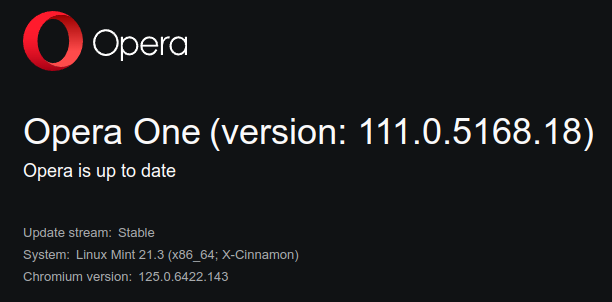
Opera One(version: 111.0.5168.25) based on chromium stable:
Chromium version:125.0.6422.143I just updated on windows 11 and Ubuntu 22.04.04 Lts, on Ubuntu via snap and I had no problems with video playback (I am using chromium ffmpeg 0.1 stable snap version from May 16, 2024). Link: https://snapcraft.io/chromium-ffmpeg
As for the emojis there is no problem when closing the windows with the X, they are still there but they don't bother me, maybe they overload the browser if you have a lot of tabs open, but they don't bother me.
As I said in my previous comment, you have to be patient.
Best regards.
Postadata: For those who updated via synpatic or gdebi or via terminal or with the software updater of Ubuntu and other flavors, know that the stable version of opera, is the one from yesterday and not the current one, see the ppa page:
https://www.ubuntuupdates.org/ppa/opera (opera-stable 111.0.5168.18) I imagine it will be updated soon be patient.
For more information you can go to the stable web of opera, where is already the 111.05168.25) here: https://blogs.opera.com/desktop/category/stable-2/ and inside there by clicking here: https://blogs.opera.com/desktop/2024/06/opera-111/ where you can see the release date of the version today June 12, 2024.
-
RE: You can now decorate your tabs with Emojis in Opera 😎Blogs
@thelittlebrowserthatcould said in You can now decorate your tabs with Emojis in Opera
 :
:@leocg Obviously, I'm ahead of my time

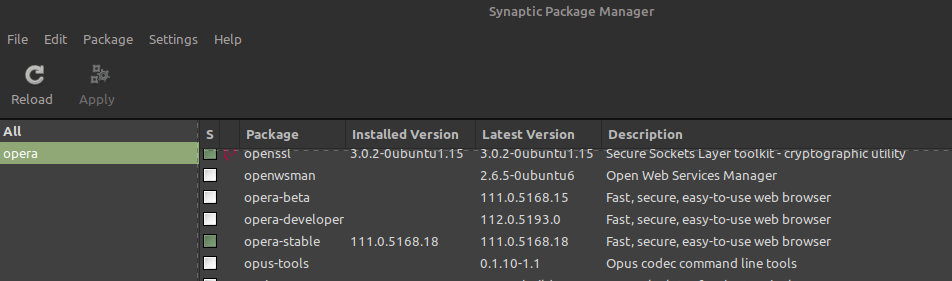
You are not ahead of your time, just that the .deb package (since you are using synaptic), was released yesterday, in fact on my ubuntu 20.04, which I have the deb, it was updated. Not so with the snap of that same 20.04. In fact for snap it is still coming out, the latest 110.0.5130.66. And this also happens to me on my main pc Ubuntu 22.04.04 lts, where I only have it for snap. No matter where you look if you put snap info opera in a terminal you get 110.0.5130.66 as stable but with yesterday's date of update (I want to think it's a mistake, because to me the one that ends in .66 of the 110, I was renewed on June 4), on the other hand it is true what @leocg says, there is still no stable web for this 111 that you point out. However if you go to https://www.ubuntuupdates.org/ppa/opera there if this the 111 you mention, therefore, and as I said if you use synaptic, ie you have .deb instead of snap, you have been updated, for those who have snap not yet (here you can see https://snapcraft.io/opera) and as you will see if you click on the arrow where it says latest/stable you will see that this the 110 finished in .66 and also as date says Yesterday. Moreover I emphasize if you go to https://blogs.opera.com/desktop/category/stable-2/, the last one that will come out is the 110 ending in 66 and dated June 4. In short, for Linux this is still a bit of a disaster, there is no way to have updated opera without scares or strange things. I am about to think that it is a silent update, that it exists, but it is not but which is not published on the official website of opera stables. In fact in my windows 11, yesterday I tried to update and I did not jump in any way the update. I will have to be patient and when they decide to make it official I hope that the packagers of opera snap, put everything right. As for the chromium ffmpeg, I do not think they will release a new one soon, because it came out very recently that this snap (See in this link the date is 16 May https://snapcraft.io/chromium-ffmpeg) and is the one you do not have to touch when you happen to the videos, without having to enter to modify anything with the lib in github etc.. Also I think that opera is waiting for the update of chrome (Chromium) that will not take long because the beta of 126, is from June 6 (at least by snap) but the 125 that ends in 141 (The current one is from June 3). So I don't know what to think. In short, patience, there is no other option. As for the emojis, with version 110 that ends in 66 of opera, that is, the current stable, the I don't use them, because I don't like it, but it is what it is. but who says @leocg The thing about closing the windows with the X was solved.
-
RE: You can now decorate your tabs with Emojis in Opera 😎Blogs
@thelittlebrowserthatcould: Totally true, I was going crazy, because I thought I had the wrong mouse or it was connected wrong. This should be improved, because it is a waste of time to have to right click on the drop down and click close window. Let's see if they fix that bug or implement it better. Now I wonder how much consumption add those emojis in ram etc. with the browser open if you are one of those who put many tabs open, because I think the more interactive things more consumption.
-
RE: Opera 107Blogs
@jedi-am Certainly it already works again the thing of the videos, and it continues happening as it happened in the past, that is to say, it is fixed with the later versions, without need to add, ffmpeg of other places, but if it serves to others that option that they use it without problem. In theory having the chromium ffmpeg installed from snap, should go all right, without the need to go to the ffmpeg that have been discussed.
A greeting.
Postadata: Now let's see if the streak is maintained and the next one is not messed up again with the videos.
-
RE: Opera 107Blogs
For the love of God, as the snap is packed in Opera, this 107, is still the same as the last 106 finished in 70, videos are still not seen in Ubuntu 22.04.03 Lts, but in Windows 11, if they work perfectly. Do me a favor, I don't want to offend, but improve the snap, so that it works as it should, and the same with the .deb.
Don't talk to me about ffmpeg, because I have them all updated, so that's not it.
Best regards.