I'm Opera One but Youtube is super slow, any thoughts?
A
Latest posts made by aderryb
- General
-
RE: How to select a tab when the window don't show tabsTab Islands, Tabs and Workspaces
@leocg Here is it under keyboard shortcuts

-
RE: Passwords won't sync onto IOS app from web on computer, pleaseOpera Browser
@bsarps same here- I made the switch to Opera because Chrome got rid of the adblock I like, but I am having issues with IOS app syncing my passwords from my browser and on top of that PayPal when checking out does not work on here.
-
RE: How to select a tab when the window don't show tabsTab Islands, Tabs and Workspaces
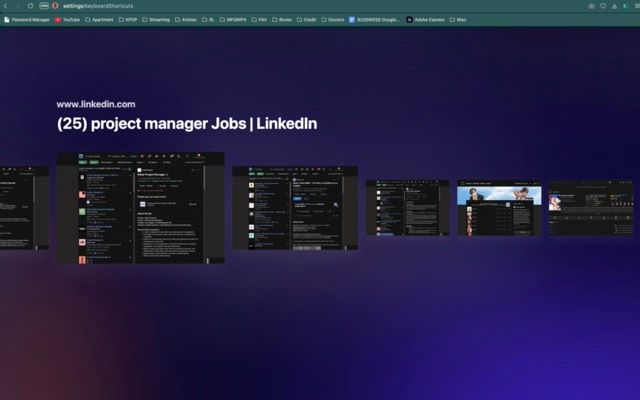
@leocg I tried doing that, but it just stays in that window that I have screenshotted when i released the button, it doesn't jump to that tab. Is there a way i can attach a screen recording here to show?
-
RE: How to select a tab when the window don't show tabsTab Islands, Tabs and Workspaces
@leocg but once I have landed on the tab I want, how do I make it jump show that tab window? If I do nothing then it just sits there in that window. I can't select a tab to then open that tab/ jump to that tab window.
-
RE: How to select a tab when the window don't show tabsTab Islands, Tabs and Workspaces
@leocg what do you mean? I'm trying to select one of those tabs and then pull it up and go to that tab- to switch from that view of all my tabs to the tab page i want.
- Tab Islands, Tabs and Workspaces
-
RE: How to select a tab when the window don't show tabsTab Islands, Tabs and Workspaces
@leocg sorry i was wrong- it is the Cycle forward/backward through tabs keyboard shortcut.
See if this is a better picture

-
How to select a tab when the window don't show tabsTab Islands, Tabs and Workspaces
I made a keyboard shortcut for cycling through tabs under the advanced section and it pulls up my tabs in the window like the image attached. However I don't know how to select that window to go to it. I've tried to press enter to load that tab but nothing happens and it stays on that page of all my tabs.
Any help is appreciated! thank you! I am on Opera One Mac
-
RE: Youtube is very slow, i updated opera too but no changeGeneral
@leocg Sorry i thought i put opera mac- but its Opera One