Browser Connector update loop blocks ChatGPT integration on macOS
-
SalimB last edited by
 )Severity: Complete loss of Browser Connector functionality; blocking an active website development workflow.
Last verified: 2026-10-12, approximately 09:10 CEST.Environment
- OS: macOS
- Opera Stable: 137.0.6036.39
- Opera update status: Up to date
- Early Bird: Enabled
- Browser Connector: Installed and enabled
- AI client: ChatGPT, using the Opera Browser Connector integration
Reproduction
- Open the Browser Connector toolbar popup.
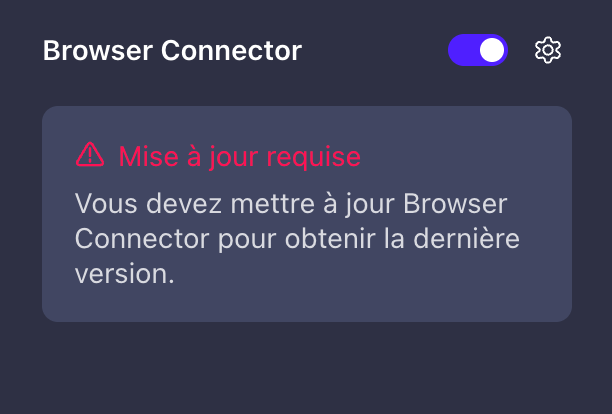
- Observe the red “Update required” warning.
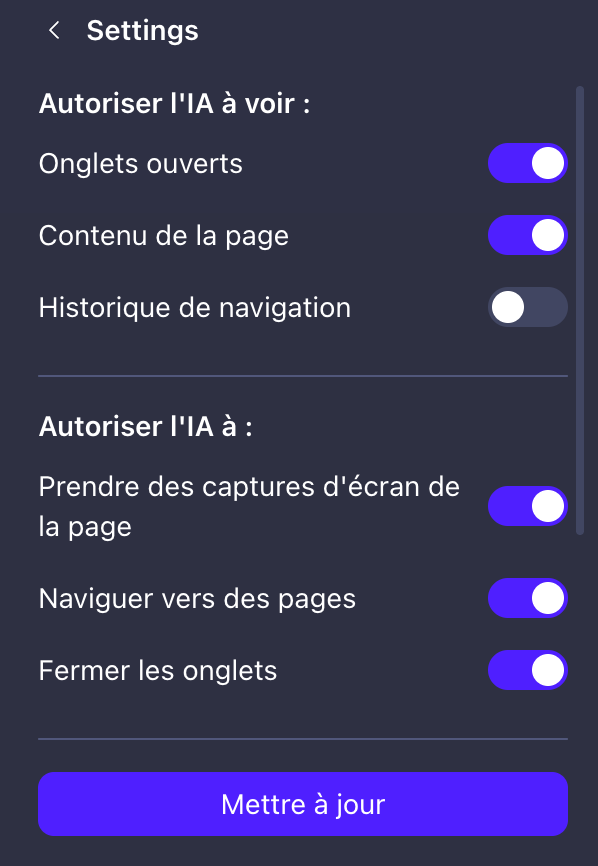
- Open connector settings and click “Update”.
- No visible update or completion confirmation occurs.
- Fully quit Opera with Cmd+Q and relaunch.
- Ask ChatGPT to list open tabs.
- The operation fails consistently.
Error Returned To Chatgpt
Operation: list-tabs
Error code: UNAVAILABLE
JSON-RPC code: -32000
Message:
“Browser not connected. Make sure to enable "Allow AI connection" in the "Browser Connector "and sign in with your Opera account.”Observed State
- Connector toggle is enabled.
- Permissions for open tabs, page content, screenshots and navigation are enabled.
- Automatic disconnection is set to “Never”.
- The connector activity log contains older ChatGPT operations from October 10.
- No recent operations are visible for the current failed requests.
- Browser Connector does not appear in the standard extensions list, although its dedicated toolbar popup and activity log are accessible.
Troubleshooting Already Completed — No Resolution
- Checked Opera updates.
- Clicked the connector-specific Update button.
- Fully quit and restarted Opera.
- Uninstalled and reinstalled Browser Connector.
- Signed out of ChatGPT and signed back in.
Expected Result
The connector update completes and ChatGPT can list tabs and read page content.Actual Result
The update warning persists and ChatGPT cannot access the browser.Diagnostic Limitation
The screenshots and client-side error do not establish the root cause. Please investigate connector version compatibility, update delivery, and browser-to-service registration. These are investigation targets, not confirmed causes.Request To Opera Engineering
- Confirm whether this is a known incident.
- Provide a supported recovery procedure or workaround.
- Identify the required connector version and how to verify the installed version.
- Specify any diagnostic logs needed and how to collect them.
- Provide an incident reference and an estimated fix date, if available.
Bug Report Submission
The separate Opera bug-report portal displayed an Atlassian scheduled-maintenance page when I attempted submission. No ticket was created.Attachments
- Browser Connector popup showing “Update required”.
- Opera update page showing version 137.0.6036.39 and “Up to date”.