• Login
    • Search
    • Categories
    • Recent
    • Tags
    • Users
    • Groups
    • Rules
    • Help

    Do more on the web, with a fast and secure browser!

    Download Opera browser with:

    • built-in ad blocker
    • battery saver
    • free VPN
    Download Opera

    Chrome Data Importing Issue

    General
    2
    2
    372
    Loading More Posts
    • Oldest to Newest
    • Newest to Oldest
    • Most Votes
    Reply
    • Reply as topic
    Log in to reply
    This topic has been deleted. Only users with topic management privileges can see it.
    • C
      Charweenie last edited by

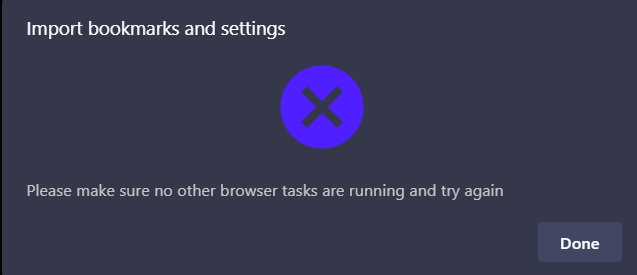
      I'm completely new to Opera and haven't been able to find any solution to my problem. After I downloaded Opera, I went to import my data from Chrome. I have a lot of bookmarks and data that I often use/access and manually transferring all my data would be an absolute headache. Every time I try to import my data (even when going to settings and trying to import bookmarks), the message "Please make sure no other browser tasks are running and try again" pops up. I've tried ending Chrome with task manager and it still pops up. Any tips? Anything I'm doing wrong? Thanks! Screenshot of pop up attached:Screenshot 2026-06-17 191144.png

      Reply Quote 0
        1 Reply Last reply
      • burnout426
        burnout426 Volunteer last edited by

        Upgrade to Opera 133 if you haven't and try again.

        If still no go, for bookmarks, in Chrome, goto the URL chrome://bookmarks and click the 3 dots at the top right of the page and export your bookmarks to an HTML file. Then, in Opera, goto the URL opera://settings/importData, select "Bookmarks HTML file" in the drop-down and point it to the HTML file. Then, goto the URL opera://bookmarks and go into the "Bookmarks Bar" folder. You should then see your imported bookmarks where you can move them to where you want if you don't want them there.

        For passwords, in both Chrome and Opera, goto the URL chrome://password-manager/settings. In Chrome, export your passwords to a CSV file. In Opera, import that CSV file.

        Reply Quote 0
          1 Reply Last reply
        • First post
          Last post

        Computer browsers

        • Opera for Windows
        • Opera for Mac
        • Opera for Linux
        • Opera beta version
        • Opera USB

        Mobile browsers

        • Opera for Android
        • Opera Mini
        • Opera Touch
        • Opera for basic phones

        • Add-ons
        • Opera account
        • Wallpapers
        • Opera Ads

        • Help & support
        • Opera blogs
        • Opera forums
        • Dev.Opera

        • Security
        • Privacy
        • Cookies Policy
        • EULA
        • Terms of Service

        • About Opera
        • Press info
        • Jobs
        • Investors
        • Become a partner
        • Contact us

        Follow Opera

        • Opera - Facebook
        • Opera - Twitter
        • Opera - YouTube
        • Opera - LinkedIn
        • Opera - Instagram

        © Opera Software 1995-