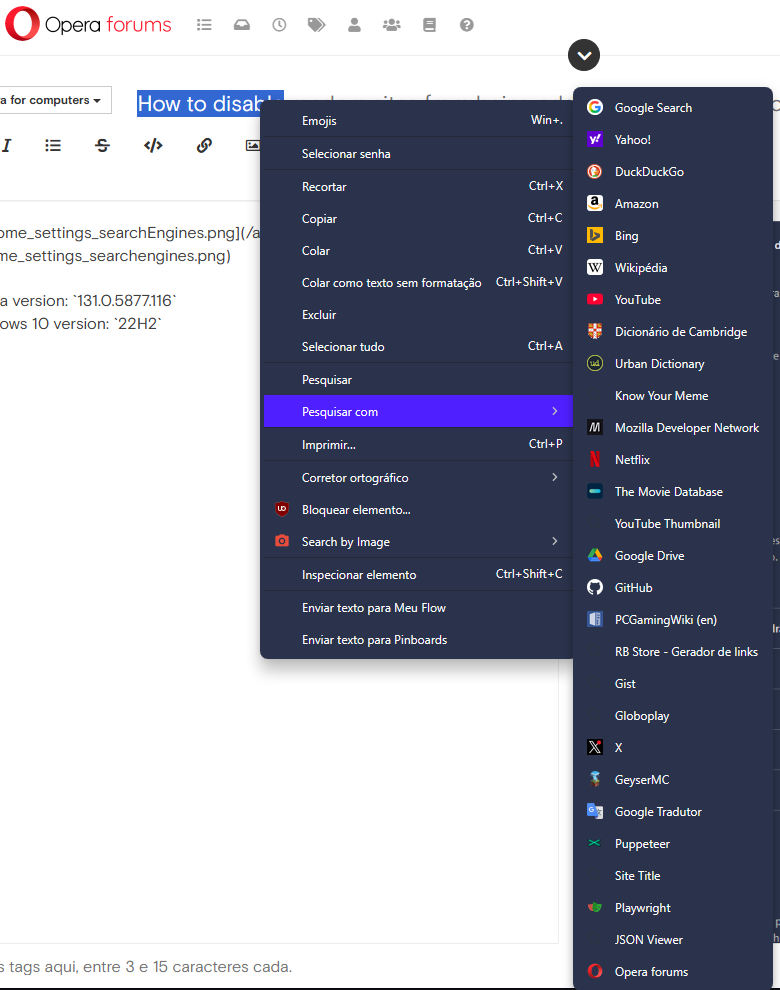
Search engines are added automatically and shown in "Search with"
-
 Mormani last edited by
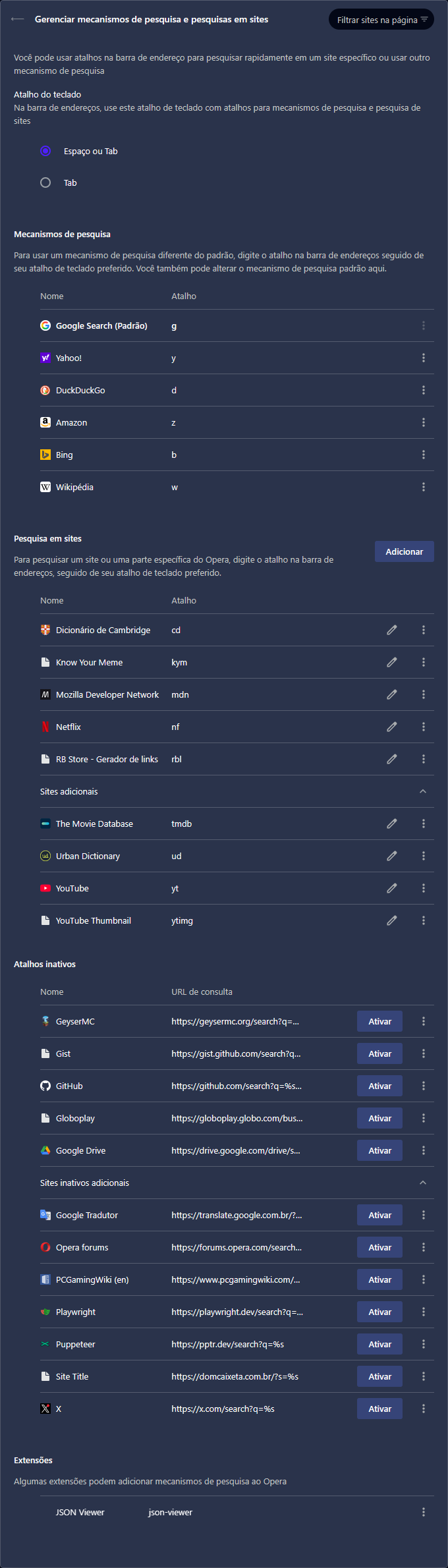
It has been annoying to use custom search engines in Opera because every time I visit a website, it looks like Opera finds some common search URLs and adds them to Inactive shortcuts (Atalhos inativos).
The worst part is that inactive shortcuts are visible in "Search with" (Pesquisar com) context menu feature, making it impossible to quickly find and select the desired engine after selecting text.
Two screenshots are available at the end of this description.
The only search engines I actually added are the ones in Site search (Pesquisa em sites) section, I've never added nor deactivated those search engines listed under Inactive shortcuts section.
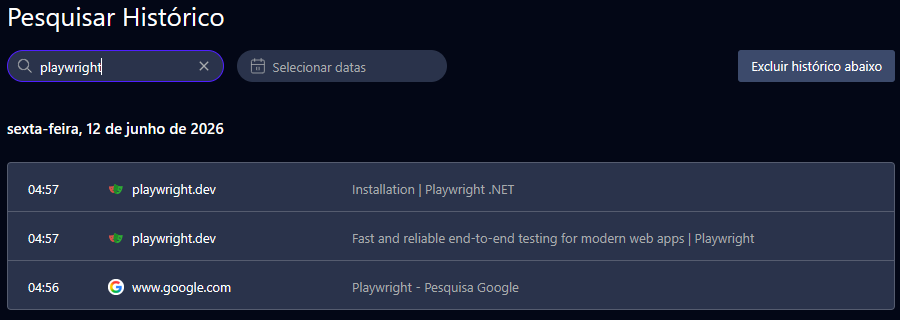
Taking Playwright as example. I searched about it last friday and I visited only its homepage and .NET installation page, but after that, without using its website search feature, the search URL was listed there.
The same goes for GeyserMC, Globoplay, Google Translate, PCGamingWiki, Puppeteer, Dom Caixeta (a restaurant wordpress website that is not even working). I access other websites often, but it does not mean I want their search engines added to my browser.
I don't visit Opera forums often and when I started writing this topic, its search engine was added to inactive section and visible in the last position of the search with context menu.
Then I have some questions:
- Is it possible to disable this auto-add search engine? If so, how can I do it?
- Is it possible to hide the "inactive" engines? If so, how?
- Can Opera dev team fix both issues if they are bugs?
Opera version:
131.0.5877.116
Windows 10 version:22H2
My Opera search engines settings:
"Search with" context menu: