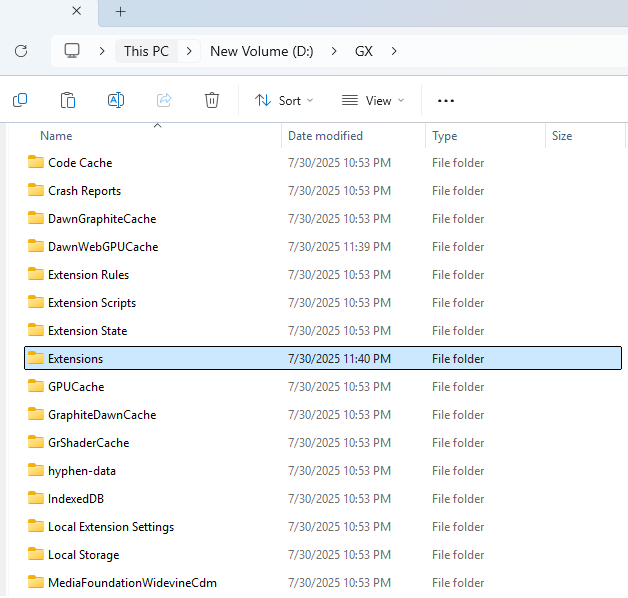
My Opera GX suddenly crashes on start up, anything I can do to fix?
-
shakkyamourya Última edición por
@Rad1us same issue but now I have shifted to normal opera which is not that great
-
sadk0 Última edición por
Re: [My Opera GX suddenly crashes on start up](anything I can do to fix?)
Issue: Opera GX Restarts on Mac Sonoma
Ciao there! If you're encountering an issue where Opera GX restarts immediately upon opening on Mac Sonoma, and you cannot access safe mode or configuration settings, here's a simple solution.
Solution: Update Opera GX using the Brew package manager for simplicity and reliability.
Steps to Resolve:
- Open the Terminal on your Mac.
- Install or update Opera GX using the Brew package manager with the following command:
brew install --cask opera-gx - Brew will handle downloading, upgrading, and replacing the existing app for you. For example, here's what you might see during the process:
==> Downloading https://formulae.brew.sh/api/cask.jws.json ######################################################################## 100.0% ==> Upgrading 1 outdated package: opera-gx 114.0.5282.243 -> 115.0.5322.113 ==> Upgrading opera-gx ==> Downloading https://get.geo.opera.com/pub/opera_gx/115.0.5322.113/mac/Opera_ ######################################################################## 100.0% ==> Backing App 'Opera GX.app' up to '/opt/homebrew/Caskroom/opera-gx/114.0.5282 ==> Removing App '/Applications/Opera GX.app' ==> Moving App 'Opera GX.app' to '/Applications/Opera GX.app' ==> Purging files for version 114.0.5282.243 of Cask opera-gx 🍺 opera-gx was successfully upgraded! - Once the upgrade is complete, launch Opera GX. It should now open smoothly without issues.
Outcome: This method resolved the restarting issue, and Opera GX worked seamlessly afterward.
Note: A similar approach might work on Windows, but Brew isn't available for Windows.
Feel free to share if this resolves your issue?
 🧉
🧉 -
ThortheOG Última edición por
Hello there @darksorcy. For some reason my browser still behaves the same way even if I start it up on a private window. It still crashes just a few seconds after I open it. Please help me on what to do if you can. I would really appreciate it.
-
Daljin Última edición por
....soooo no fixes yet? i had this problem with the normal browser, aswell as GX. From one second to another. Switched to Chrome after about 15 years Opera.
not worth the hassle it seems.
-
Cha0sCharly Última edición por
@Delsait Just been through this myself, There a fix...
It will come at the cost of all session data from your main profile.
Download the latest version of the installer for opera gx then run the installer.
Should come at Update and Install.
Run the installer and everything was fixed for me and all session data on other profiles loaded fine
Hope this helps
-
leonardwl Última edición por
@Cha0sCharly after reading this thread & some Reddit threads, I tried shutting off anti-virus, making sure all Windows Updates were current, etc. Did not help. I isolated the problem to corrupt sessions files. Close Opera. Find your sessions file folder.
Mine were at C:\Users[user]\AppData\Roaming\Opera Software
Delete all the session files. Reopen Opera. It will create new session files and should open normally. Be warned, you will likely lose all browsing history, tabs, bookmarks, and workspaces. If you have Opera Sync, you can restore bookmarks, etc. But you will not be able to restore workspaces.
Also, from now on, I will be backing up sessions files regularly. -
Tsuraj Última edición por
Fixed: Opera / Opera GX crashing on startup (restaring 4 times then closing)
Hey everyone, if your Opera GX is crashing immediately on launch, restarting 4 times in the background, and then just dying, I finally found the fix after hours of troubleshooting.
Here is what didn't work for me
- Reinstalling the browser or deleting AppData profiles.
- Downgrading to older versions.
- Trying normal Opera (same crash).
- Disabling the Nvidia GPU, updating drivers, or disabling Nahimic audio services.
- Trying to launch it with commands like
--disable-gpuor--disable-vulkan.
Why is it happening?
If you have ever used sandbox tools (like Codex Sandbox), they sometimes mess up your Windows folder permissions. Specifically, they delete a permission group called All App Packages from your Local AppData folder.Chrome and Edge don't care because they install in
Program Files, but Opera installs directly in your user profile folder (AppData). When Opera tries to start its sandboxed GPU process, Windows blocks it from reading its own files (likeopera_browser.dll), causing a crash loop.The Fix:
You just need to tell Windows to let sandboxed apps read your AppData folder again.- Click the Windows Start menu, search for cmd, right-click Command Prompt, and select Run as Administrator.
- Copy and paste these four commands one by one, hitting Enter after each:
icacls "%LOCALAPPDATA%" /grant "*S-1-15-2-1:(OI)(CI)(RX)"
icacls "%LOCALAPPDATA%\Programs" /grant "*S-1-15-2-1:(OI)(CI)(RX)" /T
icacls "%LOCALAPPDATA%\Opera Software" /grant "*S-1-15-2-1:(OI)(CI)(RX)" /T
icacls "%APPDATA%\Opera Software" /grant "*S-1-15-2-1:(OI)(CI)(RX)" /T
(Note: The
/Tpart might take a minute or two to finish—just let it run).Once they are done, launch Opera GX normally. It should open right up!