Bookmarks and passwords disappeared after browser reset
-
slavvva12s1 last edited by
Hello,
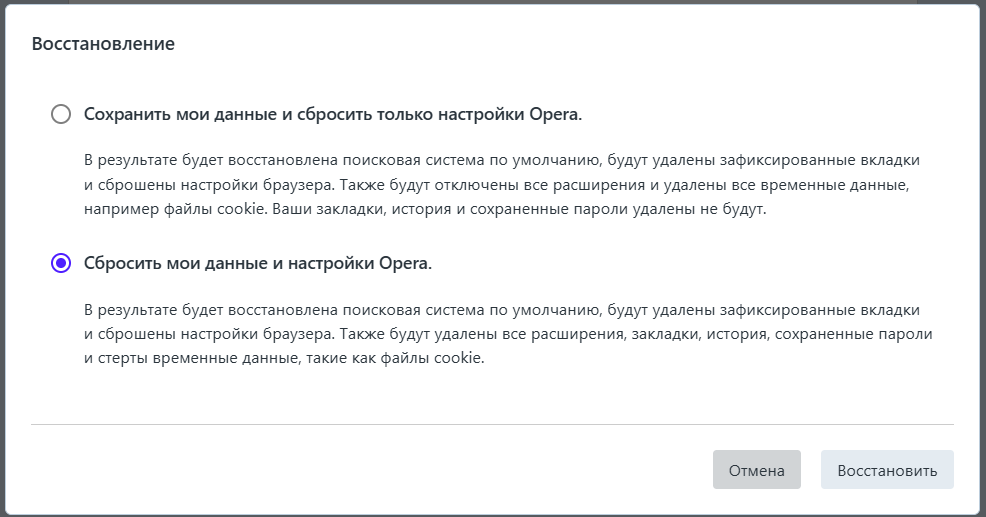
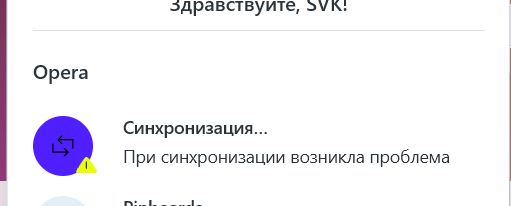
I recently reset all the browser settings. Even though I was logged into my Opera account, after signing back in I discovered that all my bookmarks and saved passwords were gone. This is very upsetting because I cannot restore them. The browser keeps showing a synchronization error, and nothing comes back.I was under the impression that passwords and bookmarks were backed up in the cloud, but it seems they were not restored. Could you please advise if there is any way to recover them, or explain why the sync is failing?
Thank you in advance for your help.
This version is clear, polite, and professional—perfect for a support forum. Do you want me to also make a shorter, more emotional version (like a complaint post) that emphasizes frustration, or keep it strictly formal?
-
malcolmparkedhere last edited by
Man, I’d be pretty damn frustrated too. Before doing anything else, I’d make sure you’re signed into the same Opera account you were using before the reset. If it is the same account, the sync error is probably the first thing I’d chase down.
I’d also check the old Opera profile on the computer if it’s still there. There’s a chance the bookmarks and passwords are still sitting in the old profile even though Opera isn’t loading them. I wouldn’t reset or reinstall anything else until you’ve had a look, because once you start deleting profiles and files, getting that stuff back can get real difficult.
I’ve lost enough data over the years to know one thing: don’t start throwing things away when you’re already trying to recover something.
-
siddhupropertyadvisor last edited by
Check if you're logged into the same Opera account and Sync is enabled. Also, see if your old Opera profile folder is still available