Auto-hiding Top Mac's Menu Bar hit-box freezes/blocks tab selection on Opera
-
Dini-james last edited by
Mac0S Golden Gate 27.0
Your version of Opera
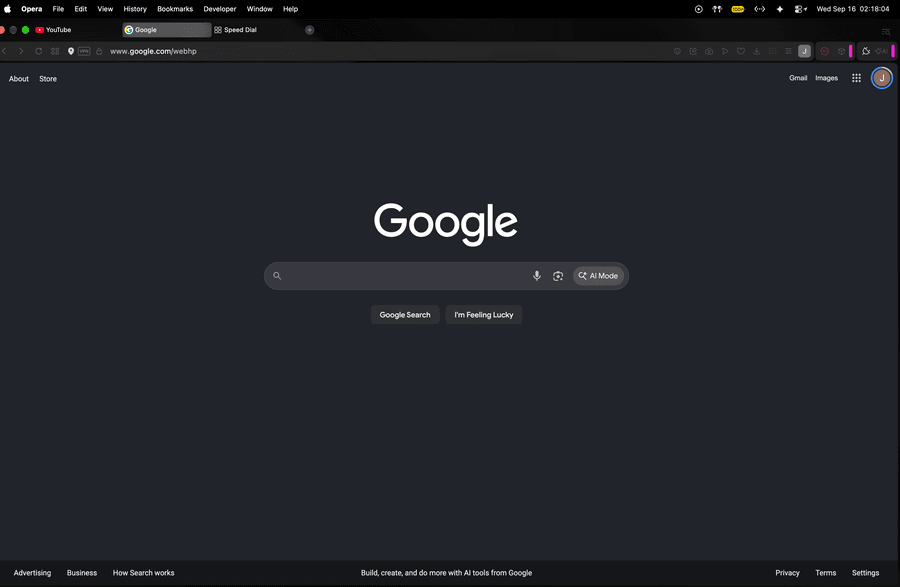
Opera One(version: 135.0.5973.142) (arm64)When moving the mouse cursor to the very top edge of the screen, the macOS/Opera top menu bar area triggers. After moving the cursor back down, the browser tab bar becomes completely unresponsive to mouse clicks. I am unable to select or switch tabs for roughly 5 seconds until the menu bar's invisible hit-box overlay fully clears/closes in the background. The cursor moves normally, but clicks simply do not register on the tabs during this timeout. Ctrl + Tab still works perfectly fine during this 5 second freeze, confirming it is an invisible UI overlay issue blocking mouse input.
[I can't upload a screen record of the issue so you'll have to visualize it with this screenshot]
-
Heytorus last edited by
@Dini-james Same thing for me

Do you have it after system update to Mac 27.0? -
Dini-james last edited by
@Heytorus I had the 27 beta when I first downloaded Opera so maybe it might just be the new MacOS update
-
ANA-MEEN last edited by
Yeah I was looking for this post, I have the same issue, immediately noticed after updating to MacOS Golden Gate 27.0. Hope they fix this soon because it's irritating to say the least.
-
Jugas last edited by
Same here, I was losing my mind at first. I thought my mouse was acting up. Still no luck. I believe it started happening after the software update, but I haven't found a fix yet. It only triggers in full screen mode. For now, I'm just moving the mouse quickly of the screen and then back to the tabs, which seems to bring everything back, but it's really annoying. Already tried using firefox and chrome, but they both got issues on its own, so i'm stuck with opera...