Opera long hang on restart
-
trumpman last edited by
On restart of Opera, the process locks up for around 45 minutes before it is
actually accessable.I've enjoyed using Opera on MS Windows as my primary browser for well over a decade.
I have the lazy loading option on. Admittedly, I have a great number of active tabs in my session. However, maybe in the past 6 months, restarting Opera to active status takes an inordinate amount of time. This is not how it used to be. Now it takes 45 minutes from when the windows are displayed until I can access them! For instance, it is 45 minutes before hovering over the close 'X' in the upper right corner so it turns red.
I've also had issues with the system locking up where the system clock widget actually stops for a few seconds to even minutes, but haven't experienced that of late so that is not related.
In the Task Manager there was an "efficiency mode" icon associated with the Opera process. I worked around this by adding an option to the Opera executable: "--disable-features=UseEcoQoSForBackgroundProcess". Regardless efficient mode or not, the "long time to restart" issue still persists.
You can understand that this issue has become untenable. I can't wait 45 minutes every time I have to restart Opera because of a hang, application crash, reclaiming memory, or OS restart. Maybe there is some action I can perform to alliviate this Opera hang? I want to continue to use the product because of its features, as double-click word/phase then Search. But what I'm really not wanting to create a clean session as I have way too many things I'm working on.
Please, any insights to fix this hang much appreciated!
Here are example screenshots with commentary:
-
Here is computer stats before restart:
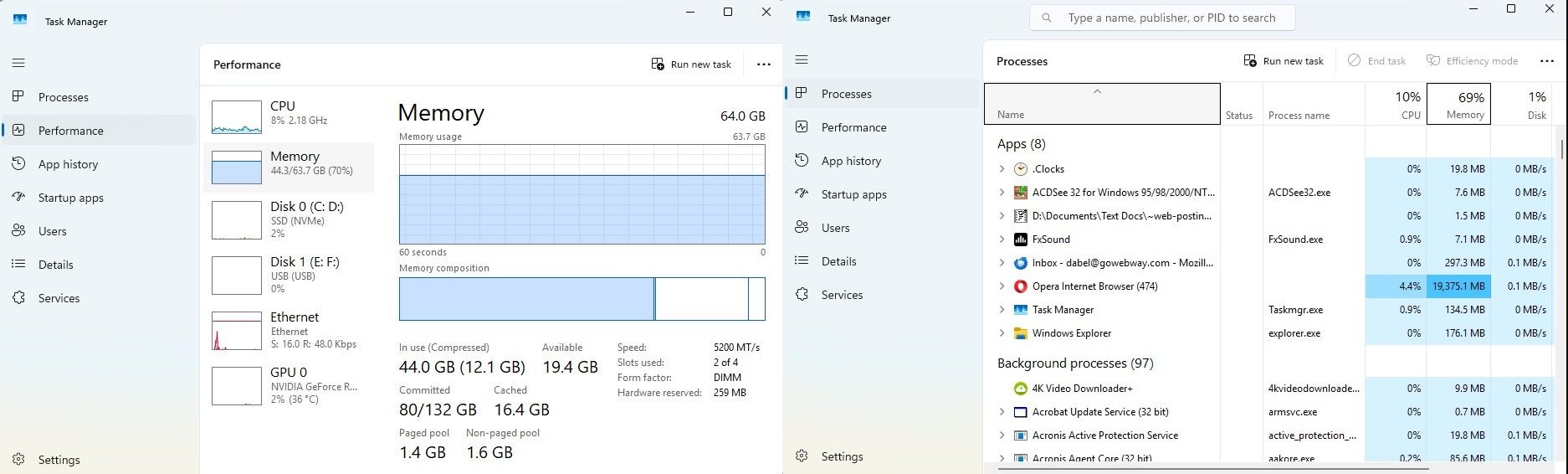
-
Quiting Opera:
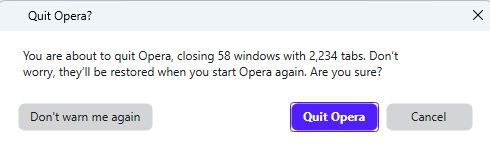
-
Sometimes one Opera process remains:
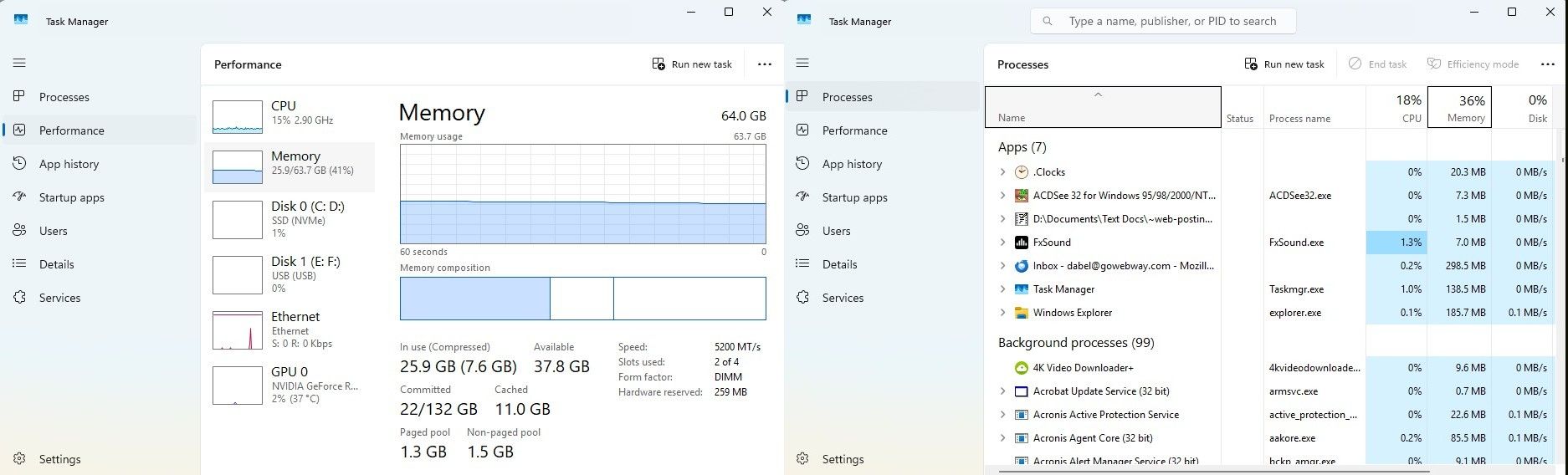
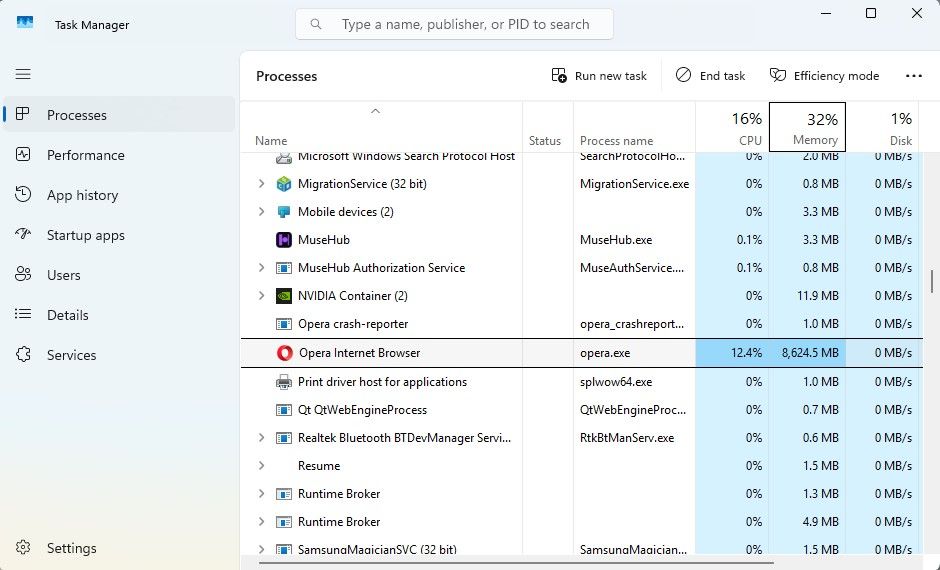
-
After killing rogue Opera process:
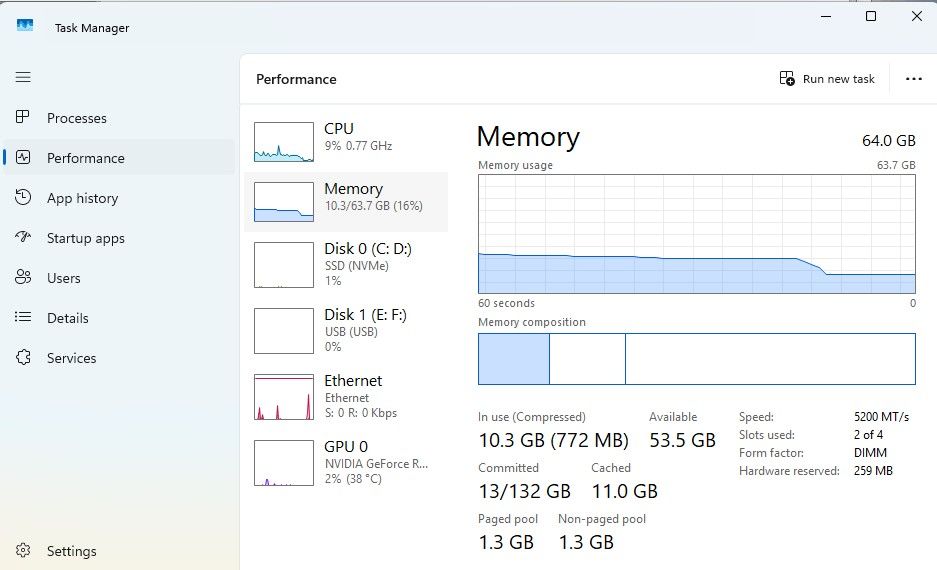
-
Restart Opera (with the --disable-features=UseEcoQoSForBackgroundProcess option:
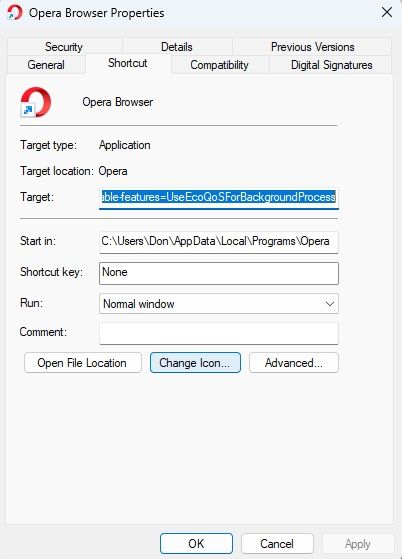
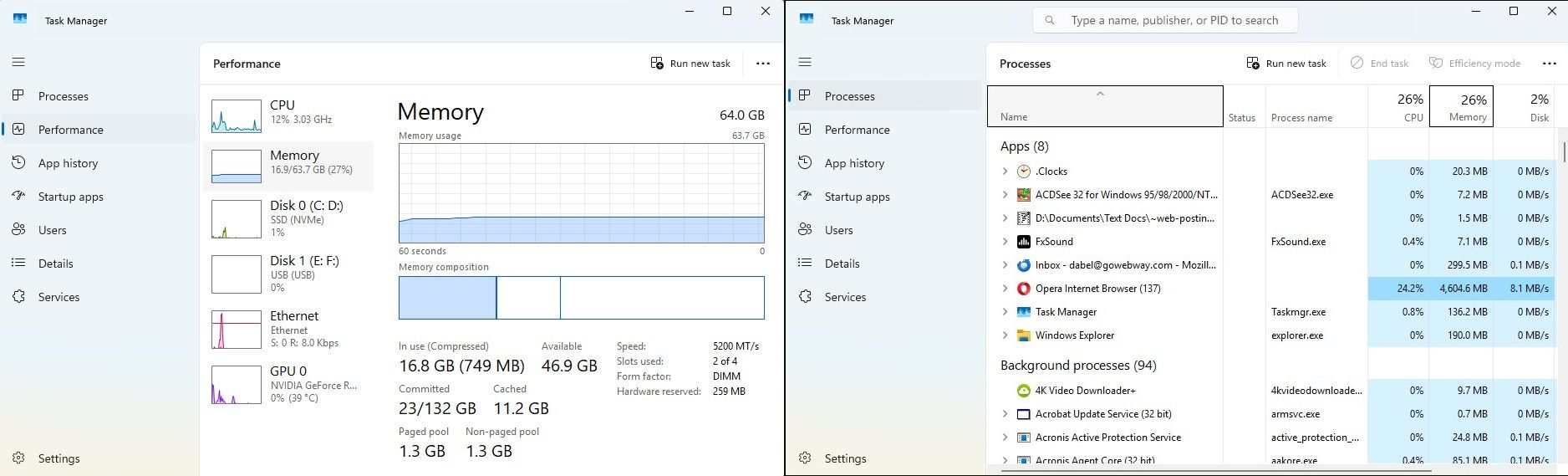
-
Opera locked up after 12 minutes:
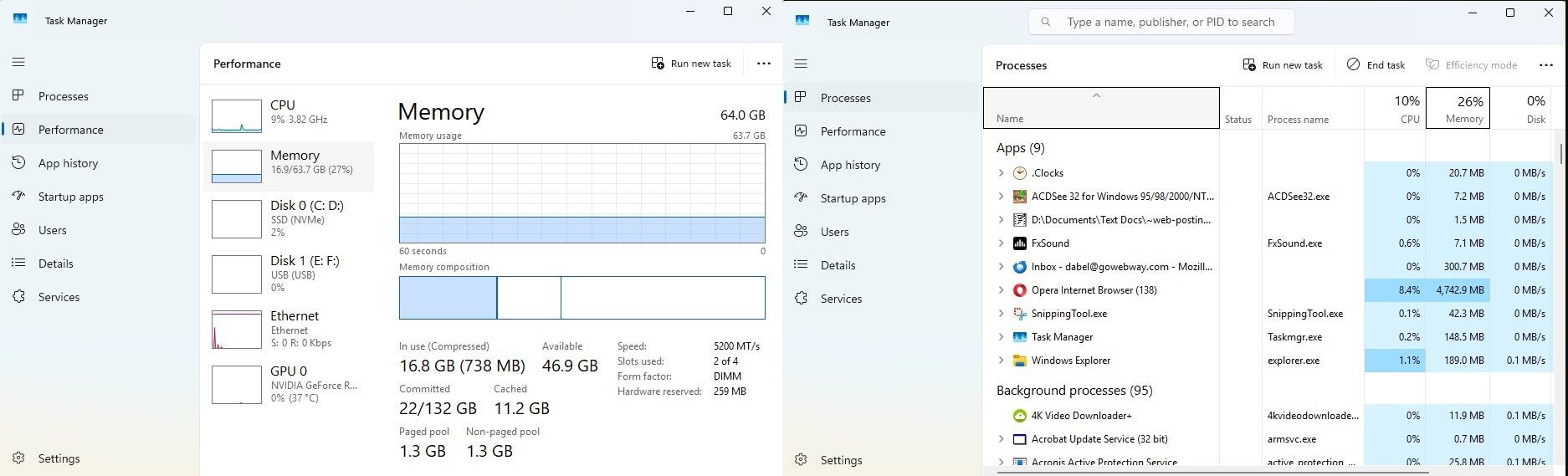
-
Opera still locked up after 30 minutes; note memory virtually unchanged:
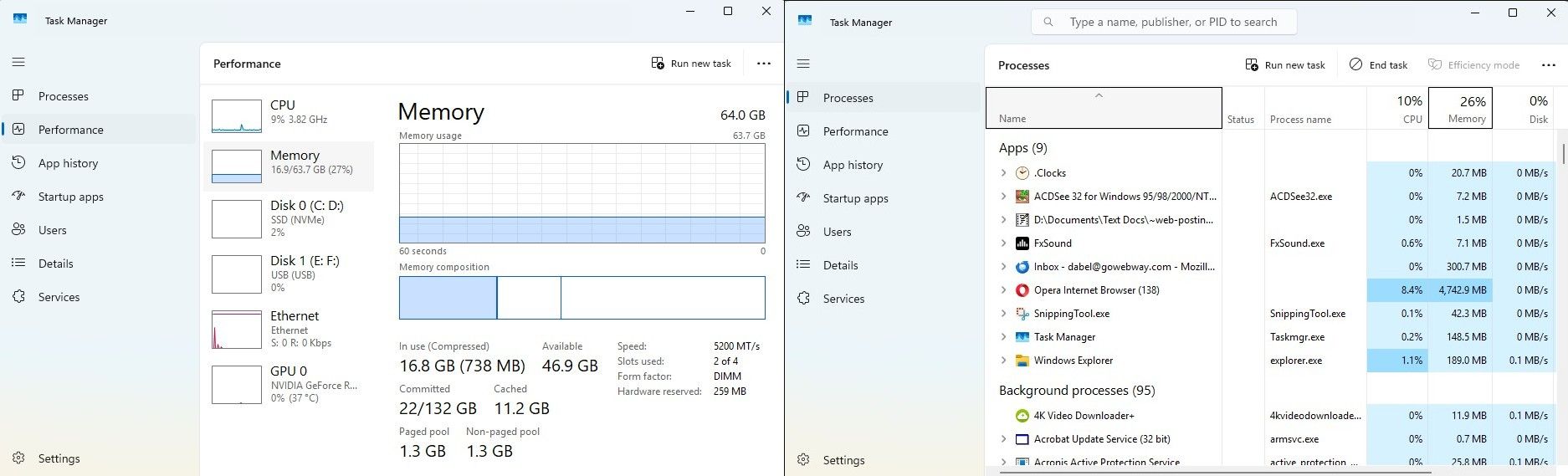
-
Opera unlocked at 37 minutes ('X' turns red => can finally access Opera
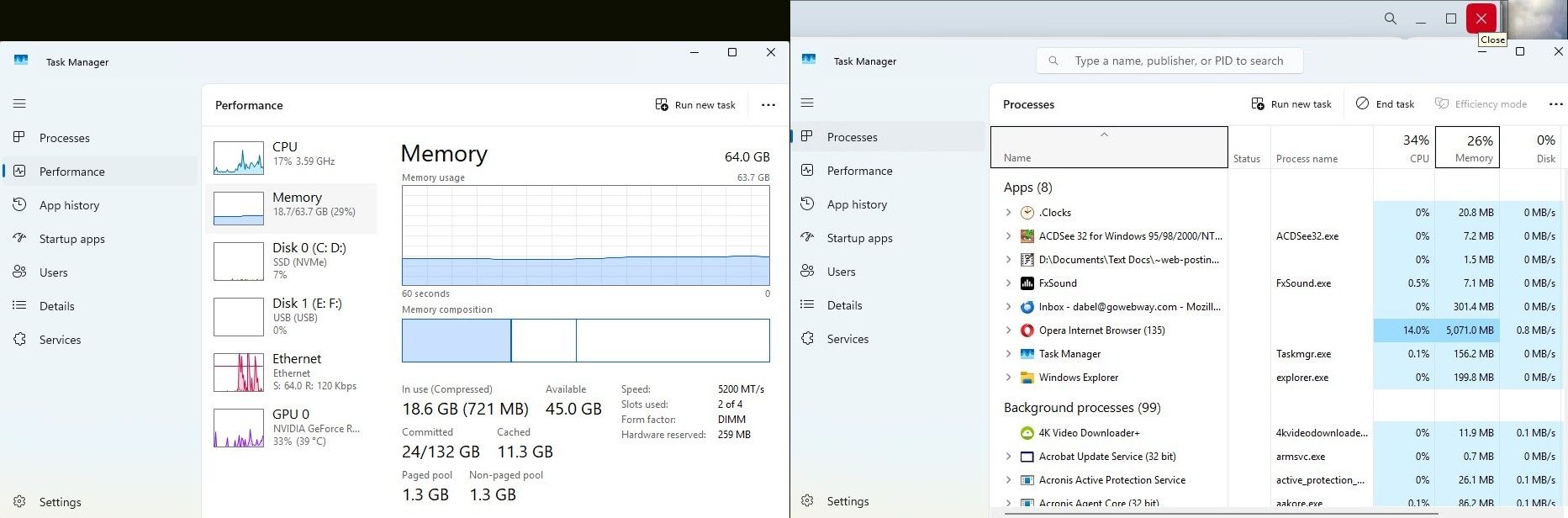
-
Opera at 42 minutes finally reloads active pages and returns Opera memory to nominal:
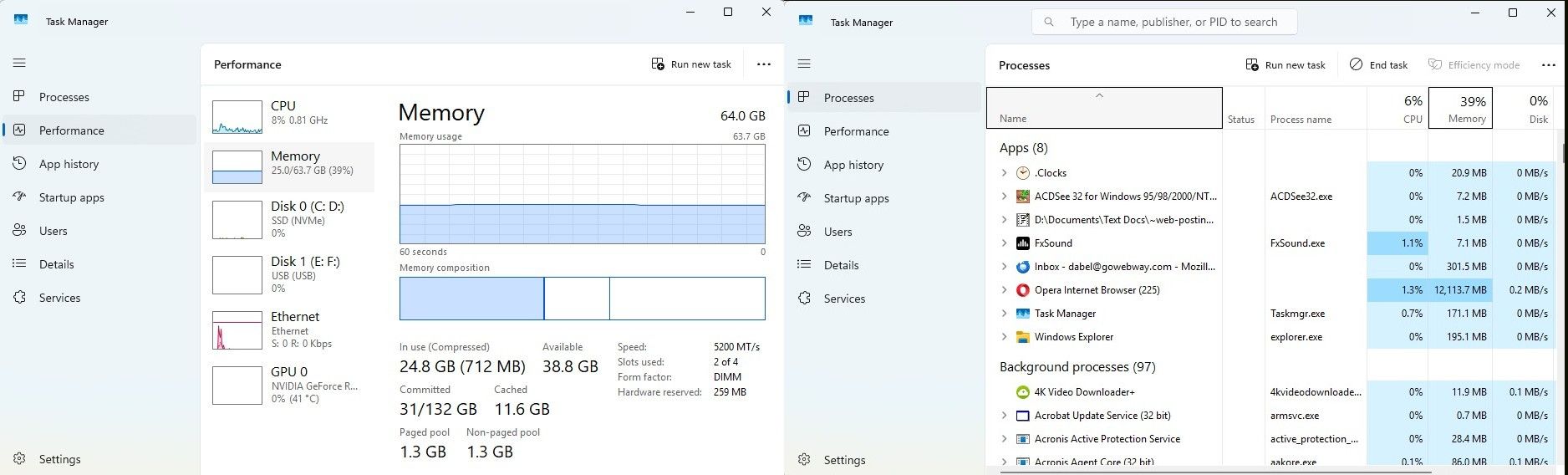
=== end ===
-
-
trumpman last edited by
Additional information:
Platform
- Windows version: MS Windows 11 Home, version 10.0.26200 Build 26200
- Opera version: Opera One(version: 129.0.5823.28)
- Motherboard: ASUS B760M-A01
- Ram: 64GB (2x32GB DDR5s)
- Primary Storage: Samsung SSD 990 PRO 4TB
- Graphics: NVIDIA GeForce RTX 4060
-
Moved from Opera for Windows by
 leocg
leocg
-
burnout426 Volunteer last edited by
If you want to test that it's because of your open windows and tabs, make a test standalone installation to a folder named "Opera Test" on your desktop and see if it behaves normally. If it does, close it. Then, delete everything in the "Opera Test\profile\data\Default\Sessions" folder. Then, copy (not move) everything in the "C:\Users\yourusername\AppData\Roaming\Opera Software\Opera Stable\Default\Sessions" folder to the now-empty "Opera Test\profile\data\Default\Sessions" folder. Then launch opera.exe in "Opera Test" and see if it takes forever to load up. If so, then it is indeed your session files.
If the test standalone installation loads up in a decent amount of time, that might mean that the issue is something else in your normal Opera installation. It could be Opera Sync. Try disabling it for a while to see if that helps. It could be history. You can goto the URL
opera://settings/clearBrowserData, switch to "Advance" and clear just "Download history" and "Browsing history" for all time. If that doesn't help, clear "Cached images and files" for all time.Now, if it turns out it's just because of how many windows and tabs you have open, you'll need to do something about that like save them as bookmarks and then close them. For example, you can right-click on a tab, goto "save" and choose "all tabs to a speed dial folder". You can then rename that folder "Window 1" for example. Then, you can repeat for all the other windows. Then, you can close all tabs and all windows. If you make use of extra workspaces in Opera, you'll have to right-click on a tab, goto "save" and choose "all tabs as a speed dial folder" for each workspace in each window. So, you'd have speed dial folders like "Window 1 - Workspace 1", "Window 1 - Workspace 2", "Window 2 - Workspace 1" etc.
Anyway, Then you won't have to have all those tabs and windows open all the time. Also, whenever you have a new tab you want to save, you can always bookmark it to the specific folder you want to add it to that folder.
If you sucessfully save all your tabs as bookmarks, whenever you back up the "Bookmarks" and "BookmarksExtras" files in the "Default" folder (your profile folder) or export your bookmarks to an HTML file at the URL
opera://bookmarks(using the drop-down at the bottom left), you'll be backing up your open tabs in a way.Another thing you can do is have different standalone installations for different sets of tabs. That way, one Opera doesn't have to deal with more than it can handle. You can also do that a different way by having multiple profiles so you only have one set of Opera's program files.
There are also extension at https://chromewebstore.google.com/search/session like Session Buddy and Tab Session Manager that can save tabs for a window so you don't have to have all those tabs open all the time.
Whatever you do, you need to back up those tabs in some way (back up the "Sessions" often too) as it's really easy to lose all you open tabs.
-
burnout426 Volunteer last edited by
@trumpman said in Opera long hang on restart:
"--disable-features=UseEcoQoSForBackgroundProcess"
That option doesn't work anymore, so you can remove it.
-
trumpman last edited by
@burnout426 - Thanks for the detailed response. I'll go through them and report back my findings. Maybe I'll have to resolve to save as bookmarks. The problem with that, when you reopen a folder of bookmarks, lazy loading is not in effect. Btw, "--disable-features=UseEcoQoSForBackgroundProcess" still seems to work for me.
-
burnout426 Volunteer last edited by
@trumpman said in Opera long hang on restart:
Btw, "--disable-features=UseEcoQoSForBackgroundProcess" still seems to work for me.
Indeed. Seems it got fixed at some point. Nice.
