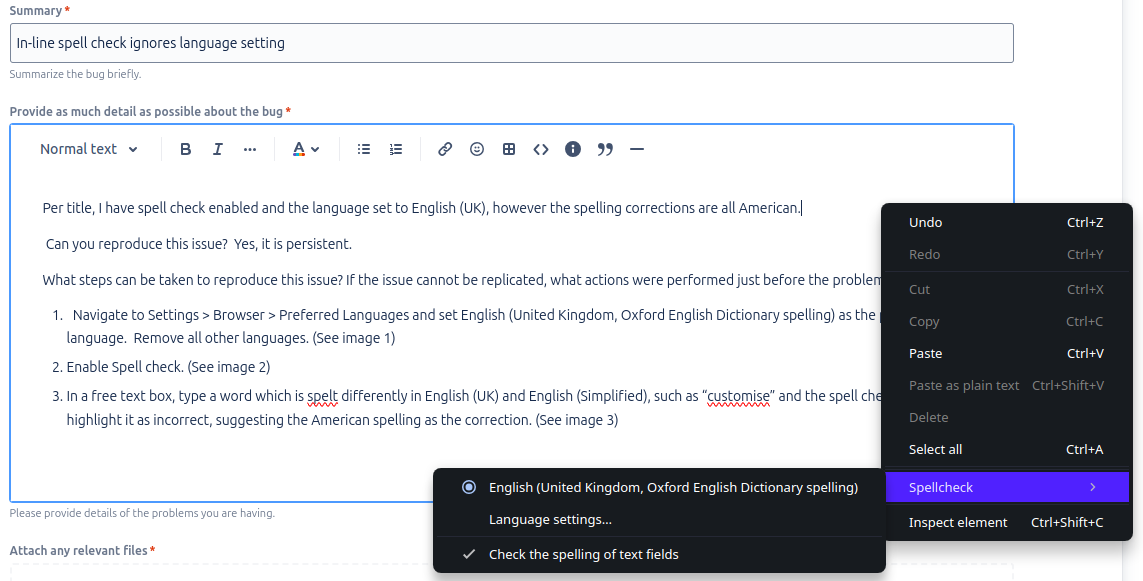
This is an old post, but I recently discovered the problem and wanted to update it with the solution in case anyone else is searching for it. The problem was actually the dictionary being used. As you can see from the screenshot, "English (United Kingdom, Oxford English Dictionary spelling)" was selected. This does not appear to be an option anymore, so I installed "English (United Kingdom)" instead, and English spellings are now being treated correctly. If you are still using the OED version, I suggest removing it and installing the plain UK dictionary instead.
O
Posts made by OperaBoomerang
-
RE: Spell check stuck in English (Simplified) when only English (UK) is installedOpera for Linux
-
Spell check stuck in English (Simplified) when only English (UK) is installedOpera for Linux
Just checking to see if this is affecting everyone before I submit a bug report. I only have English (UK) installed and it is the only language option I can select for spell checking, but it marks British spellings as incorrect and suggests American corrections.
-
RE: FFMPEG installation instructionsSuggestions and feature requests
@devtiagofranca said in FFMPEG installation instructions:
# Ubuntu/Debian or based
# Install package chromium-codecs-ffmpeg

sudo apt install -y chromium-codecs-ffmpeg

## Make a link
sudo ln -sf /snap/chromium-ffmpeg/current/chromium-ffmpeg-103551/chromium-ffmpeg/libffmpeg.so /usr/lib/x86_64-linux-gnu/opera/
!!Warning!!
I tried this and it broke my installation, so be careful if you try it. Initially, it just broke YouTube, which I was using for testing, but when I tried restarting the browser it would no longer launch. Foolishly, I didn't back up the original libffmpeg.so file in the opera folder, so I had to reinstall the whole package. Always take backups, folks!