@leocg Okkkkk.
That make sense, i have English as default, now i've changed to my language and it works fine.
Thanks a loot for your answers.
So helpful 
Do more on the web, with a fast and secure browser!
Download Opera browser with:
@leocg Okkkkk.
That make sense, i have English as default, now i've changed to my language and it works fine.
Thanks a loot for your answers.
So helpful
@leocg Wait
After reinstall it works.
But still
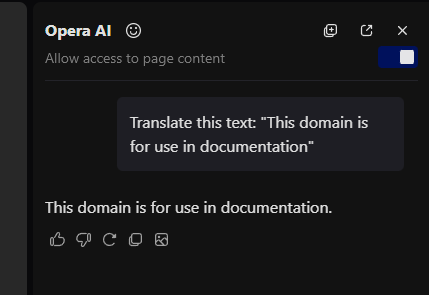
Even if i'm able to change language for translation somewhere, it's too much effort for that small task, i think google translate is better solution for this.
I need to provide more information for LLM(specified my language)
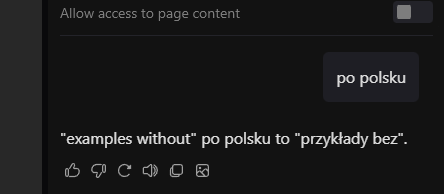
I'm technical guy, but non-technical people need more simple solution IMHO
@leocg said in [Suggestion]Translate by selection:
highlight a
Yeah:
Seearch, Copy, Snapshot
Also above:
Explore More, Translate (Both not working, clicking it and nothing happened)
@leocg I have this windows on context menu with "Translate" option, but it did nothing.
I remember, i had option to translate with aria, but when i was selecting this one, aria was opened but sending my question "To which language are you want to translate" and i need to provide this info, which isn't good UX.
I've decided to download google translator plugin to opera, so far so good, but if it could be native, it will be better
@leocg I have enabled option for translate entire page by opera translate but there's no option to translate form selection, by no means, I don't have.
It will be amazing, to be able to select part of page and translate it like in google chrome with google translator or maybe with build it opera translator.
Context Menu:
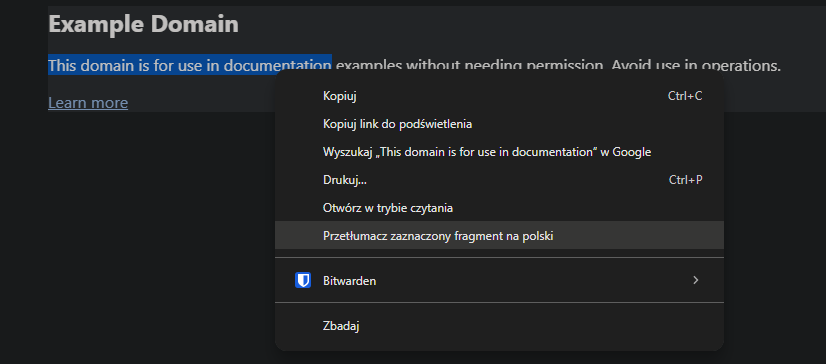
And it shows popup/alert:
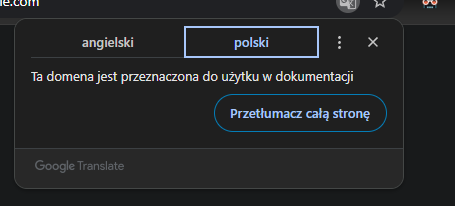
I miss it so much, from the time i was using chrome, i've migrated to Opera GX, because it works better, but this functionallity is very important to me.
If it already exists, let's tell me, how to enable it, otherwise let's consider to implement it