Windows peek stops playing when Opera GX is open
-
 LeFreshe last edited by
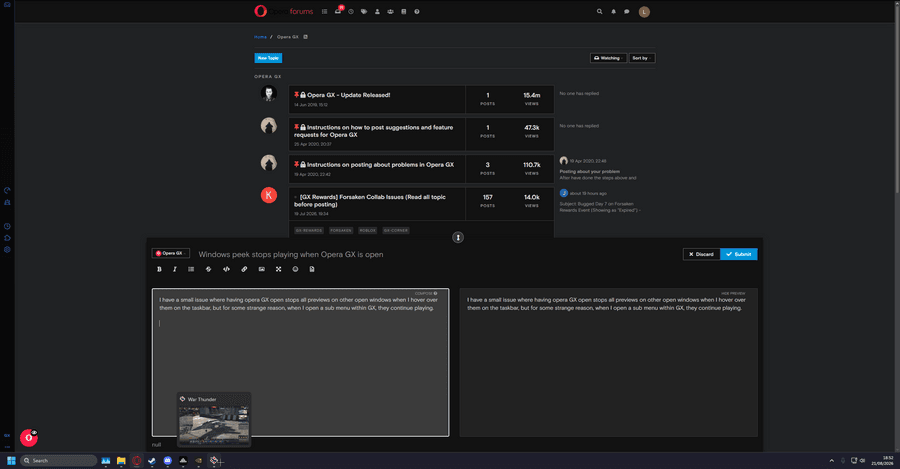
I have a small issue where having opera GX open stops all previews on other open windows when I hover over them on the taskbar, but for some strange reason, when I open a sub menu within GX, they continue playing. Also, if I move the window and change it into a non-fullscreen Window, the issue stops, It's almost as if the app is acting like it's in exclusive fullscreen when it is just in a full window. I know this might sound like a non-issue but having the live preview is really helpful when I'm working on certain things.
For example, when I hover over a window like a game shown as an example here with Opera GX open and just viewing a tab, it stops any animations from playing at all within the preview.
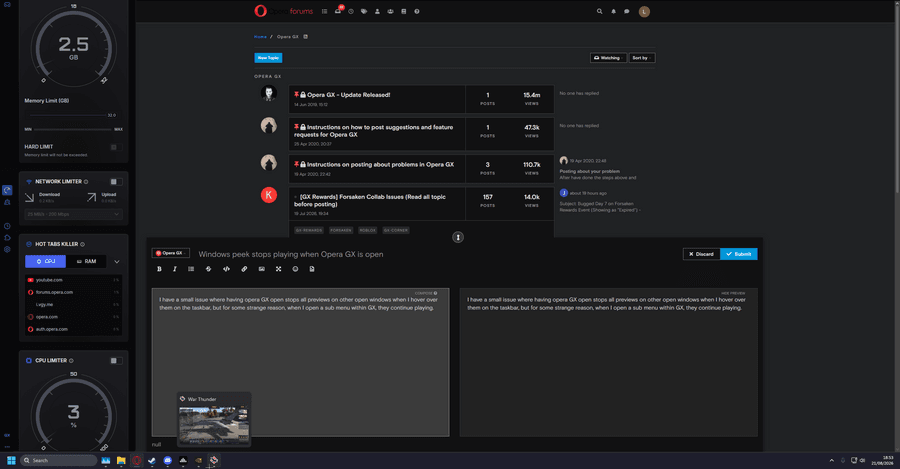
But if I have something like the GX control panel open (Without changing any settings within the panel), the window preview plays what is within said window and works completely as it should.
I haven't had this issue with any other apps at all and have checked my Windows settings, registry settings, and browser settings, but I can't seem to find any fix for this. If anyone knows anything that may help then it is much appreciated.