• Login
    • Search
    • Categories
    • Recent
    • Tags
    • Users
    • Groups
    • Rules
    • Help

    Do more on the web, with a fast and secure browser!

    Download Opera browser with:

    • built-in ad blocker
    • battery saver
    • free VPN
    Download Opera

    Disabling OperaGX Update page

    Opera GX
    2
    2
    96
    Loading More Posts
    • Oldest to Newest
    • Newest to Oldest
    • Most Votes
    Reply
    • Reply as topic
    Log in to reply
    This topic has been deleted. Only users with topic management privileges can see it.
    • S
      sovson last edited by

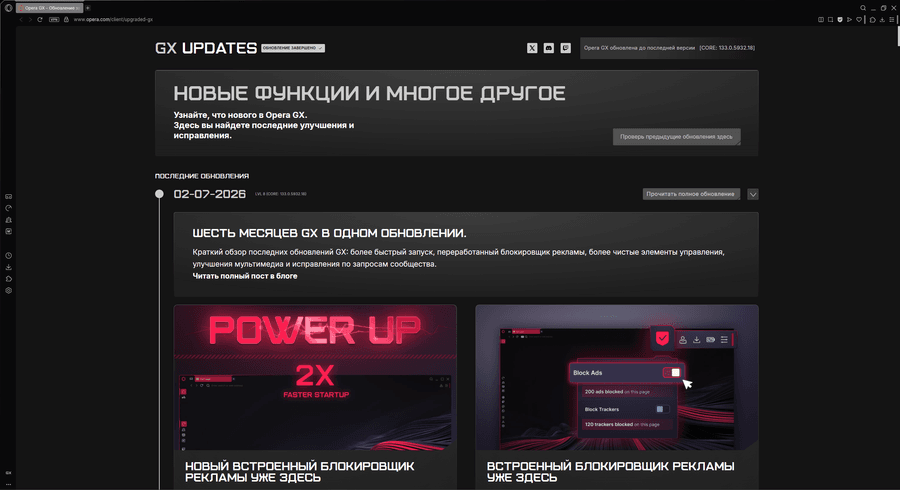
      Hello! I want to disable the display of this tab (photo) every time the browser is launched!! help please.ed805c8a-cd91-4c35-b620-5ee802e9e648-image.png

      Reply Quote 0
        1 Reply Last reply
      • burnout426
        burnout426 Volunteer last edited by

        It should only display once when Opera starts after an update. It shouldn't be displaying on every launch. If it is, it's likely Opera is not updating correctly. What version does it say you have at the URLs opera://about and opera://version? 133.0.5932.81 is the latest is this very moment.

        Now, if you don't want to see it at all, even after an update, see https://www.reddit.com/r/OperaGX/comments/1b24otz/comment/ksql4ix/ for my extension that blocks the page and auto-closes that tab.

        Reply Quote 0
          1 Reply Last reply
        • Referenced by  burnout426 burnout426 
        • First post
          Last post

        Computer browsers

        • Opera for Windows
        • Opera for Mac
        • Opera for Linux
        • Opera beta version
        • Opera USB

        Mobile browsers

        • Opera for Android
        • Opera Mini
        • Opera Touch
        • Opera for basic phones

        • Add-ons
        • Opera account
        • Wallpapers
        • Opera Ads

        • Help & support
        • Opera blogs
        • Opera forums
        • Dev.Opera

        • Security
        • Privacy
        • Cookies Policy
        • EULA
        • Terms of Service

        • About Opera
        • Press info
        • Jobs
        • Investors
        • Become a partner
        • Contact us

        Follow Opera

        • Opera - Facebook
        • Opera - Twitter
        • Opera - YouTube
        • Opera - LinkedIn
        • Opera - Instagram

        © Opera Software 1995-