Microscopic Speed Dial
-
samfourie last edited by samfourie
I've been a long-time user of Opera, and when it first came out I genuinely thought it was the best thing since sliced bread. And for good reason — when Opera was first launched, two of the things that made it stand out from every other browser on the market were Speed Dial and tabbed browsing. Revolutionary features that the entire industry eventually copied. So forgive me for having high expectations.
Then, somewhere around version 30 or 31, the powers that be decided to remove the thumbnails from Speed Dial and replace them with… whatever those little blocks are called. A questionable decision, but fine — I moved on.
A few months ago I thought I'd give Opera Air a shot. At that stage there was no dark mode, so I instantly lost interest and went straight back to Brave, Chrome, and whatever other Chromium-based browsers I normally use. Nothing to see here.Then, a few days ago, I stumbled across a notification from a post I'd made on this very forum and decided to give Opera Air another look. And I have to admit — congratulations. It looks absolutely stunning. It's fast, it works, and it feels like everything I've come to expect from an Opera product. I was genuinely impressed.
And then I tried to use Speed Dial.
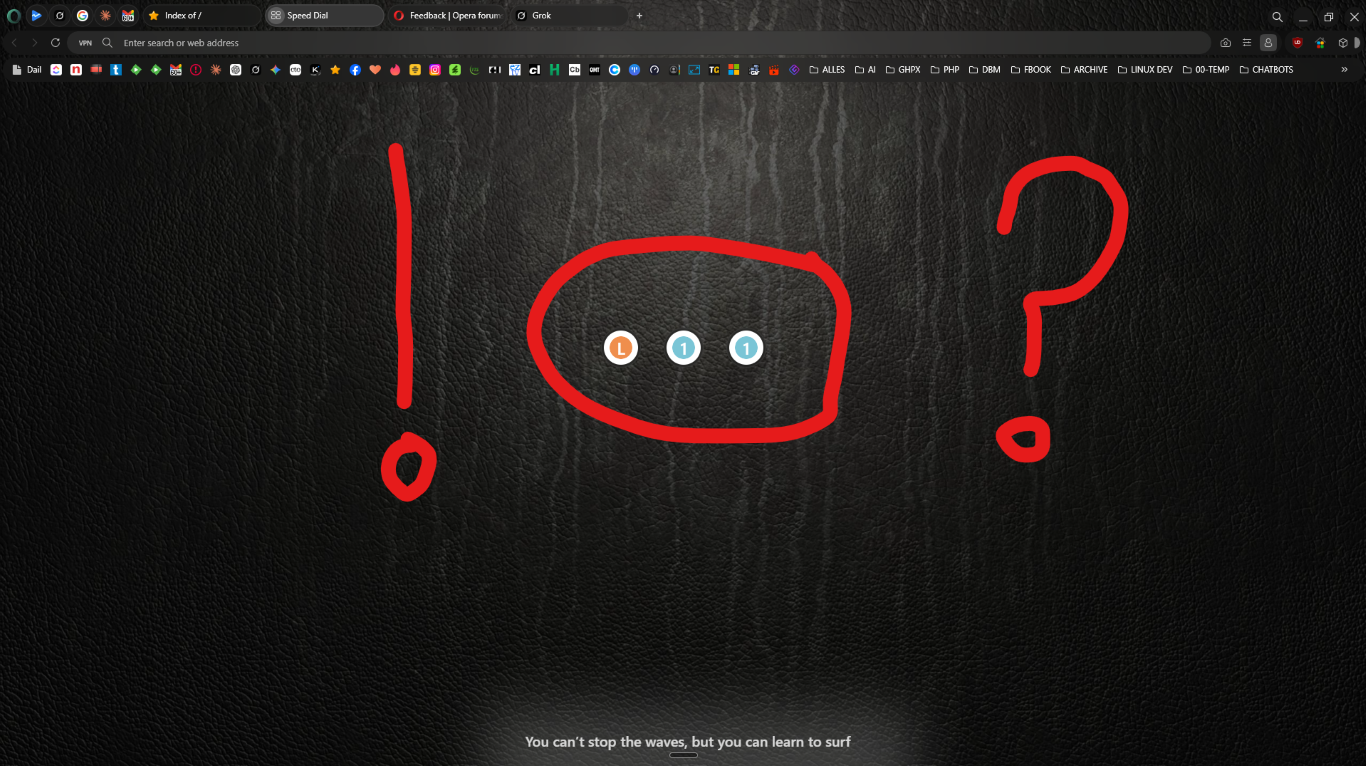
Which brings me to my question — and excuse my language — how the f**k am I supposed to know which links I've added to my Speed Dial? Because apparently, somewhere between building a gorgeous browser and shipping it, the creative team forgot that humans are, in fact, visual creatures. To add insult to injury, nobody on the development or creative team had the initiative to pull the favicon of the site being added to the Speed Dial tile — you know, that tiny little icon that every other browser on the planet has managed to implement without breaking a sweat. Instead, what we get is a random assortment of letters and numbers. That's it. That's the feature. How exactly am I supposed to memorize what I've added?
So can someone from Opera please explain to me what the reasoning was behind stripping out the very things that made this browser stand out in the first place? Because if this is the full extent of what your development and creative teams are capable of, it might be time to have a very serious conversation about staffing.
This is, without question, the most baffling thing I've ever seen in a browser — and I've been around long enough to remember the first versions of Netscape & Explorer.
See image attached for context.!
opera (Medium).png