Pinable Downloads Sidebar
-
ndybsn last edited by
Pinable Downloads Sidebar for Opera Browser
Hey Opera Team!

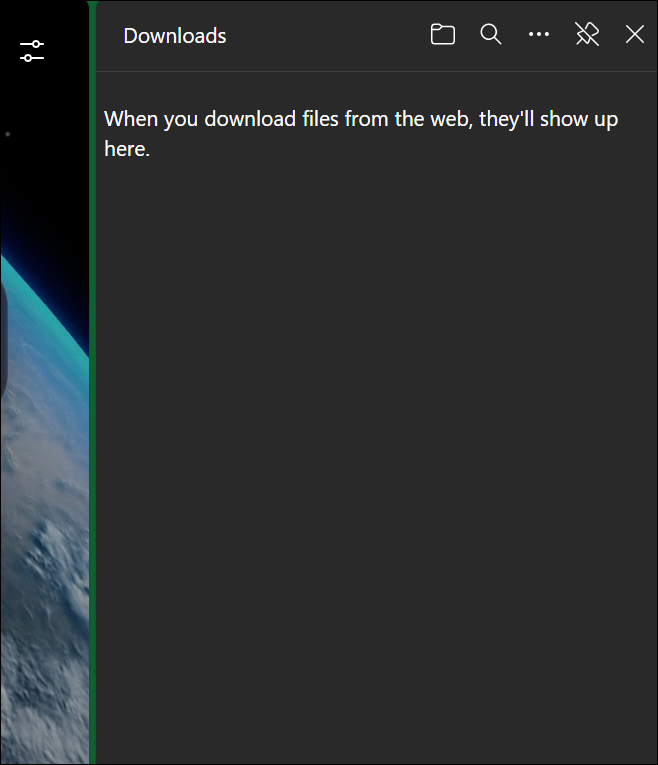
Many of us love Opera for its speed and features, but here’s a small tweak that could make a huge difference for users: a pinable Downloads sidebar, just like Microsoft Edge’s!
What’s the idea?
Right now, when you download files in Opera, the downloads list pops up but disappears after a few seconds. For folks who download a lot (think researchers, gamers, or just heavy internet users), constantly reopening the downloads panel is a hassle.How would it work?
- A tiny "Pin" button 🧷 in the downloads pop-up.
- Once pinned, the downloads list stays fixed on the right side of the browser (like Edge’s sidebar).
- You could collapse/expand it as needed, so it doesn’t eat up screen space.
Why is this awesome?
- No more digging through menus to check download progress.
- Faster access to recently downloaded files.
- Perfect for multitaskers who juggle multiple downloads at once.
Why will users love this?
Let’s be real—thousands of Opera users would use this daily. Edge fans rave about it, and Opera deserves something even better. Plus, it’s a simple but game-changing QoL upgrade.- Upvote this suggestion if agree with it.

Opera’s all about innovation—let’s add this no-brainer feature and win over even more users!
-
burnout426 Volunteer last edited by burnout426
Some alternatives for now:
You can goto the URL
opera://downloads, right-click the tab and pin it so that it's pinned as a small tab to the left side of the tab bar.You can goto the URL
opera://downloadsand click the heart icon to bookmark the page as a speed dial on the start page or a bookmark on the bookmarks bar folder or in "other bookmarks". That way you can quickly get to your downloads. You can also use ctrl + j to open the downloads page.You can enable the "Custom user sites for browser sidebar" flag at the URL
opera://flags/#sidebar-site-panel, restart Opera, click the 3 dots at the bottom of the sidebar, scroll down to "Custom Site Panels" and addopera://downloadsas a sidebar panel. Then, when you open that panel, increase its width. You can also click the pin icon at the top right of the panel when you want so that it stay open and expanded to the left of web pages. You can also goto the URLopera://settings/keyboardShortcutsand set a shortcut for the "Show sidebar" command to easily toggle the whole sidebar on and off. I like using F4 for it.(Note though, there's already a download panel in the sidebar by default.)

