Opera GX LVL 7 126.0.5750.36 64 bit throttles upload speed
-
SoulAsylum last edited by
Having removed the browser once, rebooted, reinstalled and configured to my needs. Checked ethernet cables, which are ALL less than a month old, used MS Edge as a test of a second browser. Upload speeds on Verizon Gigabit are throttled only with Opera GX. Directly connecting to my ISP device gives zero change. Only Opera throttles uploads, is set as the default browser, and its just this PC that has Opera. No other devices on my network have upload throttling happening. IMA no VPN's are being used. I have used Opera GX for more than 4 years, early access without issues.
Also removed antiviral software, manually removed all remnant files and rebooted then retested. No change. A/V isn't a contributing issue.
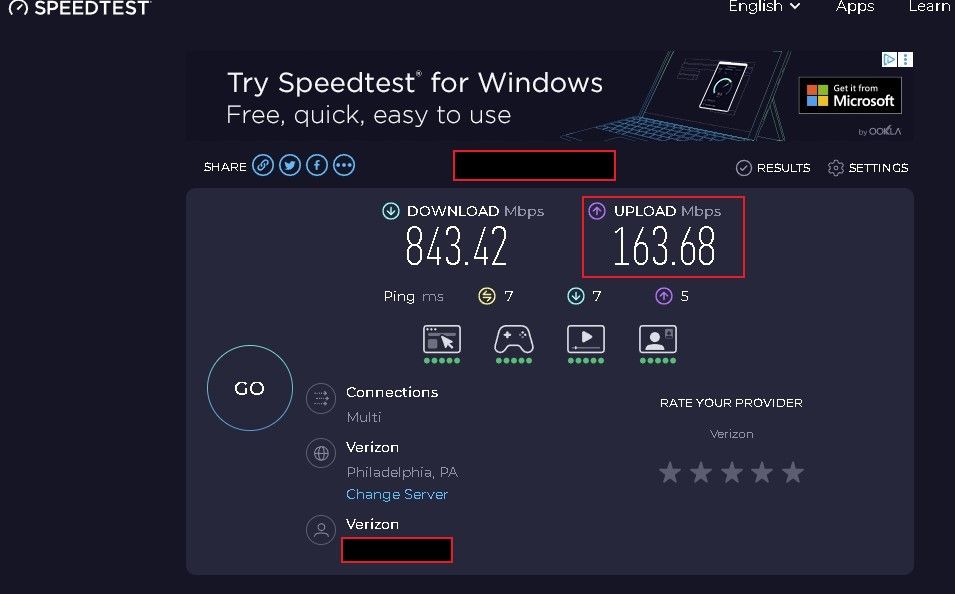
Regards,
SoulAsylum -
-
-
SoulAsylum last edited by
@SoulAsylum Windows 10 Pro 64 bit 22H2 build 19045.6809 ESU. Intel i5 6500 CPU 3.20 GHz / Nvidia GX730 4GB / 24 GB DDR-4 / 256GB SanDisk Plus SSD / 2TB WD Blue storage.
The system is 100% clean, no malware present now nor in the past. There is only one profile and user on this device which is myself. No others. Actual speeds are as FIOS advertises, Opera GX doesn't reflect that and throttles when using it, which in turn causes CPU and memory usage to spike to near 100% during certain tasks. I do NOT have this issue with MS Edge, I have it installed and keep it updated as a backup browser, have done so for a very long time. Edge works perfectly.
Regards

