• Login
    • Search
    • Categories
    • Recent
    • Tags
    • Users
    • Groups
    • Rules
    • Help

    Do more on the web, with a fast and secure browser!

    Download Opera browser with:

    • built-in ad blocker
    • battery saver
    • free VPN
    Download Opera

    Opera will not play videos on Nhl.com

    Opera for Linux
    2
    7
    257
    Loading More Posts
    • Oldest to Newest
    • Newest to Oldest
    • Most Votes
    Reply
    • Reply as topic
    Log in to reply
    This topic has been deleted. Only users with topic management privileges can see it.
    • B
      bidoux last edited by

      Opera will not play videos on Nhl.com
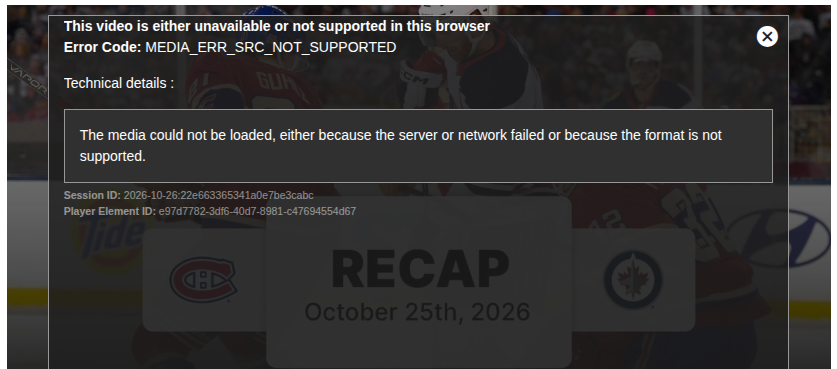
      Screenshot_20261026_073931.png

      https://www.nhl.com/news/jacob-fowler-heritage-classic-sider-october-25-2026

      Operating System: Kubuntu 26.10
      KDE Plasma Version: 6.7.5
      KDE Frameworks Version: 6.29.0
      Qt Version: 6.11.2
      Kernel Version: 7.3.0-9-generic (64-bit)
      Graphics Platform: Wayland
      Processors: 6 × Intel® Core™ i5-8500 CPU @ 3.00GHz
      Memory: 8 GiB of RAM (7.5 GiB usable)
      Graphics Processor: Intel® UHD Graphics 630
      Manufacturer: Dell Inc.
      Product Name: OptiPlex 7060

      Reply Quote 0
        B 1 Reply Last reply
      • B
        bidoux @bidoux last edited by

        @bidoux - works well on Firefox, Vivaldi and Brave (all with similar extensions).

        Reply Quote 0
          1 Reply Last reply
        • burnout426
          burnout426 Volunteer last edited by

          Regular Opera or Opera GX?

          Deb or Flatpak or Snap package?

          What specific Opera version as shown at the URL opera://about?

          Reply Quote 0
            B 1 Reply Last reply
          • B
            bidoux @burnout426 last edited by

            @burnout426

            Installed it from .deb
            Maybe should remove and try Flatpak instead?
            (Snap is out of the question).

            Opera One(version: 139.0.6053.15)
            Opera is up to date
            Update stream:Stable
            System:Ubuntu 26.10 (x86_64; KDE)
            Chromium version:155.0.8059.85

            Reply Quote 0
              B 1 Reply Last reply
            • B
              bidoux @bidoux last edited by

              @bidoux - just tested same setup (with only 5 extensions compared to 10 or 12 on other browsers mentioned previously) on Windows 11 and everything went as expected.

              Reply Quote 0
                B 1 Reply Last reply
              • B
                bidoux @bidoux last edited by

                @bidoux - problem solved!

                Removed with Synaptic.
                Installed Flatpak version via Discover and all is well now! yay!

                Reply Quote 0
                  burnout426 1 Reply Last reply
                • burnout426
                  burnout426 Volunteer @bidoux last edited by

                  @bidoux Nice. If you ever need the deb package to work, see https://www.reddit.com/r/operabrowser/wiki/opera/linux_libffmpeg_config/.

                  Reply Quote 0
                    1 Reply Last reply
                  • First post
                    Last post

                  Computer browsers

                  • Opera for Windows
                  • Opera for Mac
                  • Opera for Linux
                  • Opera beta version
                  • Opera USB

                  Mobile browsers

                  • Opera for Android
                  • Opera Mini
                  • Opera Touch
                  • Opera for basic phones

                  • Add-ons
                  • Opera account
                  • Wallpapers
                  • Opera Ads

                  • Help & support
                  • Opera blogs
                  • Opera forums
                  • Dev.Opera

                  • Security
                  • Privacy
                  • Cookies Policy
                  • EULA
                  • Terms of Service

                  • About Opera
                  • Press info
                  • Jobs
                  • Investors
                  • Become a partner
                  • Contact us

                  Follow Opera

                  • Opera - Facebook
                  • Opera - Twitter
                  • Opera - YouTube
                  • Opera - LinkedIn
                  • Opera - Instagram

                  © Opera Software 1995-