• Login
    • Search
    • Categories
    • Recent
    • Tags
    • Users
    • Groups
    • Rules
    • Help

    Do more on the web, with a fast and secure browser!

    Download Opera browser with:

    • built-in ad blocker
    • battery saver
    • free VPN
    Download Opera

    HiDive no longer working on opera GX

    Opera GX
    2
    5
    941
    Loading More Posts
    • Oldest to Newest
    • Newest to Oldest
    • Most Votes
    Reply
    • Reply as topic
    Log in to reply
    This topic has been deleted. Only users with topic management privileges can see it.
    • H
      Hieroglyphics87 last edited by

      Hello, I cannot view streamed anime on opera gx anymore with HiDive, or opera gx did some sort of update and now its no longer able to be streamed. I can still login and view the library but when it comes to playing an episode or movie I can open it up and select play but it does not buffer or play it just stays like that. My crunchyroll still works and I done a lot of trouble shooting already clear cache, cookies, browsing history, etc. disabled rgx mode, disabled ad blocker, vpn, and other trouble shooting using google AI and still no fix. Anyone else who is an avid anime watching that uses HiDive have a solution?

      Reply Quote 0
        TaTouffeMetoufe 1 Reply Last reply
      • TaTouffeMetoufe
        TaTouffeMetoufe @Hieroglyphics87 last edited by

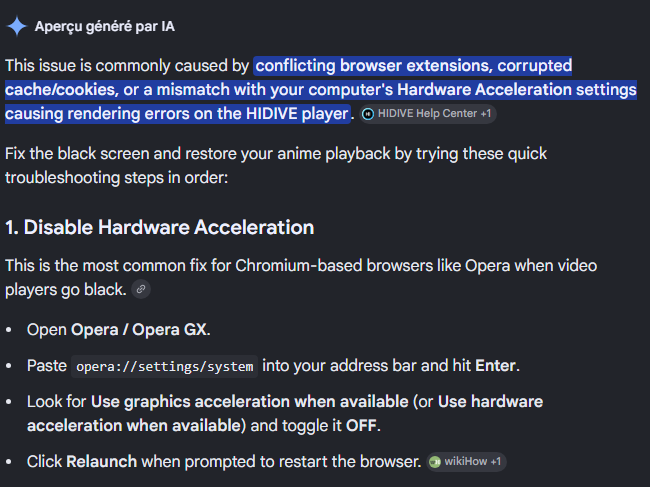
        @Hieroglyphics87 Hello i had the same issue but what fixed it for me was what is in the screen shot Bellow ( 1. Disable Hardware Acceleration ) heres hoping it works for you too. hidive doesnt work.png
        Reply Quote 0
          H 2 Replies Last reply
        • H
          Hieroglyphics87 @TaTouffeMetoufe last edited by

          @TaTouffeMetoufe thanks that was actually the issue...... so weird I was using the google AI for fixing streaming and the hardware acceleration did not pop up. Alot of other solutions did that i tweaked with no results but this finally did it.

          thank you! I think the engineers at opera gx should take a look at this feature to adjust for streaming services cause that was a massive disruption.

          Reply Quote 0
            1 Reply Last reply
          • H
            Hieroglyphics87 @TaTouffeMetoufe last edited by

            @TaTouffeMetoufe Actually you narrowing it down I was able to keep hardware acceleration on and just do the first suggestion by disabling the video decode.
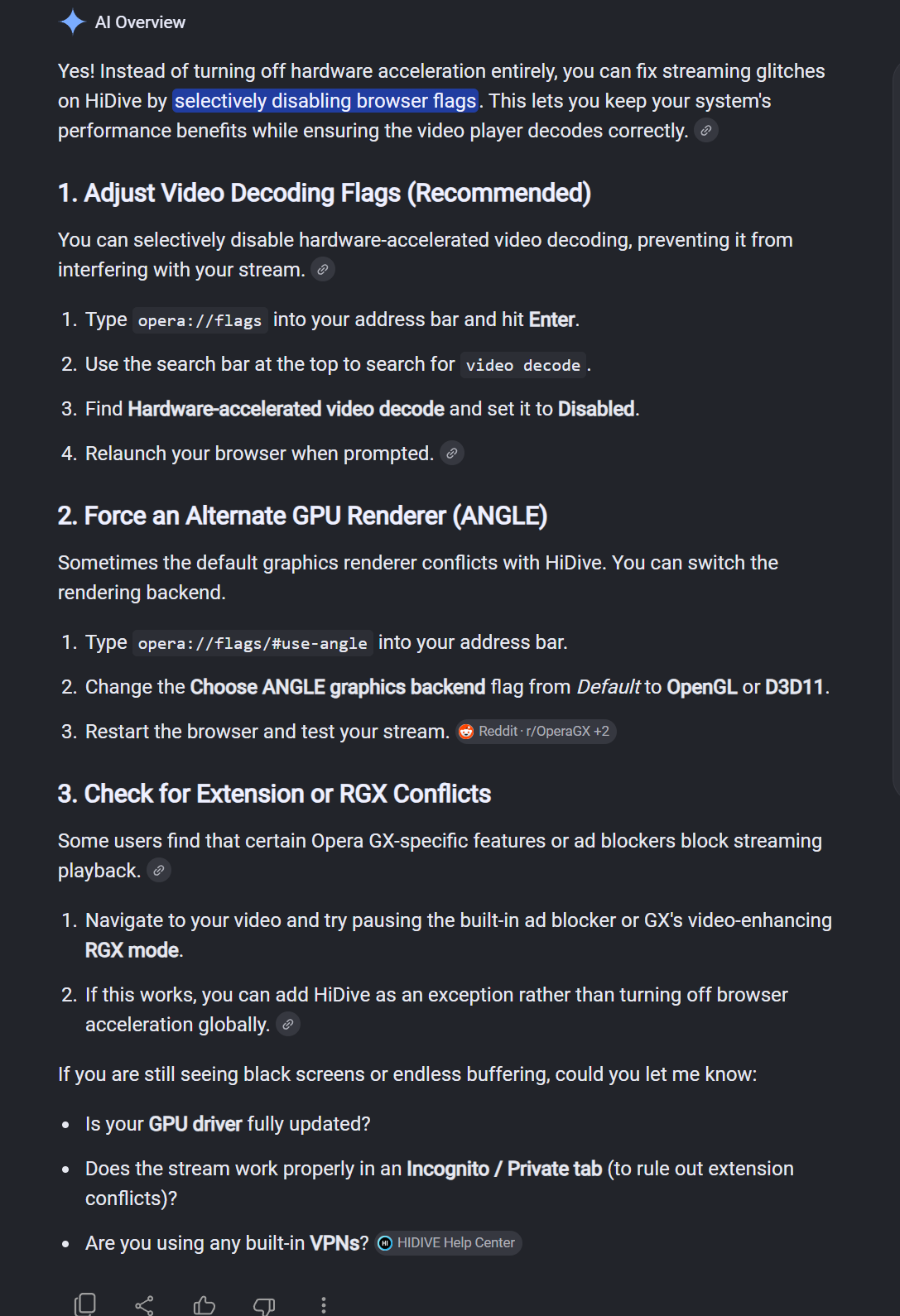
            image_2026-06-04_023252114.png

            Reply Quote 0
              TaTouffeMetoufe 1 Reply Last reply
            • TaTouffeMetoufe
              TaTouffeMetoufe @Hieroglyphics87 last edited by

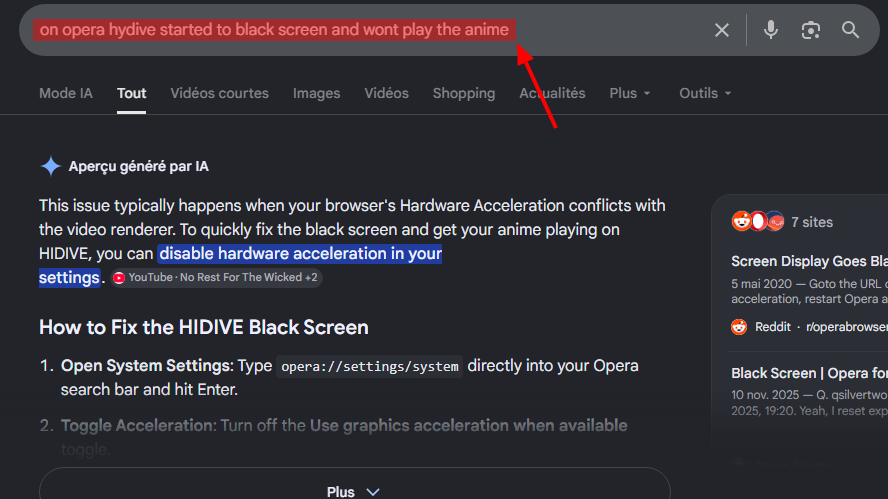
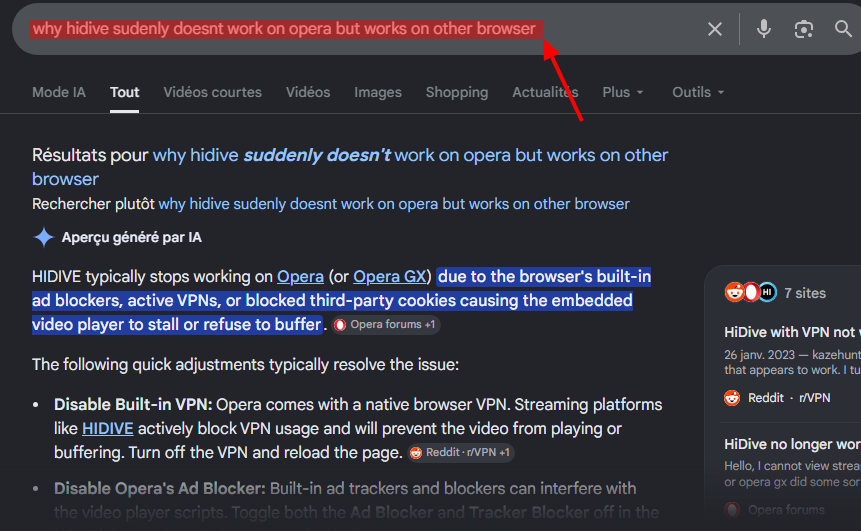
              @Hieroglyphics87 ah nice thanks for the tip ( i had the same issue as you, the AI kept telling me to turn off vpn and other stuff that wasn't on ), but the trick is to explain your problem with other word, like sayingOpera Instantané_2026-06-05_020934_www.google.com.png
              -----------------------------instead of--------------------------------------
              Opera Instantané_2026-06-05_021148_www.google.com.png

              Reply Quote 0
                1 Reply Last reply
              • First post
                Last post

              Computer browsers

              • Opera for Windows
              • Opera for Mac
              • Opera for Linux
              • Opera beta version
              • Opera USB

              Mobile browsers

              • Opera for Android
              • Opera Mini
              • Opera Touch
              • Opera for basic phones

              • Add-ons
              • Opera account
              • Wallpapers
              • Opera Ads

              • Help & support
              • Opera blogs
              • Opera forums
              • Dev.Opera

              • Security
              • Privacy
              • Cookies Policy
              • EULA
              • Terms of Service

              • About Opera
              • Press info
              • Jobs
              • Investors
              • Become a partner
              • Contact us

              Follow Opera

              • Opera - Facebook
              • Opera - Twitter
              • Opera - YouTube
              • Opera - LinkedIn
              • Opera - Instagram

              © Opera Software 1995-