<title>
<![CDATA[ dark mode appearing on some sites ]]>
</title>
<description>
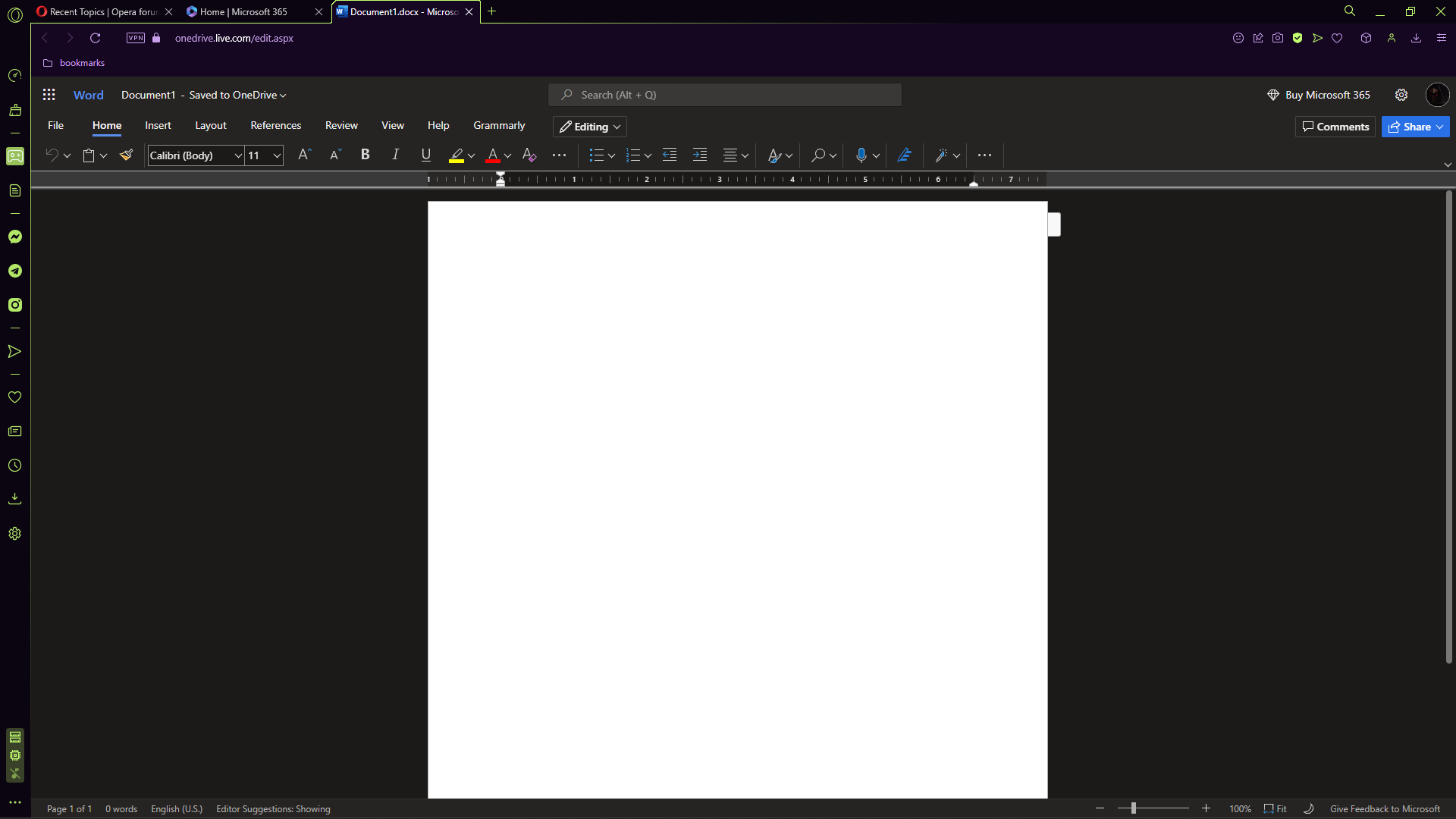
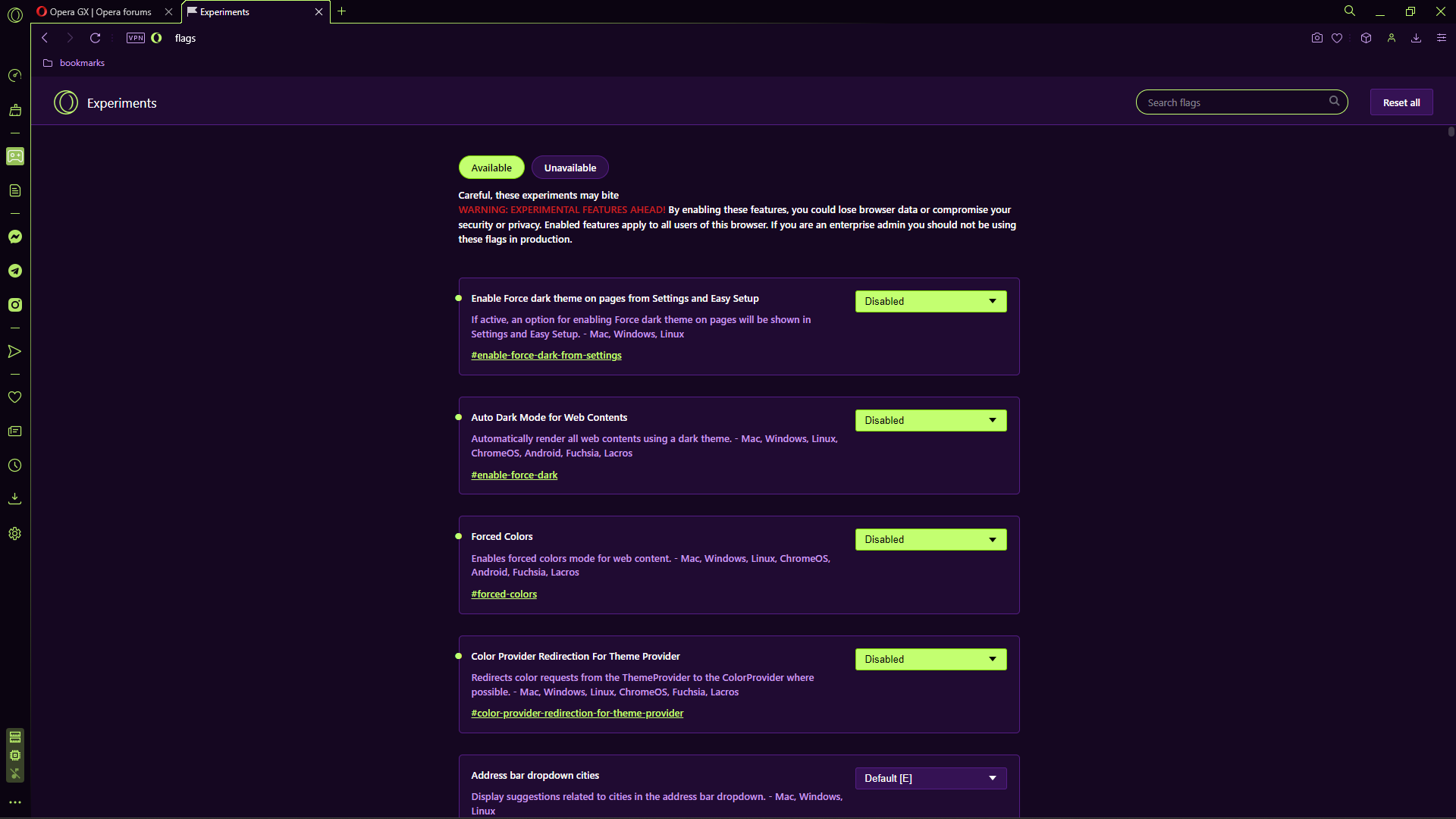
<![CDATA[ <p dir="auto">on some sites, mainly microsoft word online web app on the onedrive website, the page loads in dark mode even though nothing should be causing it to do so. This is a client side error as i have tested it and have been unable to reproduce this elsewhere besides other chromium-based browsers on this device. Trying to recreate this in windows sandbox on a chromium browser works normally, loading a normal light mode webpage <img src="/assets/uploads/files/1668826980667-image_2022-11-18_190300193.png" alt="image_2022-11-18_190300193.png" class=" img-responsive img-markdown" /> <img src="/assets/uploads/files/1668826856020-screenshot-10.png" alt="Screenshot (10).png" class=" img-responsive img-markdown" />. the second screenshot shows certain options i have disabled in opera://flags in an attempt to resolve the issue, first is an example of ms word's web app loading in dark mode.</p>
<p dir="auto">if anyone knows a fix or has any advice on resolving this please let me know <img src="https://forums.opera.com/assets/plugins/nodebb-plugin-emoji/emoji/emoji-one/1f642.png?v=8o4975a5btk" class="not-responsive emoji emoji-emoji-one emoji--slightly_smiling_face" title=":)" alt="🙂" /></p>
<p dir="auto">thanks</p>
]]>
</description>
<link>https://forums.opera.com/topic/58832/dark-mode-appearing-on-some-sites</link>
<generator>RSS for Node</generator>
<lastBuildDate>Wed, 14 May 2025 13:27:15 GMT</lastBuildDate>
<atom:link href="https://forums.opera.com/topic/58832.rss" rel="self" type="application/rss+xml"/>
<pubDate>Sat, 19 Nov 2022 03:04:04 GMT</pubDate>
<ttl>60</ttl>
<item>
<title>
<![CDATA[ Reply to dark mode appearing on some sites on Mon, 21 Nov 2022 21:35:05 GMT ]]>
</title>
<description>
<![CDATA[ <p dir="auto"><a class="plugin-mentions-user plugin-mentions-a" href="https://forums.opera.com/uid/457845">@cmdralek-val</a> It's a feature of the site. Probably there is a way to change it on the site itself.</p>
]]>
</description>
<link>https://forums.opera.com/post/294242</link>
<guid isPermaLink="true">https://forums.opera.com/post/294242</guid>
<dc:creator>
...</dc:creator>
<pubDate>Mon, 21 Nov 2022 21:35:05 GMT</pubDate>
</item>
<item>
<title>
<![CDATA[ Reply to dark mode appearing on some sites on Mon, 21 Nov 2022 18:03:12 GMT ]]>
</title>
<description>
<![CDATA[ <p dir="auto"><a class="plugin-mentions-user plugin-mentions-a" href="https://forums.opera.com/uid/73">@leocg</a> is there a way to disable this in settings or something or is this an issue with the website</p>
]]>
</description>
<link>https://forums.opera.com/post/294229</link>
<guid isPermaLink="true">https://forums.opera.com/post/294229</guid>
<dc:creator>
<![CDATA[ cmdralek-val ]]>
</dc:creator>
<pubDate>Mon, 21 Nov 2022 18:03:12 GMT</pubDate>
</item>
<item>
<title>
<![CDATA[ Reply to dark mode appearing on some sites on Sat, 19 Nov 2022 11:47:40 GMT ]]>
</title>
<description>
<![CDATA[ <p dir="auto"><a class="plugin-mentions-user plugin-mentions-a" href="https://forums.opera.com/uid/457845">@cmdralek-val</a> If <em>Force Dark Pages</em> is disabled, then most probably the site is detecting that you are using a dark theme and is adapting its theme.</p>
]]>
</description>
<link>https://forums.opera.com/post/294071</link>
<guid isPermaLink="true">https://forums.opera.com/post/294071</guid>
<dc:creator>
...</dc:creator>
<pubDate>Sat, 19 Nov 2022 11:47:40 GMT</pubDate>
</item>
 . the second screenshot shows certain options i have disabled in opera://flags in an attempt to resolve the issue, first is an example of ms word's web app loading in dark mode.
